
Google Shopping Ads: How They Work in 2026
Priya Raghunathan
E-commerce Performance Manager
Google Shopping ads are the product listings with an image, a title, a price and your store name that appear on Google Search, the Shopping tab and Google Images. They do not run on keywords. Google reads the product data you send to Merchant Center and decides which searches each product matches, so the quality of your feed sets the ceiling for every campaign you build on top of it.
Quick answer: Link Google Merchant Center to Google Ads, send a feed with the required attributes (id, title, description, link, image link, availability, price, plus brand and GTIN where they apply), then run either a Standard Shopping campaign for control or Performance Max for reach. Bid with Target ROAS once you have conversion data, split products with custom labels, and fix price and availability mismatches before they cost you impressions.
This guide stays on Google. For how Performance Max compares with Meta's Advantage+, see Performance Max vs Advantage+. For the feed itself, field by field and platform by platform, read our product feed optimisation guide.
How do Google Shopping ads work?
Google Shopping ads work by matching searches to the products in your Merchant Center feed and showing a visual listing for each match. Google's Shopping ads overview says they "use your existing Merchant Center product data (not keywords) to decide how and where to show your ads".
The setup has three parts:
- Google Merchant Center holds your product data. Google moved every account to the redesigned version, then called Merchant Center Next, by 30 September 2024 according to its transition FAQ. Google has since dropped the "Next", and its help pages call the product Google Merchant Center.
- Google Ads holds the campaigns. You link the two accounts before you can create a Shopping campaign.
- A campaign type: Standard Shopping or Performance Max.
Standard Shopping campaigns are charged per click and can show on the Shopping tab, next to Google Search results, on Google Images and on search partner sites if you turn them on.
What does Merchant Center need from your feed?
Merchant Center needs a short list of required attributes for every product, plus identifiers and variant details that depend on the product type. Google's product data specification is the reference. As of November 2026 it sets these rules:
| Attribute | Rule |
|---|---|
id, title, description, link, image_link, availability, price | Required for every product |
brand | Required for new products, except films, books and music recordings |
gtin | Submit it whenever the manufacturer assigned one |
mpn | Required only when the product has no GTIN |
condition | Required for used or refurbished products |
item_group_id, colour, size, gender, age group | Required in some categories and countries, such as apparel |
title | Up to 150 characters |
description | Up to 5,000 characters |
custom_label_0 to custom_label_4 | Up to 100 characters each, and 1,000 unique values per label across the account |
Two details save the most trouble. Google's title guidance says shoppers "will usually notice only the first 70 or fewer characters", so the product type, brand and key variant go first. And its image rules ban promotional text, watermarks and borders, require at least 500 by 500 pixels for all products from 31 January 2027, and recommend 1,500 by 1,500 or more.
Standard Shopping or Performance Max?
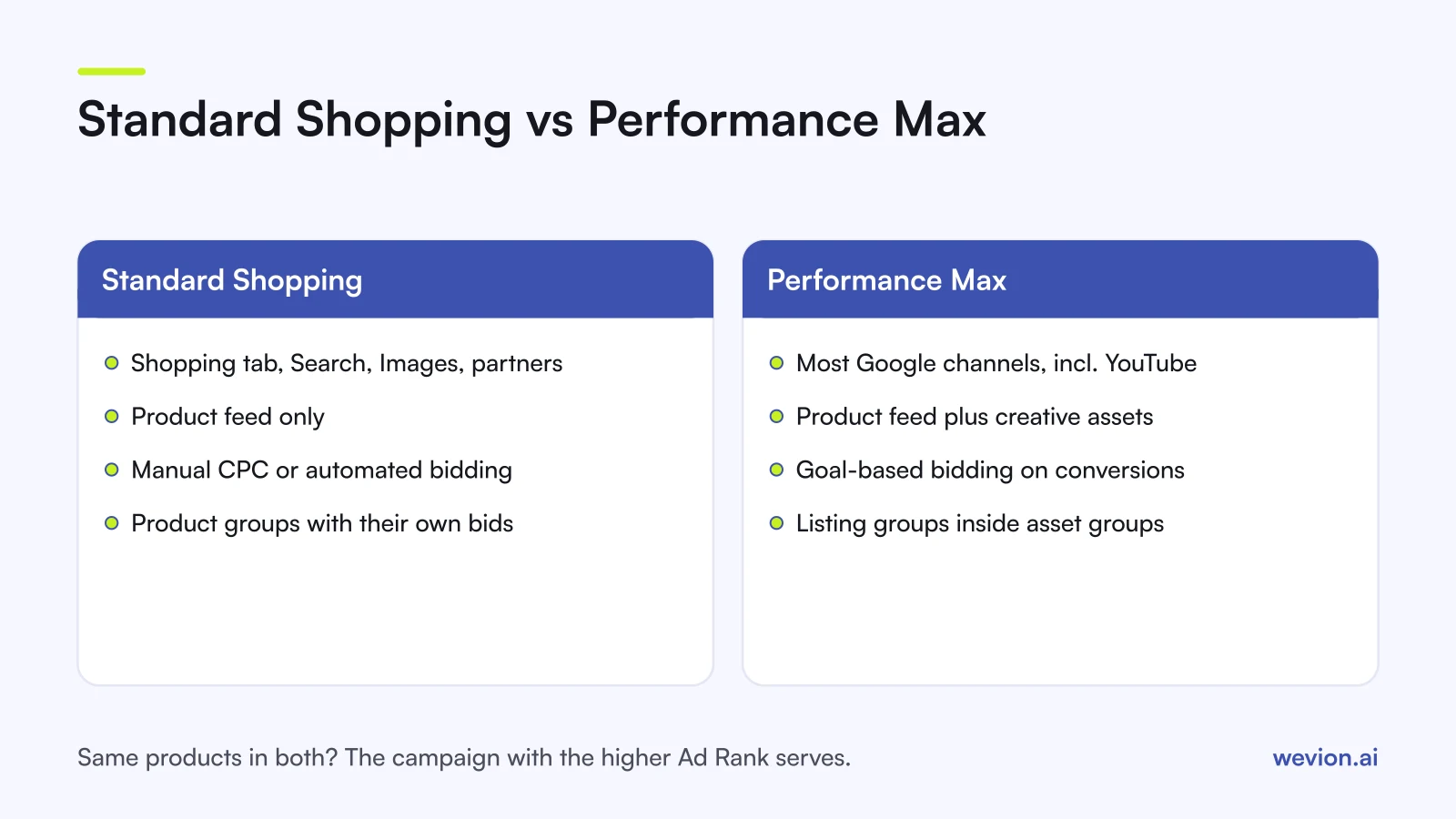
Standard Shopping and Performance Max both use the same Merchant Center feed, but they differ in reach, control and how much data they need. Performance Max can serve across Google's properties, including Shopping, Images and YouTube, and adds text, image and video assets to the feed. Standard Shopping shows Shopping ads only and gives you more levers.
| Standard Shopping | Performance Max | |
|---|---|---|
| Where it shows | Shopping tab, Search, Images, search partners | Most Google channels, including YouTube |
| Inputs | Product feed | Product feed plus creative assets |
| Bidding | Manual CPC or automated bidding | Goal-based, built on your conversion goals |
| Product control | Product groups with their own bids | Listing groups inside asset groups |
| Same products in several campaigns | Campaign priority decides | Highest Ad Rank serves |
When the same products sit in both campaign types, Google's page on how Performance Max interacts with other campaigns says the campaign with the highest Ad Rank is prioritised. Older Google guidance gave Performance Max automatic priority over Standard Shopping, so articles from before the change may still say that.
A common split for a store with a few hundred products: Performance Max for proven bestsellers with steady conversion history, and Standard Shopping for new launches, clearance stock and products where you want a hard cap on cost per click. If you compare channels on profit rather than revenue, our guide to POAS vs ROAS explains why the two can tell different stories.
How should you bid on Shopping campaigns?
Shopping bidding works best when the target comes from your margins, not from a round number. Standard Shopping offers Manual CPC plus three automated strategies listed on Google's automated bidding for Shopping page:
- Maximize clicks does not need conversions. Use it to collect data on a new account.
- Target ROAS needs conversions. Google aims for a set return on ad spend.
- Maximize conversion value needs conversions. Google spends the budget to get the most value.
Set the Target ROAS from break-even. If a €60 product leaves you €24 after product cost, shipping and fees, its contribution margin is 40% and it breaks even at a ROAS of 60 ÷ 24 = 2.5, or 250%. A target of 300% leaves a margin of safety. Our break-even ROAS calculator runs the same sum for your own numbers.
On Manual CPC, work backwards from the same figures. If you can spend up to €12 to make one €60 sale and the product converts once every 40 clicks, your maximum CPC is €12 ÷ 40 = €0.30.
How do product groups work?
Product groups are how a Standard Shopping campaign splits your catalogue so that different products get different bids. Every ad group starts with one group called "All products", which you subdivide by attributes from your feed. Google's product groups page lists eight: item ID, brand, category, product type, condition, custom labels, channel and channel exclusivity.
The limits worth knowing:
- Up to 7 levels of subdivision per product group, in any order.
- Up to 5,000 product groups per ad group.
- Bids sit only on groups that are not subdivided further.
- Products not in any active group show as "Excluded" and do not serve.
Custom labels are the most useful split because you control them. A simple scheme for a 600-product store:
| custom_label_0 | Products | Bid approach |
|---|---|---|
| high-margin | 120 | Highest bids or target ROAS 250% |
| core | 400 | Target ROAS 350% |
| clearance | 80 | Low fixed CPC, separate campaign |
With campaign priority, you can run the clearance products in a High priority campaign with low bids and leave everything else in a Low priority campaign. Google's campaign priority page says the highest priority campaign bids for a product it contains, and the next one bids only when that campaign's budget runs out. New campaigns start at Low.
Which disapprovals stop Shopping products serving?
Most Shopping disapprovals come from the feed disagreeing with your website, from missing identifiers, or from images that break the rules. Merchant Center lists affected items under Products, in the "Needs attention" view. These are the issues stores hit most often:
- Mismatched product price. Google's price mismatch page lists the causes: the feed updated less often than the site, wrong structured data, prices added with JavaScript after the page loads, sale dates or time zones set wrongly, and minimum order quantities. It warns that persistent mismatches "may lead to an account suspension".
- Availability mismatches. The feed says in stock while the page says sold out, or the reverse.
- Limited performance due to missing identifiers. Google's identifier fix page asks for a brand plus a GTIN or MPN.
- Invalid GTIN. The value has a wrong check digit or a format that is not a valid GTIN. Google's GTIN page says never to guess or invent one.
- Image issues. Promotional overlays, watermarks, placeholders and borders.
After a fix, request a website check. Google says the review can take up to 12 hours. Automatic item updates, on by default, can also correct price, sale price, availability and condition from your product page markup. For a cross-platform diagnosis that also covers Meta and TikTok, see our guide to catalog ads troubleshooting.
How do you measure Google Shopping ads?
Measuring Shopping ads properly takes purchase conversion tracking with values, because Target ROAS and Maximize conversion value only optimise for what you send them. Track purchases with the Google tag or Google Tag Manager, send the order value, and use the same currency as the feed.
The next step is conversions with cart data. It reports items sold, cart size and average order value, and calculates gross profit when you add cost of goods sold to your Merchant Center data. One rule matters most: item IDs in the conversion tag must exactly match the id attribute in your feed.
Read Google's numbers next to your store's orders. Each ad platform claims conversions by its own rules, so totals across Google and Meta usually add up to more than your real sales.
Where Wevion fits
A Shopping account rarely runs alone. The same products usually run as catalogue ads on Meta and TikTok, and the budget question is which channel earns the next euro.
Wevion connects Meta, Google, TikTok, Taboola, Snapchat and Outbrain ad accounts through each platform's official API, syncs data about every 15 minutes, and shows spend and results for every account in one view, so Shopping and Performance Max campaigns sit next to your Meta and TikTok catalogue campaigns.
You can set automation rules on Google Ads that pause or activate campaigns, change budgets by a percentage or just send an alert when a metric crosses a threshold, with a cooldown and a daily cap on runs. Our Google Ads automated rules guide explains how to set thresholds. Profitability Analytics, in beta, brings Shopify or WooCommerce orders next to spend. Your Shopping feed itself stays in Google Merchant Center: Wevion's catalogue tools work with Meta catalogues, not with Google feeds.
You can try it on your own ad accounts with a 14-day trial on the Pro plan. No card to start. We ask for one on day 7, or earlier if you use up the trial credits, and billing starts on day 14 only if you add it.
Key takeaways
- Google Shopping ads run on Merchant Center product data, not keywords, so the feed sets the ceiling.
- Every product needs id, title, description, link, image link, availability and price, plus brand and GTIN where they apply.
- Put the most important words in the first 70 characters of the title.
- Performance Max reaches more inventory; Standard Shopping gives product groups, priority and manual bids. When both hold the same products, the higher Ad Rank serves.
- Set Target ROAS from break-even: a 40% margin means 250% is the floor.
- Fix price and availability mismatches at the source, then request a review.