
Product Feed Optimisation: A Checklist for Shopping Ads
Priya Raghunathan
E-commerce Performance Manager
Product feed optimization is the work of improving the product data you send to Google, Meta, TikTok and Snapchat, so each product reaches the searches and shoppers it should. On every platform the feed replaces keywords: the title, the attributes and the image are what the system reads before it decides to show a product. A better feed raises the ceiling for every campaign you build on it.
Quick answer: Fix errors and rejected items first, then add missing identifiers (brand, GTIN or MPN), then rewrite titles so the product type, brand and key variant sit in the first 65 characters. After that, clean up images, fill the attributes your category needs, and add custom labels for margin and season so you can bid on them.
This guide is about the feed itself. To set up campaigns on top of it, read our guides to Google Shopping ads, Meta catalog ads and TikTok catalog ads.
Why does product feed quality matter so much?
Product feed quality matters because catalogue and Shopping campaigns have no keywords and no hand-written ads to fall back on. Google's Shopping ads overview says they use your Merchant Center product data, "not keywords", to decide how and where to show your ads. Meta and TikTok build their catalogue ads from the same kind of data.
That has two effects. A product with a vague title or a missing brand matches fewer searches, and a product with a wrong price or a broken image may not serve at all. Feed work therefore splits into two jobs: keeping every product eligible, then making eligible products easier to match.
How should you write product titles?
Product titles should lead with what the shopper types, then add the details that separate one variant from another. Google allows 150 characters, but its title guidance says shoppers "will usually notice only the first 70 or fewer characters". Meta's catalogue fields reference allows 200 and recommends a maximum of 65.
A pattern that works in most categories is brand, product type, key attribute, then variant:
| Before | After |
|---|---|
| BEST SELLER!! Jumper | Nordvik Merino Crew Neck Jumper, Men's, Navy, M |
| Serum 30ml | Lumea Vitamin C Face Serum, 30 ml, Fragrance Free |
| Running Shoe Blue | Strida Road Running Shoes, Women's, Blue, UK 6 |
Google's rules also say what to leave out: all caps for emphasis, symbols, price, sale dates, shipping details and your store name. Each of those has its own attribute.
What makes a good product description?
A good product description adds facts the title has no room for, in plain text and with the most useful details first. Google's description guidance allows up to 5,000 characters and asks you to put the key details in the first 160 to 500, because shoppers have to click to see the rest. Meta allows up to 9,999 characters in plain text.
Cover material, size, fit, intended age range, technical specifications and the variant's colour or pattern. Leave out links, prices, comparisons with other products and anything about your store's policies. Describe only the product you sell, not accessories or compatible items.
Which attributes matter beyond the required ones?
Beyond the required fields, the attributes that matter most are the ones that group variants and place the product in the right category. Google's product data specification makes several of them conditional: required in some categories and countries, useful everywhere else.
item_group_idties sizes and colours of one product together.- Colour, size, gender and age group are required for apparel in many countries.
product_typeis your own category path, which you can later use to split campaigns.google_product_categoryorfb_product_categoryplaces the product in the platform's taxonomy. Meta says the choice can affect tax calculations.sale_pricemust be lower thanprice. Add an effective date so the sale ends on time.
If you sell fashion, our guide to catalog ads for fashion brands covers sizes, colours and stock in more depth.
How do images affect feed performance?
Images affect feed performance because the image is the first thing a shopper sees in a catalogue ad, and a broken or non-compliant image can stop a product serving. Google's image rules ban promotional text, watermarks, added logos, placeholders and borders. They require at least 500 by 500 pixels for all products from 31 January 2027 and recommend 1,500 by 1,500 or larger.
Meta accepts JPEG or PNG images of at least 500 by 500 pixels and up to 8 MB. Use additional_image_link for extra angles: Google accepts up to 10. If a product has only one photo, extra angles give carousel and collection formats more to work with.
Why do GTINs matter?
GTINs matter because they let a platform match your product to the same item sold elsewhere, which helps it understand what you sell. Google's GTIN page says products with missing or incorrect GTINs "may have limited visibility", and that omitting a GTIN the product has can lead to disapproval.
Accepted formats are UPC (12 digits), EAN (13), JAN (8 or 13), ISBN (13) and ITF-14 (14). The rule that saves the most trouble: never guess. Google says "when in doubt don't provide a GTIN". Private-label products without one should send brand and MPN.
How should you use custom labels?
Custom labels let you add your own data to each product so you can split campaigns, bids and reports by things the platform cannot see, such as margin. Google, Meta and TikTok all offer five, custom_label_0 to custom_label_4, with a 100-character limit. Google also caps each label at 1,000 unique values across the account, so use bands, not exact numbers.
| Label | Example values | What it lets you do |
|---|---|---|
| custom_label_0 | margin-high, margin-mid, margin-low | Bid harder on products that keep more profit |
| custom_label_1 | ss26, aw26, evergreen | Push or pause a season in one change |
| custom_label_2 | bestseller, new, clearance | Separate proven products from tests |
| custom_label_3 | price-0-25, price-25-75, price-75-plus | Read results by price band |
| custom_label_4 | stock-deep, stock-low | Stop pushing products about to sell out |
To see which products actually make money before you set the margin bands, our per-SKU profit teardown walks through the sums.
How do Google, Meta, TikTok and Snapchat catalogues differ?
The four platforms read similar product data, but their limits differ enough that one feed sent unchanged to all of them will lose detail somewhere. The table sums up the official specifications as of November 2026.
| Meta | TikTok | Snapchat | ||
|---|---|---|---|---|
| Title limit | 150 characters | 200, 65 recommended | No limit stated | No limit stated |
| Description limit | 5,000 characters | 9,999 characters | Short description | No limit stated |
| Identifiers | Brand, plus GTIN or MPN | At least one of brand, GTIN, MPN | Brand required | Not stated |
| Images | 500 × 500 minimum from 31 Jan 2027 | 500 × 500 minimum, up to 8 MB | 500 × 500 for square carousel | Image link required |
| Custom labels | 5, 100 characters, 1,000 values each | 5, 100 characters | 5, 100 characters | 5 |
Sources: Google's product data specification, Meta's catalogue fields reference, TikTok's catalogue product parameters and Snap's Dynamic Product Ads guide. TikTok lists nine required fields, including sku_id and brand. Snapchat's availability field accepts more values than the others, including preorder. For the Snapchat setup itself, see our Snapchat Ads Manager guide for ecommerce.
What is the right order for feed fixes?
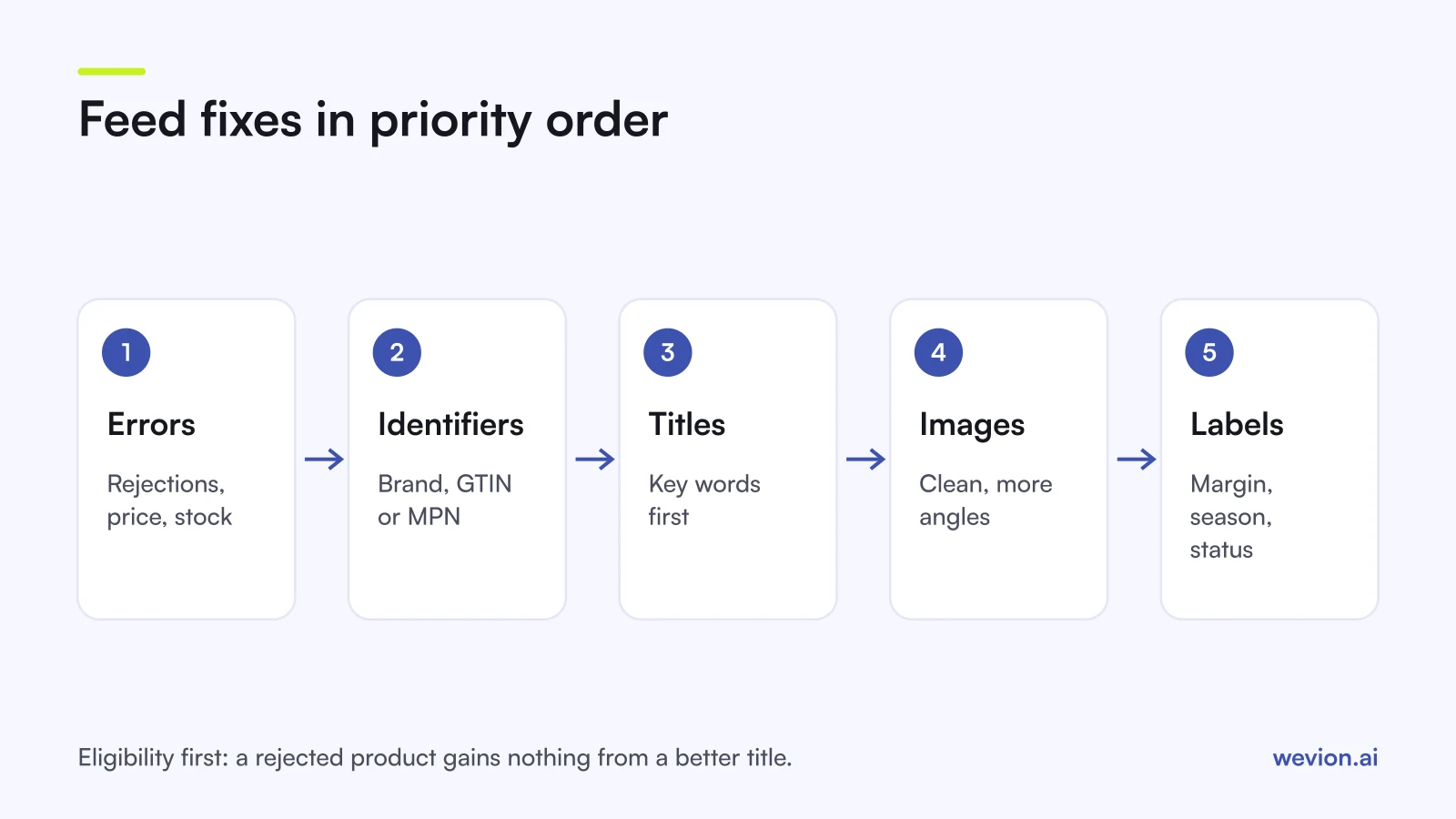
The right order puts eligibility before reach: a product that cannot serve gains nothing from a better title. Work through this list from the top and stop at each step until it is clean.
- Errors and rejected items. Clear every item in Merchant Center's "Needs attention" view and in Meta and TikTok catalogue diagnostics.
- Price and availability sync. Refresh the feed at least daily so it matches the site.
- Identifiers. Add brand to every product, and GTIN or MPN where it exists.
- Titles. Rewrite the top 20% of products by revenue first, then the rest.
- Images. Replace placeholders and images with overlays, then add extra angles.
- Category attributes. Fill
item_group_id, colour, size, gender and age group where they apply. - Custom labels. Add margin, season and status, then build campaigns on them.
When a fix does not stick, our catalog ads troubleshooting guide goes through the common causes platform by platform.
Where Wevion fits
Feed work is only half the job: once products are eligible, you still need to see which ones earn their spend on each platform, and catch catalogue problems before a campaign goes live.
Wevion connects Meta, Google, TikTok, Taboola, Snapchat and Outbrain ad accounts through each platform's official API, syncs data about every 15 minutes, and brings your Shopify or WooCommerce stores into one view, so catalogue campaigns on every platform can be read next to your orders.
For Meta, Wevion's Product Catalogs feature shows Meta's catalogue diagnostics and upload errors, lists products Meta rejected with the reasons it gave, and builds product sets from 13 filter fields, including custom labels. You can also point a feed at a source URL and have Meta refresh it hourly, daily or weekly. Google Shopping feeds stay in Google Merchant Center.
For product images, Feed Enrichment, currently in beta, finds which shots each product page is missing and makes on-model photos, close-ups and a 5-second video from the photos you already have. It does not change titles, descriptions or your feed: you keep the results in your Creative Hub library or download them, and check each platform's image rules before you add them to your catalogue.
You can try it on your own catalogue with a 14-day trial on the Pro plan. No card to start. We ask for one on day 7, or earlier if you use up the trial credits, and billing starts on day 14 only if you add it.
Key takeaways
- The feed replaces keywords on every catalogue platform, so it sets the ceiling for your campaigns.
- Fix errors and sync price and availability before you touch titles.
- Put product type, brand and key variant in the first 65 characters of the title.
- Send a GTIN whenever the manufacturer assigned one, and never invent one.
- Use the five custom labels for margin, season and status, in bands rather than exact values.
- Google, Meta, TikTok and Snapchat differ on title length, identifiers and images, so check each specification.