
Meta Attribution Setting: Windows, Defaults and 2026 Changes
Rafael Moreira
Senior Performance Marketer
The Meta attribution setting is the rule each ad set uses to decide which conversions count: how long after a click, an interaction or an impression a purchase can still be credited to your ad. It changes two things at once, the results you read in Ads Manager and the conversions Meta's delivery system learns from, so it is worth understanding before you touch it.
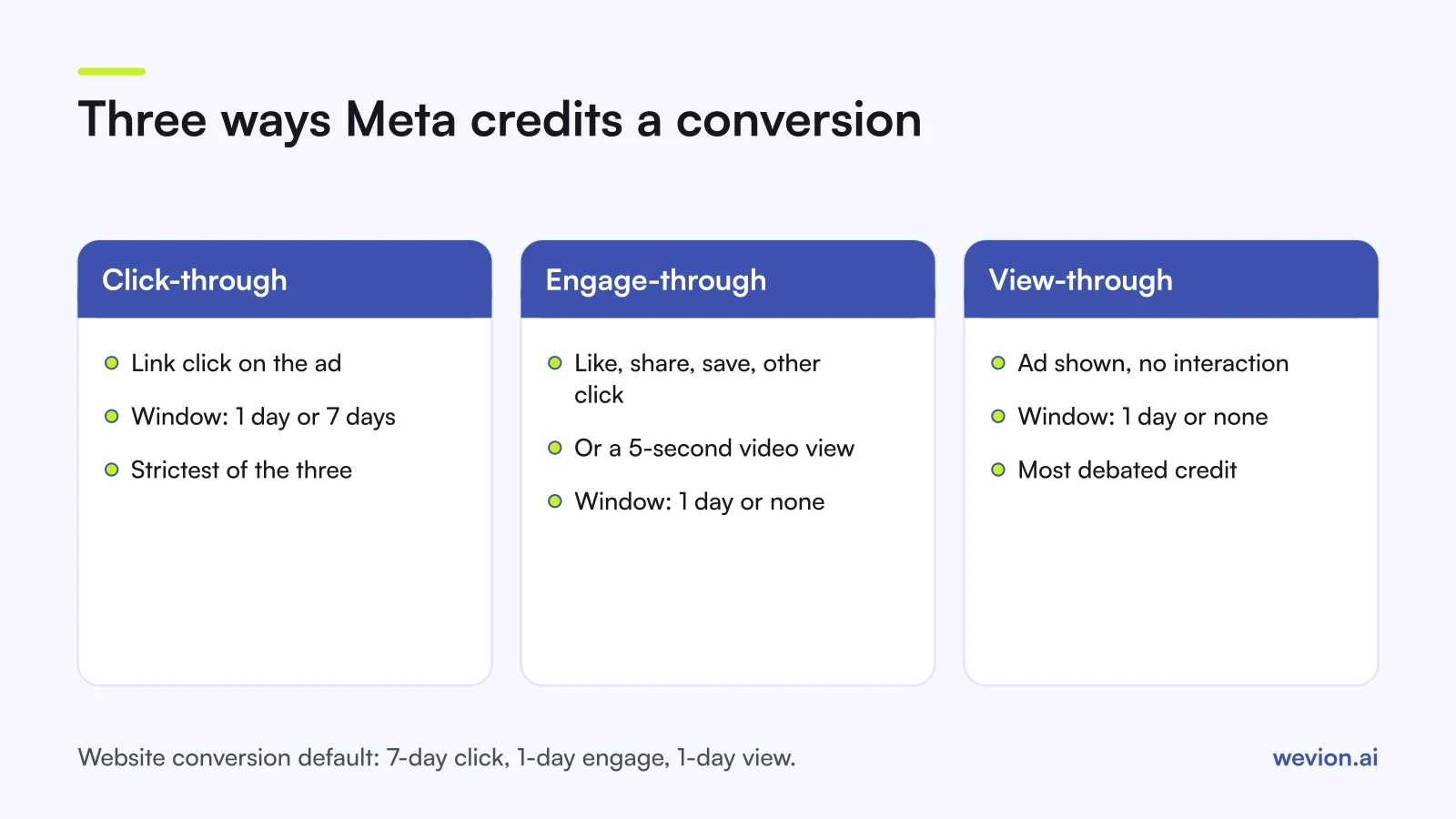
Quick answer: A Meta attribution setting combines up to three windows: click-through (link clicks, 1 or 7 days), engage-through (likes, shares, saves, other non-link clicks and engaged video views, 1 day) and view-through (impressions, 1 day). Website conversion ad sets default to 7-day click, 1-day engage-through and 1-day view. The setting shapes both reporting and optimisation.
This guide is about the setting itself. For why Meta's numbers differ from your store's, read why Meta and Shopify numbers don't match. For attribution models across channels, such as first touch and last touch, see first-touch vs last-touch attribution.
What is the attribution setting in Meta Ads Manager?
The attribution setting is an ad set level choice that tells Meta which actions and time windows can earn credit for a conversion. You set it in the ad set, under the conversion section, and you can read it in reports through the Attribution setting column.
In Meta's Marketing API, the same choice is the ad set's attribution spec, which lists three event types: CLICK_THROUGH, VIEW_THROUGH and ENGAGED_VIDEO_VIEW. Meta describes it as the spec "used for attributing conversions for optimization" and notes that "supported window lengths differ by optimization goal and campaign objective". That is why the options you see change between, say, a sales campaign and an app campaign.
The setting does not change what your pixel or Conversions API sends. Every event still reaches Meta. The setting decides which of those events Meta links to this ad set and counts as its result.
What do click-through, engage-through and view-through mean?
Meta credits a conversion through three paths, and each answers a different question about how the person met your ad. Since March 2026 the boundaries between them are stricter than they used to be.
| Window type | What triggers it | Window options | Typical default |
|---|---|---|---|
| Click-through | A link click on the ad | 1 day or 7 days | 7 days |
| Engage-through | Likes, shares, saves, other non-link clicks, engaged video views | 1 day or none | 1 day |
| View-through | The ad was shown, with no click or engagement | 1 day or none | 1 day |
Click-through is the strictest signal: someone clicked through to your site and bought within the window. In a post dated 3 March 2026, Meta said it was changing click-through for website and in-store conversions to count link clicks only, so shares, saves and likes no longer count as clicks.
Engage-through is the new name for what Meta used to call engaged-view attribution. The same post says conversions after shares, saves and other non-link clicks move into this category, and that an engaged view for a video ad is now 5 seconds, down from 10. Meta said the change would start later in March 2026 for campaigns optimising for website or in-store conversions, and that billing is not affected.
View-through credits a conversion when someone saw the ad, did not interact with it and bought within a day. It is the window most often argued about, because the ad may or may not have caused the sale.
What is the default Meta attribution window?
For ad sets that optimise for website conversions, Ads Manager starts at 7-day click-through, 1-day engage-through and 1-day view-through, under the standard attribution model. Practitioner guides such as Jon Loomer's 2026 attribution overview document the same default and the options to change click-through to 1 day or set the other two to none.
The API has its own reporting default. Meta's Ads Insights reference says the default value for attribution windows means 7-day click and 1-day view, and that setting use_unified_attribution_setting to true returns results using each ad set's own setting, which Meta says gives the same results as Ads Manager. If a report pulled through a connector does not match Ads Manager, this parameter is the first thing to check.
How does the attribution setting affect optimisation vs reporting?
The attribution setting works on two levels at once, and mixing them up is the most common source of confusion.
- Optimisation. The windows you choose define the conversions Meta's delivery system optimises for. With 7-day click plus 1-day view, a purchase that follows an impression counts as a success. With 1-day click only, it does not, so delivery leans towards people likely to click and buy quickly.
- Reporting. By default, Ads Manager reports results under the ad set's own setting. You can also compare other windows in reports without touching the ad set.
Changing the setting on a live ad set therefore changes delivery, not just your numbers. Treat it like a change to the optimisation event: expect a period of instability, as our guide to the Meta ads learning phase explains, and avoid judging the result in the first days.
Reporting comparisons are free of that risk. Comparing 1-day click with 7-day click in reports changes nothing about delivery, so always compare before you change.
What changed in Meta attribution in 2025 and 2026?
Meta changed attribution three times in roughly a year, so any rule of thumb from before 2025 needs checking.
- Incremental attribution (2025). When creating an ad set, you can choose between the standard model and an incremental one. Meta describes incremental attribution as a setting that "optimizes delivery for incremental conversions using models that predict whether a conversion is caused by an ad", as reported by Social Media Today on 3 September 2025. Practitioner guides note that once you select it, you can no longer edit the attribution windows on that ad set.
- API windows removed (12 January 2026). Meta's developer blog of 16 October 2025 announced that from 12 January 2026 the Ads Insights API would stop returning the 7-day view and 28-day view windows. 1-day click, 7-day click, 28-day click, 1-day engaged view and 1-day view remain, in line with what Ads Manager offers. Dashboards built on the old view windows now show those columns empty.
- Link clicks only (March 2026). As covered above, click-through for website and in-store conversions now counts link clicks only, engaged-view became engage-through and the engaged video view dropped to 5 seconds.
The practical effect of the March change is that click-through results can fall while engage-through results rise, with no change in real sales. If you compare months either side of the change, compare total results, or compare click-through against click-through plus engage-through.
How do you compare attribution windows before changing the setting?
Comparing windows shows how much of an ad set's reported volume depends on each window, and it takes a few minutes in reports.
- Open the ad set report and add the Attribution setting column, so you know which setting each row uses.
- Use Compare attribution settings, a reporting option in Ads Manager, to add results for individual windows, such as 1-day click, 7-day click, 1-day engage-through and 1-day view.
- Read the split for the ad sets that spend the most, over at least two weeks.
- Decide by business question, not by which number looks best.
Take a hypothetical ad set that spent €10,000 last month, with an average order value of €80. Under its default setting it reports 200 purchases:
| Window | Purchases | Revenue | ROAS |
|---|---|---|---|
| 1-day click | 100 | €8,000 | 0.80 |
| 7-day click (includes the 100 above) | 140 | €11,200 | 1.12 |
| 1-day engage-through | 20 | €1,600 | |
| 1-day view | 40 | €3,200 | |
| Default: 7-day click + 1-day engage + 1-day view | 200 | €16,000 | 1.60 |
Here 30 percent of reported purchases (60 of 200) come from engagement and views without a link click. Switching the ad set to 7-day click only would cut reported ROAS from 1.60 to 1.12 overnight, without one fewer order in your store. It would also change what delivery optimises for. Whether that is the right trade depends on whether you believe the view and engage credit, which is a question for an incrementality test, not for the attribution setting.
Through the API, the action_attribution_windows parameter returns each window as its own value, so you can build the same split in a spreadsheet or BI tool.
Which attribution setting should you use?
Most ecommerce accounts do well on the default, and the reasons to change it are specific.
- Keep the default when you buy on Meta's results, your products need a few days of thought and you judge the business on store revenue, as our MER vs ROAS guide recommends.
- Use 1-day click for impulse products with short buying cycles, or when you want delivery to chase fast, click-driven purchases.
- Turn off view-through when your reports feed a client or finance team that does not accept impression-based credit, and you accept the change in delivery that comes with it.
- Try incremental attribution on a high-volume ad set when retargeting looks too good to be true, and compare it against a standard ad set over the same weeks.
Whatever you choose, keep one setting across ad sets you compare with each other, and write it on every report. Two ad sets on different windows cannot be ranked by ROAS. The same discipline applies across platforms: our guide on ad platforms double counting conversions shows how each platform's windows add up to more than your store's orders.
Where Wevion fits
Reading attribution well across several accounts means checking settings and results for every ad set, then comparing them with what other platforms report for the same days.
Wevion connects Meta ad accounts through the official API with OAuth, plus Google, TikTok, Snapchat, Taboola and Outbrain through each platform's official API, and syncs data about every 15 minutes, so what each platform reports sits side by side in one dashboard. Its cross-channel analytics view puts every account in one currency.
Wevion does not change your attribution setting, send events to Meta or deduplicate conversions. It shows each platform's reported results next to each other; which window you trust stays your decision.
You can try it on your own ad accounts with a 14-day trial on the Pro plan. No card to start. We ask for one on day 7, or earlier if you use up the trial credits, and billing starts on day 14 only if you add it.
Key takeaways
- The Meta attribution setting decides which conversions count, for reporting and for optimisation.
- Click-through counts link clicks only for website and in-store conversions since March 2026; other interactions sit in engage-through.
- Website conversion ad sets default to 7-day click, 1-day engage-through and 1-day view.
- The API stopped returning 7-day view and 28-day view windows on 12 January 2026.
- Compare windows in reports before you change an ad set: comparing is free, changing alters delivery.
- Keep one setting across ad sets you rank against each other, and state it on every report.