
Creative Templates for Catalog Ads: Meta, TikTok and Google
Priya Raghunathan
E-commerce Performance Manager
Creative templates for catalog ads are the layers a platform adds around your product photos: price and discount overlays, frames, generated videos and carousels. They decide how thousands of products look without a designer touching each one. Meta, TikTok and Google allow very different things, and an overlay that works on Meta can get the same product disapproved on Google.
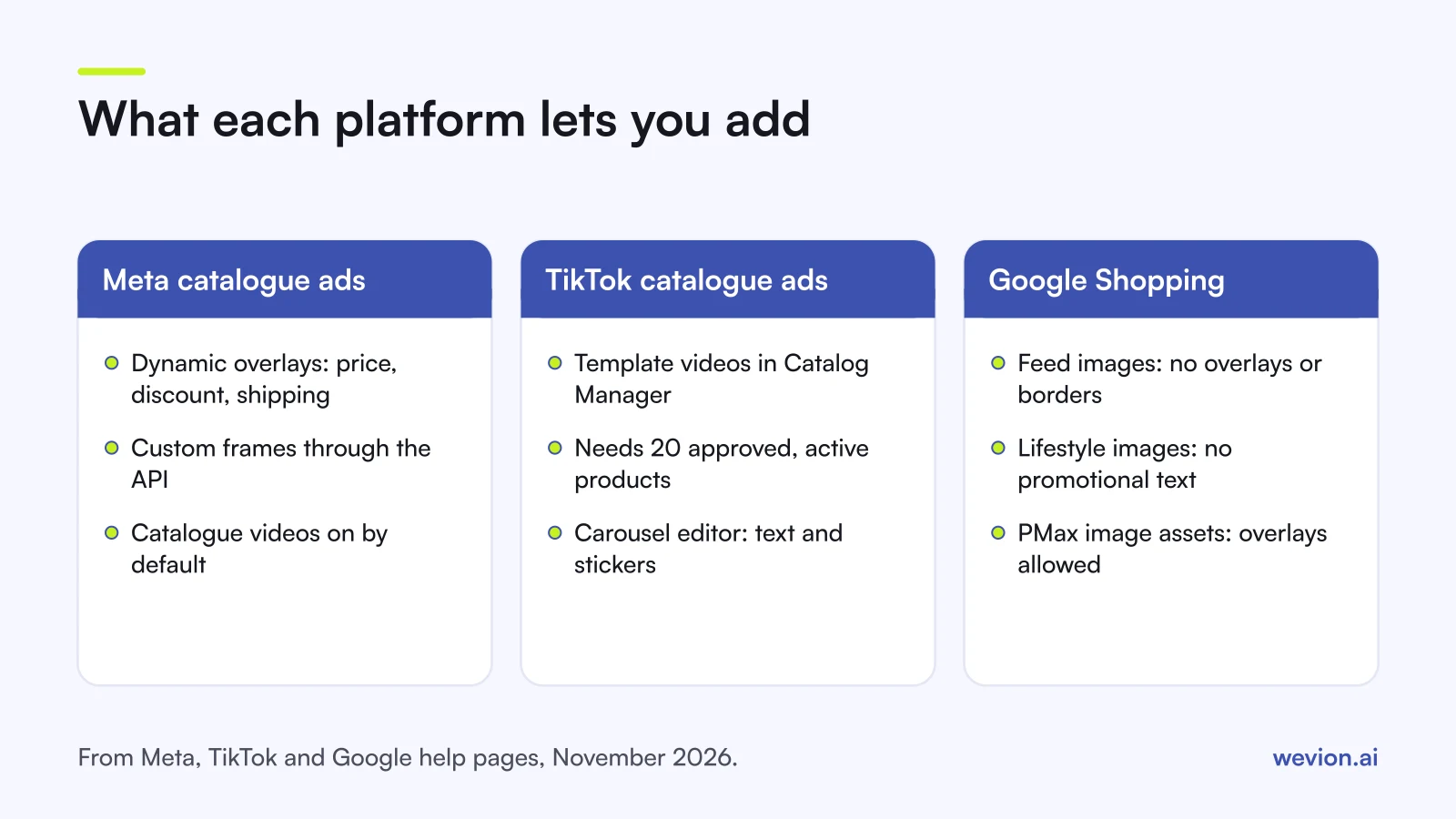
Quick answer: On Meta, use Add Dynamic Overlays for price and discount labels, custom frames through the Marketing API, and catalogue videos, which are on by default. On TikTok, generate template videos in Catalog Manager (at least 20 approved, active products). On Google, keep feed images clean: no overlays, logos, borders or promotional text. Overlays are allowed only on Performance Max image assets.
This guide is about the creative layer only. For catalogue setup, see our guides to Meta catalog ads and TikTok catalog ads. For feed data such as titles and attributes, see product feed optimisation.
What counts as a creative template in catalogue ads?
A creative template in catalogue ads is any rule that turns one product record into a finished ad without manual design, and it works in three layers:
- The product image or video from your feed, such as
image_linkor a cataloguevideofield. - Layers on top: overlays with live price or discount, frames, badges.
- Generated formats: videos, carousels or collections the platform builds from several products.
Template text sits alongside these. On Meta, fields such as {{product.name}}, {{product.price}} and {{product.brand}} fill the copy from the feed. Because every layer reads catalogue data, a price change in the feed updates every ad at once, which is the main reason to use platform templates instead of designing images by hand.
What can you add to Meta catalogue ads?
Meta offers the widest set of catalogue creative options, most of them inside Advantage+ creative. Meta's Advantage+ creative for catalogue documentation lists these options:
| Option | Ads Manager label or API field | What it does |
|---|---|---|
| Dynamic overlays | "Add Dynamic Overlays" (add_text_overlay) | Shows catalogue information on the ad media |
| Hide price | "Hide price" (hide_price) | Hides the price when that is likely to improve performance |
| Product video | media_type_automation | Shows catalogue videos instead of images when likely to improve cost per result |
| Image touch-ups | "Image touch-ups" (adapt_to_placement) | Fits images to placements; 4:5 and 9:16 on by default |
| Dynamic formats | FORMAT_AUTOMATION | Lets Meta choose carousel or collection per impression |
Dynamic overlays. Meta renamed its catalogue info labels to Dynamic Overlays in April 2025. Trade coverage at the time, in Social Media Today, reported that Meta's new overlays show catalogue information such as prices or discounts in a label on the ad media. It listed price, strikethrough price, percentage off and free shipping, with free shipping needing a shipping cost of 0.0 in the catalogue, and said the option then delivered only to Facebook Feed. Check placement support in your own Ads Manager before relying on it.
Manual overlays and frames. For more control, Meta's API reference for the image overlay spec lists text types including price, strikethrough price, percentage off, star rating and custom text, in pill, circle or triangle shapes in the corners. The image layer spec adds frame overlays from a custom frame image, with frame opacity from 10 to 100. Note one line in the overlay reference: "Image overlays are not supported on Instagram", meaning the ad delivers there without the overlay.
Product video. Meta's product video guide says "Allow product video is on by default". You add videos through the catalogue video field, by feed, Commerce Manager or the API. Product thumbnails before the click stay as images.
What does TikTok offer for catalogue creative?
TikTok's catalogue creative revolves around video, and its templates live in Catalog Manager rather than in the ad itself. TikTok's help page on creating a template video, last updated July 2025, describes two template types:
- Dynamic templates, which "automatically generate video effects, music and stickers using information from your product details".
- TikTok templates, "a library of more than 50 TikTok templates" you choose and customise.
You need "at least 20 products that are approved and active", each catalogue can hold "a maximum of 20 video packages at a time", and finished videos appear in the Video templates tab of Catalog Manager. The same page says "Custom and external templates are no longer supported", so older guides that describe uploading After Effects or Lottie templates are out of date.
For static creative, TikTok's Catalog carousel editor (help page) builds carousel images for Video Shopping Ads. It can generate a background around existing product images and add styled text blocks and stickers. Its AI Auto Template is limited to select customers for now. You can also upload your own catalogue videos and link them to products, as our TikTok catalog ads guide explains.
What does Google allow on product images?
Google is the strictest of the three, and it draws a clear line between feed images and ad assets. Mixing them up is one of the commonest causes of image disapprovals in Merchant Center.
Feed images (image_link). Google's image link rules say "Your product image must offer an unobstructed, clean view of the item for sale". They rule out overlays and watermarks, added brand or retailer logos, borders, placeholders and products not sold with the item. Google recommends 1,500 by 1,500 pixels or more, sets a 500 by 500 minimum for all products from 31 January 2027, and suggests the product fill 75 to 90 percent of the image.
Additional images. Up to 10 additional images per product, for angles and details, and they must meet the same requirements as the main image.
Lifestyle images. The optional lifestyle image link takes up to 5 in-context images, at least 600 by 600 pixels. Google says: "Don't use an image that contains promotional elements or other text", and no borders or padding either.
Performance Max image assets. Images you upload to a Performance Max asset group are ads, not feed data, and different rules apply. Google's image asset policy marks text or graphic overlays as "allowed with limitations" for Performance Max, and recommends "at least one image without overlays for each aspect ratio". The asset specs list 1,200 by 628 landscape, 1,200 by 1,200 square and 960 by 1,200 portrait, up to 20 images per asset group. Our Performance Max campaign structure guide covers how asset groups and listing groups fit together.
Which catalogue creative should you test first?
The right first test depends on what stops people buying, and only one variable should change at a time. A simple order that suits most stores:
- Offer-led stores: test a dynamic price or discount overlay on Meta against the plain image. If you run sales often, the strikethrough price or percentage off shows the offer without a new design.
- Premium brands: test hiding the price or a subtle branded frame instead. A large price label can make price the first thing people judge.
- Stores with product video: add catalogue videos on Meta and TikTok template videos before any overlay work, since motion changes more than a label does.
- Google: spend the effort on clean, large feed images and lifestyle images, then put branded or promotional designs only in Performance Max image assets.
Keep the product set, audience and budget identical, and judge on purchase value rather than click-through rate. Our fashion catalogue ads guide explains why no published study settles which overlay wins, and how to run a clean overlay test. If you need more images to work with, see AI product photos for ads.
Common mistakes with catalogue ad creative
Most catalogue creative problems come from editing the feed when the platform tool would have done the job, and five show up most often:
- Baking overlays into feed images. One feed often serves Meta, TikTok and Google. A "20% off" sticker on
image_linkbreaks Google's rules and goes stale when the sale ends. - Hard-coded prices in designed images. A price in the image that differs from the landing page is a classic cause of rejections. Our catalog ads troubleshooting guide covers price mismatches.
- Ignoring placements. Check every placement in the ad preview before scaling, including whether an overlay renders where you expect it to.
- Text near the edges. Placements crop differently. Google recommends keeping content in the centre 80% of Performance Max images.
- Testing several layers at once. A new frame, overlay and video in the same week tells you nothing about which one worked.
Where Wevion fits
Wevion does not design catalogue overlays or generate template videos; those stay with each platform's own tools or specialist creative tools. Where it helps is running and reading the campaigns that use them.
Wevion connects Meta, Google, TikTok, Snapchat, Taboola and Outbrain ad accounts through each platform's official API, syncs data about every 15 minutes, and lets you bulk launch across platforms and compare campaigns side by side, so a catalogue campaign with overlays and one without sit in the same view.
For Meta catalogues, Wevion's Product Catalogs feature shows Meta's own catalogue diagnostics and lets you build product sets for testing. Catalogue tools in Wevion work with Meta, not with Google Shopping feeds.
You can try it on your own ad accounts with a 14-day trial on the Pro plan. No card to start. We ask for one on day 7, or earlier if you use up the trial credits, and billing starts on day 14 only if you add it.
Key takeaways
- Catalogue creative templates work in three layers: the feed image or video, overlays and frames on top, and generated formats.
- Meta offers Add Dynamic Overlays, custom frames through the API, hide price and catalogue video, which is on by default.
- TikTok's template videos need at least 20 approved, active products; custom and external templates are no longer supported.
- Google bans overlays, logos, borders and promotional text on feed, additional and lifestyle images.
- Performance Max image assets may carry overlays, but Google recommends one clean image per aspect ratio.
- Keep feed images clean and add offers with each platform's own tools, which read live catalogue data.