
Best Facebook Ads Monitoring Tools in 2026: 6 Options Compared
Lena Brandt
Ad Policy & Compliance Analyst
The best facebook ads monitoring tools catch a problem while it is still cheap: the ad set spending with zero purchases, the frequency that keeps climbing, the ad rejected on a Friday night. This guide compares six options in 2026, from Meta's own free rules to enterprise suites, and shows what to monitor before you pick one.
Quick answer: Start with Meta's free automated rules if you run one ad account. Move to a dedicated tool when you manage several accounts or platforms. Birch is a rules specialist, Madgicx is an AI layer for Meta, Optmyzr is Google-first with Meta support, Smartly is an enterprise suite, and Wevion watches six ad platforms from one workspace with rules and alerts.
Every tool below was checked against its own website on 4 November 2026. Prices appear only where the vendor shows them on a public pricing page.
What should you monitor on Facebook ads?
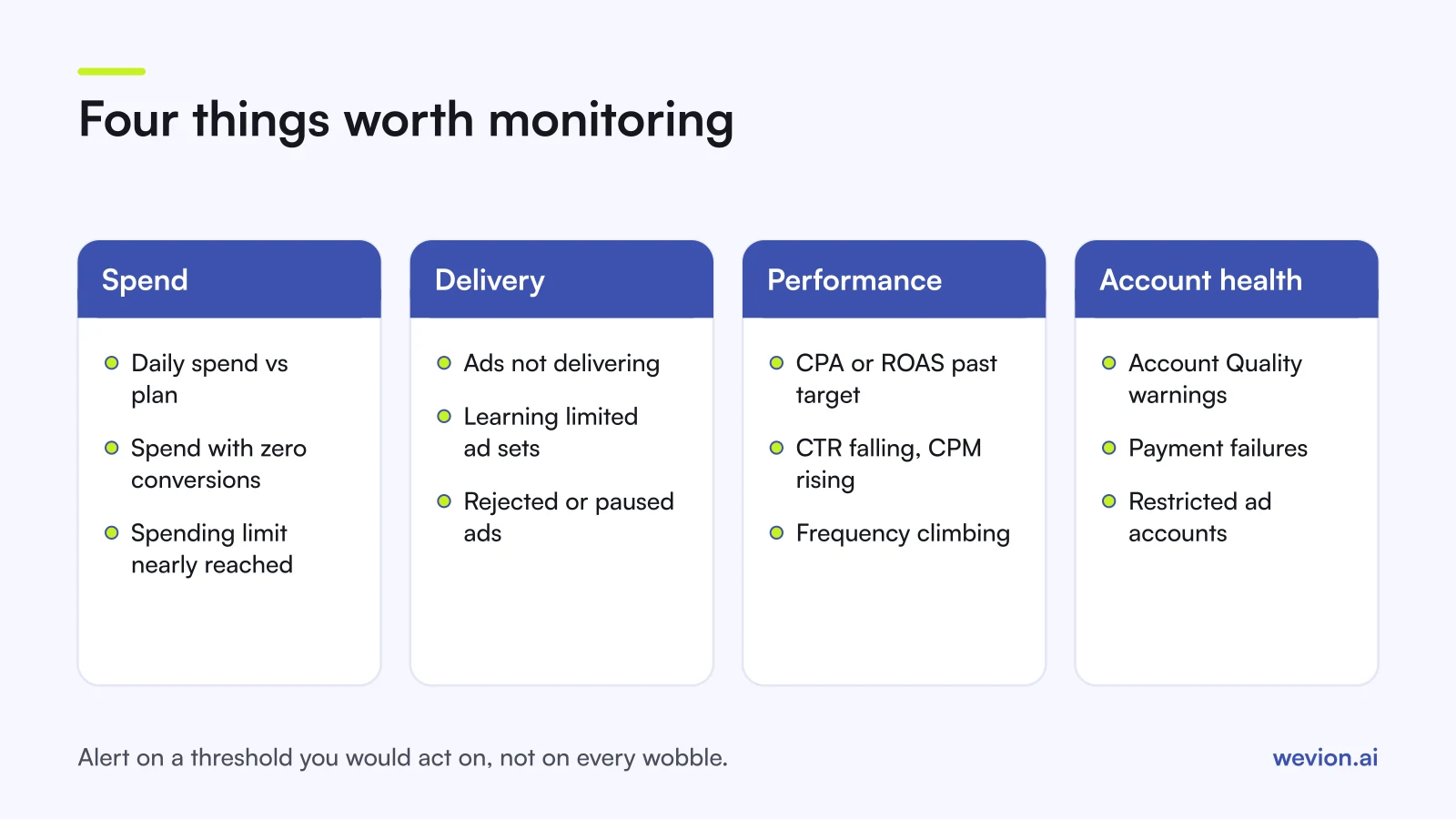
Monitoring is only useful when it watches the four places where money leaks, and most teams over-watch performance while ignoring delivery and account health. Spend is the first: daily spend against plan, and spend with no conversions. Delivery is the second: ads that stop delivering, ad sets stuck in Learning limited, rejected ads. Performance is the third: CPA or ROAS past target, CTR falling while CPM rises, frequency climbing. Account health is the fourth: warnings in Account Quality, failed payments, restricted accounts.
Meta's own help centre describes several of these signals. An ad set shows Learning limited when it is unlikely to get around 50 optimisation events in the week after its last significant edit. Restrictions and rejected ads are listed in Account Quality. An account spending limit pauses every ad once it is reached, which makes it a hard ceiling worth setting regardless of tool.
For a deeper list of which alerts to wire and which to skip, see ad alerts that actually matter. Frequency deserves its own threshold, as our frequency guide explains.
How to choose a monitoring tool
Choosing a monitoring tool comes down to five questions, and the answers usually rule out half the market before you look at features. Answer them in order:
- How many ad accounts and platforms? One Meta account: native rules may be enough. Several accounts, or Meta plus Google and TikTok: you need one place that covers them all.
- Alert or act? Some teams only want to be told. Others want the tool to pause or cut budget on its own. Decide which actions you trust to run without a person.
- Where must alerts land? Email, in-app, Slack or a phone. An alert nobody sees at 2am is a log entry.
- How often does it check? Look for the vendor's stated check or sync interval. For spend problems, minutes matter; for CPA decisions, the lookback window matters more.
- What does it cost at your spend? Several vendors price by monthly ad spend, so get a quote at your real number.
A worked example with hypothetical numbers: an ad set with a €300 daily budget stops converting at 10pm. If nobody looks until 9am, about 11 hours of a 24-hour budget go out, roughly €138. A rule that pauses it after €60 spent with zero purchases caps the loss at €60. Across ten client accounts, one such night a month each is about €780 saved against an unwatched setup.
1. Meta Ads Manager automated rules (free)
Meta's automated rules are the free baseline every advertiser already has, and they cover more than many comparison articles suggest. According to Meta's help centre, a rule checks the campaigns, ad sets or ads you choose and then updates them or notifies you. Actions include turning items on or off, adjusting budgets or bids, and sending a notification, and a rule can hold several conditions at once.
Good for: one or two ad accounts, teams learning automation.
Limits to know: rules belong to one ad account, so the same rule has to be rebuilt in every account. Notifications come through Meta, so routing them to a team chat needs another tool. There is no view across Google or TikTok.
Pricing: free with Meta ads.
Pair rules with Account Quality checks and an account spending limit. Our step-by-step rules guide shows multi-condition setups worth copying.
2. Wevion
Wevion suits media buyers, agencies and DTC teams that run Meta next to other platforms and want monitoring, rules and launching in one workspace. It covers Meta, Google, TikTok, Snapchat, Taboola and Outbrain.
Wevion connects each ad platform through its official API and syncs data about every 15 minutes, so alerts arrive within minutes of a change rather than at the next manual check. Each client gets its own workspace, and team roles such as manager, media buyer, finance and viewer control who sees and changes what.
Monitoring and rules: automated rules on each platform act directly, with no approval step. They pause or activate, change budget or bid by a percentage, relaunch, or just send an alert, with a cooldown and a daily cap on runs. Cross-platform rules are in beta. Actions proposed by Wavo, the AI copilot, wait for your approval.
Also included: cross-channel analytics for spend and results side by side, and Bulk Launch for creating campaigns across platforms from one grid.
Not the best fit if: you only run a single Meta account and Meta's free rules already do what you need.
Pricing: from €99 a month as of November 2026, on the pricing page.
3. Birch (formerly Revealbot)
Birch, the rules product formerly called Revealbot, is a specialist rule engine for teams that want fine control over conditions. Its homepage lists nested conditions, custom metrics and more than 20 actions, with rules checked as often as every 15 minutes. It can compare a metric with its own value last week, apply one rule across several accounts, and use data from AppsFlyer, Adjust or Hyros.
Good for: media buyers who write their own rule logic on Meta, Google, TikTok and Snapchat.
Alerts: Slack is included on the Essential and Pro plans, per the pricing page.
Pricing: as of November 2026, the pricing page shows Essential at $49 a month and Pro, which adds automation and the Launcher, at $99 a month, with price depending on monthly ad spend across connected accounts and a custom Enterprise plan. Final price and currency are confirmed at checkout.
4. Madgicx
Madgicx positions itself as an AI ads manager for Meta, and it suits Meta-first ecommerce teams that want suggestions more than hand-built rules. Its homepage describes an AI Marketer that flags opportunities and says what to do next, a business dashboard blending spend, revenue, ROAS and MER, a learning phase table, and automation that can shift budget.
Good for: DTC brands focused on Meta that want guidance and creative tools in the same product.
Limits to know: management is centred on Meta; other platforms appear mainly in reporting.
Pricing: as of November 2026, the pricing page does not show the main plan's price publicly ("see price inside the app"), mentions a 7-day trial and asks for your monthly ad spend.
5. Optmyzr
Optmyzr is a Google Ads optimisation platform that also connects Meta and LinkedIn ad accounts, and it suits search-led teams that want one tool for both. Its pricing page lists KPI and performance alerts on every tier, budget monitoring with pacing alerts, and a Rule Engine whose run frequency depends on the tier (weekly or monthly on Essentials, up to hourly on Enterprise).
Good for: agencies whose main channel is Google Ads, with Meta as a second channel.
Limits to know: social features are listed as "Core" on Essentials and "Complete" on higher tiers, so check what your tier covers for Meta.
Pricing: as of November 2026, the pricing page sets plans by monthly ad spend and offers a custom Enterprise plan; get a quote at your spend.
6. Smartly
Smartly is an enterprise advertising platform built around creative production and media buying at scale, with monitoring as one part of a wider suite. Its homepage describes Creative, Media and Intelligence suites, covering social, connected TV and the open web, with features such as predictive budget allocation and a cross-channel view of performance.
Good for: large brands and agencies producing creative for many markets and channels.
Limits to know: it is a demo-led sale with onboarding; heavy for a team that mainly needs alerts.
Pricing: not listed publicly as of November 2026; the site offers a demo.
Facebook ads monitoring tools compared
The table below sums up the six options on the points that decide most choices, using only what each vendor states on its own site in November 2026.
| Tool | Platforms | Alert channels stated | Check interval stated | Can it launch campaigns? | Public pricing (Nov 2026) |
|---|---|---|---|---|---|
| Meta automated rules | Meta | Meta notifications | Schedule set per rule | Yes, in Ads Manager | Free |
| Wevion | Meta, Google, TikTok, Snapchat, Taboola, Outbrain | In-app and email | Sync about every 15 min | Yes, Bulk Launch | From €99/month |
| Birch | Meta, Google, TikTok, Snapchat | Slack | As often as every 15 min | Yes, Launcher on Pro | From $49/month |
| Madgicx | Meta (reports on more) | AI Marketer in app | Not stated | Yes, ad launch tool | Shown in app |
| Optmyzr | Google, Meta, LinkedIn | KPI and budget alerts | Rule Engine: weekly to hourly by tier | Separate Campaign Automator | By ad spend |
| Smartly | Social, CTV, open web | Not stated | Not stated | Yes | On request |
Which tool fits your situation?
The right tool depends mostly on account count and platform mix, and the list below maps the common situations to a starting point.
- One Meta account, one person: Meta's automated rules, an account spending limit and a weekly look at Account Quality.
- Agency with many client accounts on several platforms: Wevion or Birch, depending on whether you want launching and analytics in the same place or a pure rule engine. Our guide to alerts across many client accounts covers the setup.
- Meta-only DTC brand that wants suggestions: Madgicx.
- Search-led agency: Optmyzr.
- Enterprise creative operation: Smartly.
Whatever you choose, write down what each alert should trigger. A response playbook turns an alert into a decision instead of a worry, and the automation guide covers which actions to automate first.
Where Wevion fits
Most monitoring setups break down when accounts multiply: rules rebuilt in every account, alerts landing in different inboxes, and no single view of spend across Meta, Google and TikTok.
Wevion connects Meta, Google, TikTok, Snapchat, Taboola and Outbrain ad accounts through each platform's official API, syncs data about every 15 minutes and keeps each client in its own workspace, so spend, delivery and performance problems surface in one place with automated rules that pause, cut budget or alert you.
You can try it on your own ad accounts with a 14-day trial on the Pro plan. No card to start. We ask for one on day 7, or earlier if you use up the trial credits, and billing starts on day 14 only if you add it.
Key takeaways
- Monitor four areas: spend, delivery, performance and account health, not only CPA and ROAS.
- Meta's free automated rules can combine conditions and pause, adjust budgets or notify; their main limit is that they live inside one ad account.
- Set an account spending limit whatever tool you use: Meta pauses ads once it is reached.
- Pick a paid tool for account count and platform mix first, features second.
- Check each vendor's stated check interval and where its alerts land before you buy.
- Several vendors price by monthly ad spend, so get a quote at your real spend.