
A/B Testing Facebook Ads: Sample Size, Significance and When to Stop
Yuki Tanabe
Creative AI Strategist
Good a/b testing facebook ads comes down to one question asked before launch: how many conversions does each variant need before the result means anything? Most tests skip it. They run for three days, pick the cheaper CPA and scale it, and a large share of those "winners" are noise. This guide gives you the numbers.
Quick answer: Pick one variable and one primary metric. Calculate the conversions each variant needs for the smallest difference you care about (about 280 in the weaker variant to detect a 20% lower CPA at 95% confidence and 80% power). Run for full weeks without edits, test significance once at the planned end, and read the confidence interval, not only the winner.
If you want the operational side (what to test, how to name and rotate creatives), read our creative testing framework for Meta ads. This article is the statistics underneath it.
Why do most Facebook ad A/B tests mislead?
Most Facebook ad tests mislead because they end before the data can separate a real difference from day-to-day variation. Two identical ads can show a 20% CPA gap after 30 conversions each, purely by chance. The usual pattern looks like this:
| Common mistake | Statistical problem | What it costs you |
|---|---|---|
| Calling the test after 48 hours | Too few conversions for the size of the gap | You scale an ad that is no better, or worse |
| Checking the winner every day | Repeated looks inflate false positives | You stop at a lucky moment, not a real one |
| No calculation before launch | No defined finish line | The test ends when someone gets impatient |
| Editing budgets or ads mid-test | The two cells no longer get equal conditions | The result reflects the edit, not the variable |
| Partial weeks | Weekday and weekend buyers differ | A Monday winner can lose by Sunday |
Each of these fixes costs nothing but patience. The rest of the guide shows how much patience, in conversions and in days.
What do significance, power and confidence intervals mean?
Significance, power and confidence intervals are the three numbers that tell you whether a test result is trustworthy, and each answers a different question. You do not need a statistics degree to use them, but you do need the definitions right.
Significance (p-value). The p-value is the probability of seeing a difference at least as large as yours if the two ads actually performed the same. It is not "the chance the result is random". A p-value below 0.05 means the gap would be unusual if there were no real difference, so you accept it as real at 95% confidence.
Power. Power is the chance your test detects a real difference of a given size. At 80% power, a real 20% improvement still goes unnoticed one time in five. Low-power tests do not just miss winners: the few "wins" they do report tend to overstate the effect.
Confidence interval. The interval gives the range of differences consistent with your data. Read the interval for the difference between the variants, not two separate intervals side by side: two intervals can overlap while the difference is still significant.
How many conversions does each variant need?
The conversions each variant needs depend on your significance level, your power and, above all, the smallest difference you want to detect. When both variants get the same spend, you can compare conversion counts directly, and the required count in the weaker variant is roughly:
n = (z₁₋α/₂ + z₁₋β)² × (2 + d) / d²
where d is the relative lift in conversions you want to detect (a 25% lift means d = 0.25), z₁₋α/₂ = 1.96 for 95% confidence, and z₁₋β = 0.84 for 80% power or 1.28 for 90%. Lower CPA at equal spend is the same thing as more conversions: a 20% lower CPA means 25% more conversions for the same money.
| CPA difference to detect | Conversion lift (d) | Weaker variant, 80% power | Weaker variant, 90% power |
|---|---|---|---|
| 50% lower | 100% | ~24 | ~32 |
| 30% lower | 43% | ~104 | ~139 |
| 20% lower | 25% | ~283 | ~378 |
| 10% lower | 11% | ~1,342 | ~1,797 |
| 5% lower | 5.3% | ~5,816 | ~7,786 |
Calculated with the formula above, two-sided test at 95% confidence. Day-to-day swings in delivery add variance the formula ignores, so treat these as minimums.
Worked example. Your current CPA is €50 and you only care about a challenger that cuts it by 20% or more. The table says about 283 conversions in the weaker variant at 80% power. At €50 each, that is €14,150 of spend per variant, €28,300 in total. With €1,000 a day per variant, the test needs about 15 days, so plan for two full weeks plus a day or two.
The takeaway: small accounts can only detect large differences. If your budget buys 100 conversions per variant, test bold changes (a new offer, a new format, a new hook), not single words.
How do you run a valid A/B test in Ads Manager?
A valid A/B test in Ads Manager isolates one variable, splits the audience so the same person never sees both versions, and runs to a finish line you set in advance. Meta's tool handles the split. According to Meta's Marketing API documentation on split testing, it "automates audience division, ensures no overlap between groups" and can test variables such as audience, delivery optimisation, placements, creative and budget.
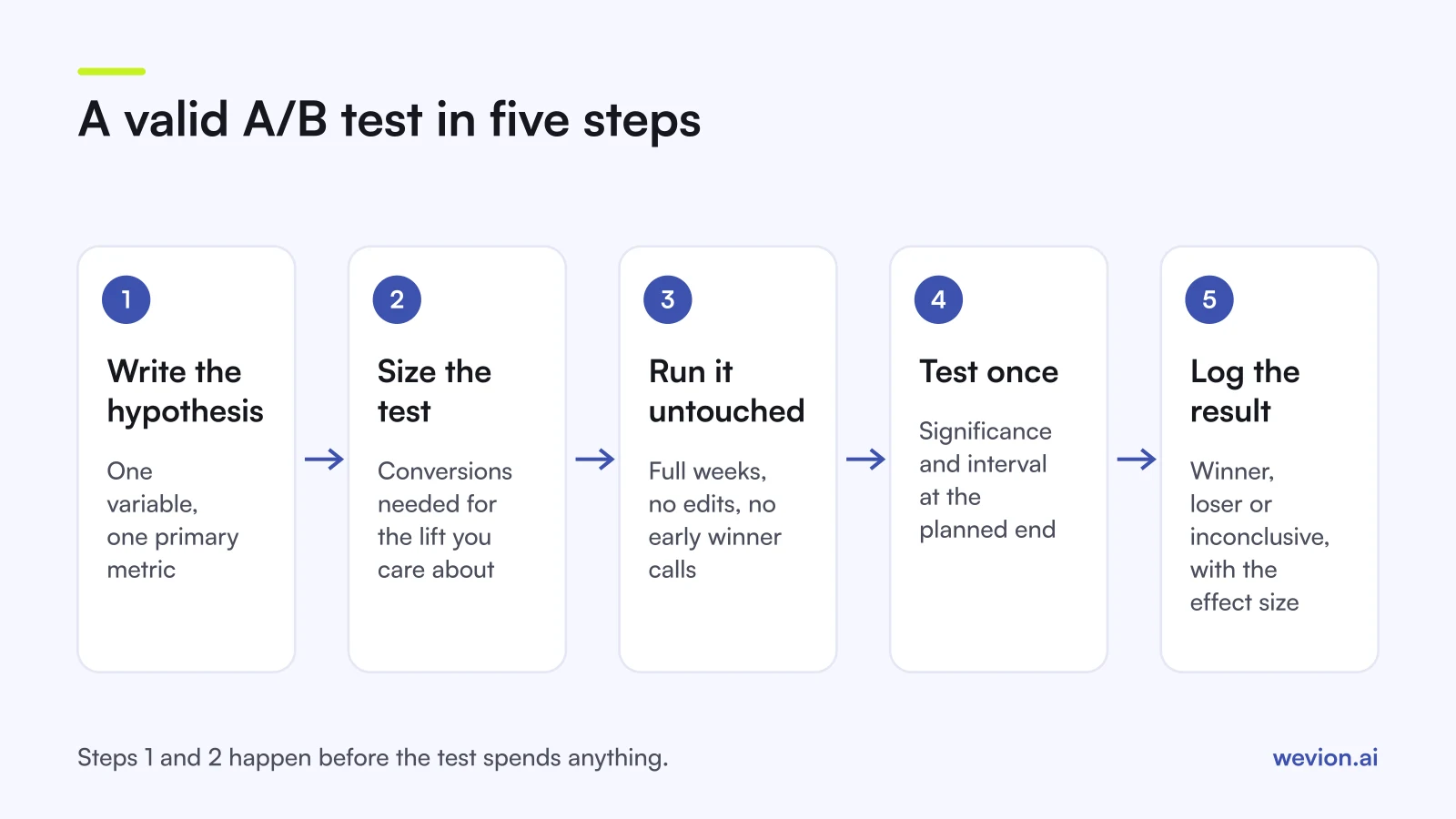
In Ads Manager you can create an A/B test from an existing campaign or ad set, or from the Experiments area, choosing what differs between the versions and a key metric that decides the winner. The same documentation says to select only one variable per test. Then follow five steps:
- Write the hypothesis. "A testimonial hook will cut CPA by at least 20% against our product demo hook" is a test. "Let's see what works" is not. Pick one primary metric.
- Size the test. Use the formula or table above and turn the conversion count into budget and days.
- Run it untouched. No budget changes, no new ads, no pausing one side. Cover full weeks.
- Test once. Run the significance test at the planned end, not every morning.
- Log the result. Record winner, loser or inconclusive, with the effect size and interval.
If you test by hand instead, with two ad sets at equal budgets, the same person can see both ads and Meta's delivery decides who sees what. That is fine for a rough creative read, but it is not a randomised test. Our CBO vs ABO comparison explains why ad set budgets are the cleaner choice for any manual test.
How do you read the result?
You read the result with one significance test at the planned end, then check whether the difference is large enough to matter. Here is a worked example with equal spend in both cells.
| Variant A (demo hook) | Variant B (testimonial hook) | |
|---|---|---|
| Spend | €20,000 | €20,000 |
| Purchases | 400 | 480 |
| CPA | €50.00 | €41.67 |
With equal spend, compare the counts: z = (480 − 400) / √(400 + 480) = 80 / 29.7 ≈ 2.70, which gives a two-sided p-value of about 0.007. The difference is significant at 95% confidence.
Now the interval. B produced 1.20 times A's conversions, with a 95% confidence interval of roughly 1.05 to 1.37. In CPA terms, B is between about 5% and 27% cheaper. The test proved B is better, but the true gain could be small, so forecast the scale-up with the lower end, not the headline 17%.
Meta's own verdict. Meta's A/B test report shows a confidence percentage next to the winner, which walkthroughs of the tool describe as the chance of getting the same result if you ran the test again. It is Meta's estimate, not a p-value, and Meta's developer documentation advises deciding on your confidence level before you create the test. If Meta reports low confidence, treat the test as inconclusive, whatever the CPA gap looks like.
A result can also be significant and still not worth acting on. A 3% CPA gain that needs a new production pipeline is real but not useful.
Why does peeking at results break the test?
Peeking breaks the test because every look is another chance for random variation to cross the significance line. If you check every day and stop the first time p drops below 0.05, the false positive rate is no longer 5%.
We simulated two identical ads checked seven times at equal intervals: about 17% of tests declared a "winner" at some point, more than three times the 5% you thought you were accepting. Checking more often makes it worse. The classic statistical result (Armitage, McPherson and Rowe, 1969) puts it at about 19% for ten looks.
You have two honest options:
- Fixed horizon. Decide the conversion count, run to it, test once. While it runs, check only delivery and spend, never the comparison.
- Sequential testing. Methods such as the sequential probability ratio test or group sequential designs set stricter thresholds for each look, so you can stop early when one variant is clearly ahead. The price is a larger maximum sample than a fixed test.
Testing more than two variants creates the same problem across variants. Three challengers against one control at 95% each gives about a 14% chance of at least one false winner (1 − 0.95³). A Bonferroni correction divides your threshold by the number of comparisons: 0.05 / 3 ≈ 0.017 per comparison.
Which Meta quirks can spoil a test?
Meta quirks can spoil a test when they hit one variant harder than the other, and three come up most often.
The learning phase. New ad sets go through a learning phase, which Meta's guidance ties to about 50 optimisation events in the week after launch or after a significant edit. Delivery is less stable during it. Avoid edits that restart learning on one side only, and do not judge a test that has barely left learning. See our guide to the Meta ads learning phase.
Attribution settings. Both variants must use the same attribution setting, and the setting should fit how long your customers take to buy. A one-day window favours ads that drive impulse buys. If the winner flips when you change the window, report it as inconclusive. Our first-touch vs last-touch guide covers how window choice changes credit.
Delivery without a split. Outside Meta's A/B test tool, Meta optimises delivery across your ads, so one ad can get most of the spend before it has proved anything. A lopsided spend split is not a test result.
Where Wevion fits
Running clean tests across several ad accounts means building matching variants, keeping them untouched and checking spend and conversions without being tempted to call the result early. That routine is what Wevion helps with.
Wevion connects Meta, Google, TikTok, Taboola, Snapchat and Outbrain ad accounts through each platform's official API, syncs data about every 15 minutes, and shows spend and results for every account in one view, so both cells of a test sit side by side.
You can build matching variants from one grid with Bulk Launch, using templates so every version gets the same settings apart from the variable you are testing. Automation rules can pause, activate, change budgets or just send an alert, so exclude test ad sets from any rule that would edit them mid-test. Wevion does not run the significance test or the audience split for you: use Meta's A/B test tool for that.
You can try it on your own ad accounts with a 14-day trial on the Pro plan. No card to start. We ask for one on day 7, or earlier if you use up the trial credits, and billing starts on day 14 only if you add it.
Key takeaways
- Calculate the conversions each variant needs before launch. Detecting a 20% lower CPA takes about 280 conversions in the weaker variant at 80% power.
- A p-value is the chance of a gap this large if the ads were equal, not the chance the result is random.
- Read the confidence interval of the difference and plan with its lower end.
- Checking daily and stopping at the first significant result pushes false positives from 5% to around 17% over seven looks.
- Meta's A/B test tool splits audiences without overlap. Its confidence figure is Meta's estimate, so treat low confidence as inconclusive.
- Small budgets can only detect big differences: test offers, formats and hooks before single words.