
Snapchat Ads Bidding: Auto-Bid, Target Cost and Max Bid
Priya Raghunathan
电商效果投放负责人
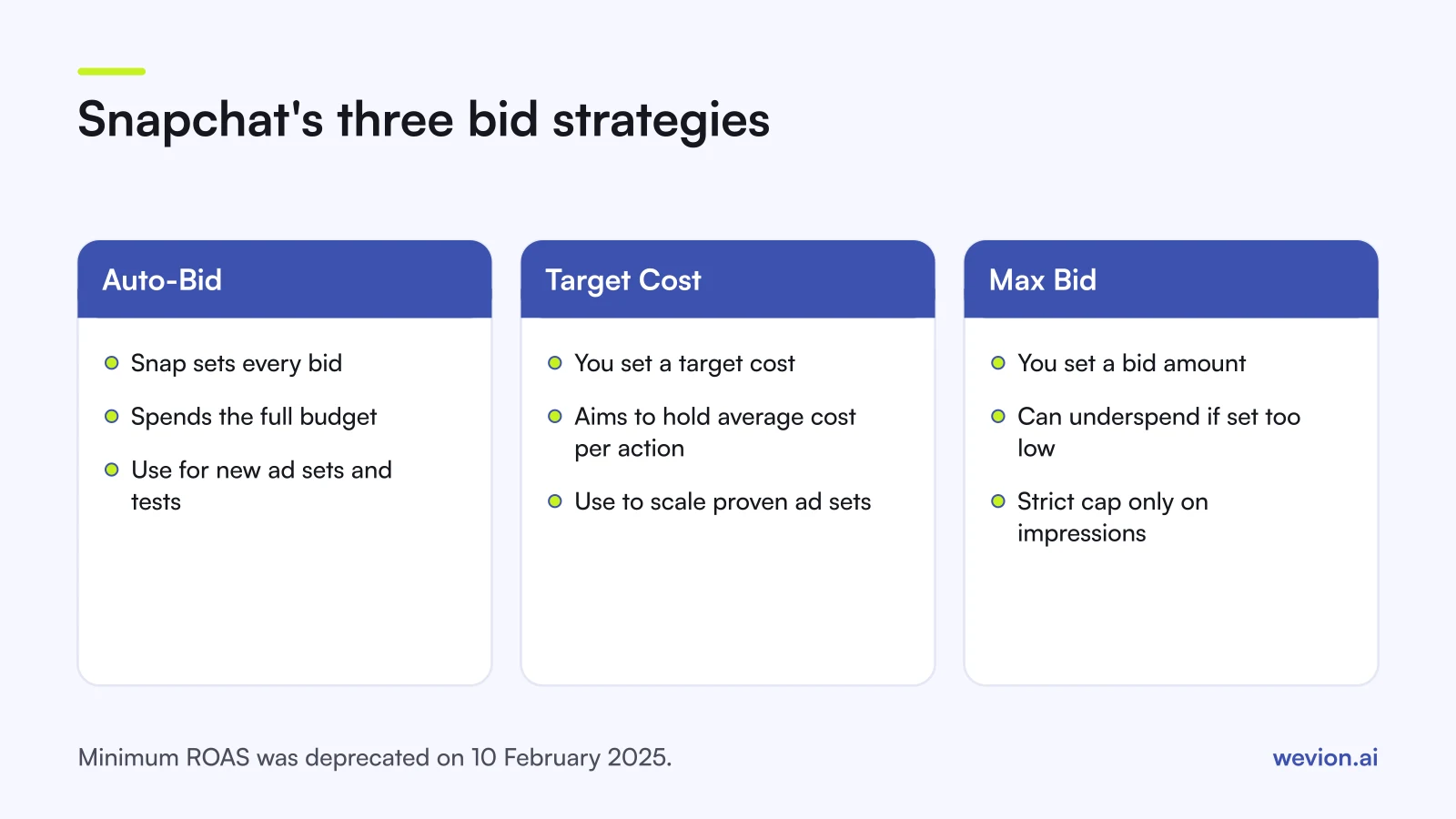
Snapchat ads bidding comes down to three choices on each ad set: Auto-Bid, Target Cost or Max Bid. Auto-Bid lets Snap find the cheapest results it can while spending your budget. Target Cost aims to hold an average cost per action. Max Bid sets a bid that Snap aims to stay at or below. The right one depends on how much data the ad set has and whether you care more about volume or about cost.
Quick answer: Start new ad sets on Auto-Bid. Once an ad set shows a stable cost per purchase for a week, move it to Target Cost at about that cost to scale while holding efficiency. Use Max Bid when you need a firm bid and accept slower spend; it is a strict cap only on the impressions goal. Minimum ROAS was deprecated in February 2025, so it is no longer an option. Leave bids alone during the first days of learning.
This guide is about bidding only. For where bids sit in the account, read our Snapchat ads campaign structure guide. If you also buy on TikTok, our TikTok ads bidding strategy guide covers its four strategies, and the comparison with Snap's is useful. Every platform fact below comes from Snap's own help, newsroom and API pages, checked on 13 November 2026.
What bid strategies does Snapchat offer today?
Snapchat offers three bid strategies at ad set level, and each one tells the auction something different about what you will pay. Snap's bidding strategies overview uses the names Auto-Bid, Target Cost and Max Bid. Snap's Ads API reference for ad squads, the API name for ad sets, describes them like this:
| Strategy | Snap's description | You set |
|---|---|---|
| Auto-Bid | "Drive the most efficient cost per action while spending your budget." | Nothing beyond the budget |
| Target Cost | "Achieves the most volume while aiming to keep your average cost per action below your target cost." | A target cost per action |
| Max Bid | "Bids conservatively at or below your desired bid." | A bid amount |
When Snap announced its Smart Campaign Solutions in May 2025, its newsroom post described a Smart Bidding strategy that "allows advertisers to set a target cost-per-action (CPA)". In Ads Manager and the API, the strategy that takes a target cost per action is Target Cost.
What happened to minimum ROAS? The same API page says "the MIN_ROAS bid strategy and roas_value_micro were deprecated 10 February 2025" and may be removed. If an older guide tells you to set a ROAS floor on Snapchat, it is out of date.
How does each strategy behave in the auction?
Each strategy trades volume against cost control in a different way, and knowing the trade lets you read results correctly instead of blaming the creative. A few details from Snap's API documentation matter here.
Auto-Bid spends the budget and lets Snap set every bid. Cost per action can drift up as you raise the budget, because Snap reaches further into more expensive auctions to keep spending.
Target Cost aims to keep the average cost per action at or below your target, not every single conversion. Some conversions will cost more and some less. Snap's API notes that it offers a bid recommendation endpoint that "provides a recommended bid range when using the TARGET_COST bid strategy", which is a useful sanity check before you type a number.
Max Bid is more nuanced than its name suggests. The API says that for the impressions goal, the bid "will not be exceeded", but for other goals the bid "is treated as a goal, not a maximum, and can be exceeded". On a purchase goal, think of Max Bid as a firm signal rather than a strict cap. Max Bid is also the only strategy that allows accelerated pacing, and only on a short list of goals such as impressions, swipes and video views.
Billing does not change with the strategy. The API says that whatever goal you pick, "the Billing Event will still be IMPRESSION": you pay for impressions while Snap optimises for your goal.
Which goals support Target Cost?
Target Cost is not available on every performance goal, so check the goal before you plan a cost-controlled campaign. Snap's API lists the goals that support it, including:
- Web: purchase, sign up, page view, add to cart and landing page view (pixel events)
- App: installs, app purchase, sign up, add to cart, re-engagement purchase and open
- Engagement: swipes, 15-second video views, story opens and uses
Upper-funnel goals outside that list, such as impressions, run on Auto-Bid or Max Bid. For an online store on a Sales campaign, the purchase goal supports all three strategies. If the purchase goal is not firing correctly, no bid strategy will help, so check your Snap Pixel setup first.
When should you use each strategy?
The choice depends on how much conversion data the ad set has and whether the business is limited by volume or by cost. This table sums up the usual fit:
| Situation | Strategy | Why |
|---|---|---|
| New ad set, no cost history | Auto-Bid | Lets Snap explore and gives you a baseline cost |
| Creative or audience test | Auto-Bid on every cell | Same bidding everywhere keeps the test fair |
| Proven ad set, scaling budget | Target Cost | Holds average cost while spend grows |
| Firm bid on an impressions goal | Max Bid | Snap says the bid will not be exceeded on that goal |
| Low-margin offer with a fixed CPA ceiling | Target Cost first, Max Bid if it overspends | Keeps volume possible before tightening |
Two rules keep this simple. First, keep one bid strategy across all the ad sets in a test, or you are testing bids as well as creative. Second, set Target Cost from evidence: a cost per purchase the ad set has already reached on Auto-Bid, not the cost you wish you had. Meta and Google follow the same logic; our guides to Meta ads bid strategies and Google Ads Smart Bidding cover their versions.
How do bids and budgets work together?
Bids and budgets on Snapchat are two sides of one decision, because a bid only matters if the budget can buy enough conversions at that price. The budget sits on the ad set by default, and Snap's API sets a minimum daily ad set budget of 5,000,000 micro-currency units, which is 5 units of your account currency.
A useful check: divide the daily budget by your target cost. A $150 daily budget with a $25 Target Cost allows about six purchases a day. If the ad set gets only two, the target is too tight for the audience or the creative, and Snap will underspend rather than break the target.
If you use Smart Budget, Snap's campaign-level budget, all the ad sets share one pot. Snap's Smart Budget article suggests, as a guide, at least 5 conversions per ad set per day. At a $25 cost per purchase, that is $125 a day per ad set, so a three-ad-set campaign needs about $375 a day for that guide to hold. When we checked, Snap described Smart Budget as in beta, so it may not appear in every account.
How does learning affect bidding?
Learning on Snapchat is short but sensitive, so the timing of a bid change matters as much as its size. Snap's objectives page says "the first 1-4 days are the most important, so avoid adjusting your ad during that time", which keeps the exploration phase, when the system works out who is most likely to act, from starting over. The same page recommends at least $30 a day and running an ad for at least 15 days.
In practice:
- Do not switch strategy in the first days. Launch on the strategy you intend to keep, or wait until exploration ends before moving to Target Cost.
- Change targets in small steps. Moving a Target Cost from $25 to $27 is a nudge; from $25 to $40 is a different campaign.
- Change one thing at a time. A new bid and a new budget on the same day leave you unable to say which one moved the results.
TikTok works in a similar way, with its own thresholds; our TikTok ads learning phase guide compares them if you run both.
A worked example: from Auto-Bid to Target Cost
The example below follows one ad set through three weeks to show how the strategies play out with real arithmetic. All numbers are hypothetical.
Week 1, Auto-Bid. A store launches a Sales ad set with a purchase goal and a $150 daily budget. Over seven days it spends $1,050 and records 40 purchases, a cost per purchase of $26.25. Days four to seven are steady between $25 and $28.
Week 2, Target Cost. The ad set moves to Target Cost at $28, slightly above the week 1 average, and the budget stays at $150. It spends $980 and records 37 purchases, a cost per purchase of about $26.49. Spend fell slightly because Snap skipped the most expensive auctions, while cost held.
The Max Bid alternative. Had the buyer set Max Bid at $20 instead, well below the proven cost, a plausible result is $420 spent and 19 purchases, about $22.11 each. Cheaper per purchase, but less than half the volume, and $630 of planned budget unspent.
Week 3, scale. With cost holding at Target Cost, the budget rises to $200 a day. At about $26.50 per purchase, that is room for about 7.5 purchases a day. If cost per purchase climbs above the $28 target for several days, raise the target in a small step or bring in new creative, rather than switching back and forth between strategies.
Common Snapchat bidding mistakes
Most bidding problems on Snapchat come from settings that fight the budget or the learning phase. Watch for these:
- A Target Cost below anything the ad set has achieved, which leaves the budget unspent.
- Reading Max Bid as a hard cap on conversion goals, where Snap says the bid can be exceeded.
- Looking for minimum ROAS, deprecated since February 2025.
- Editing bids in the first days, which can restart exploration.
- Mixed strategies inside one test, so results reflect bidding as well as creative.
- Too many ad sets for the budget, so none reaches enough conversions to optimise.
Where Wevion fits
Watching Snapchat bids next to Meta, TikTok and Google bids means checking several dashboards, each with its own names for similar strategies, and that is where cost drifts go unnoticed.
Wevion connects Snapchat, Meta, Google, TikTok, Taboola and Outbrain ad accounts through each platform's official API, syncs data about every 15 minutes, and shows cost per result and spend for every account in one view, so a Snapchat ad set drifting above its target stands out next to the rest.
Automated rules act on the conditions you set: they can change budgets or bids by a percentage, pause or activate ad sets, or just notify you, with a cooldown and a daily cap on runs. The bulk launcher builds test ad sets from one grid with the same bid settings on every cell. For other tools, see our list of Snapchat Ads Manager alternatives.
Start a 14-day trial with no card. We ask for one on day 7, or earlier if you use up the trial credits, and billing starts on day 14 only if you add it.
Key takeaways
- Snapchat has three bid strategies: Auto-Bid, Target Cost and Max Bid. Minimum ROAS was deprecated on 10 February 2025.
- Start on Auto-Bid, then move proven ad sets to Target Cost at about the cost they already reach.
- On goals other than impressions, Snap says a Max Bid can be exceeded, so it is not a strict cap.
- Target Cost works on purchase, add to cart, sign up, page view and several app and engagement goals.
- Check that the daily budget covers several conversions at your target.
- Avoid edits in the first 1 to 4 days, and change one thing at a time.