
Google Ads Conversion Tracking Setup: A Step-by-Step Guide
Priya Raghunathan
E-commerce Performance Manager
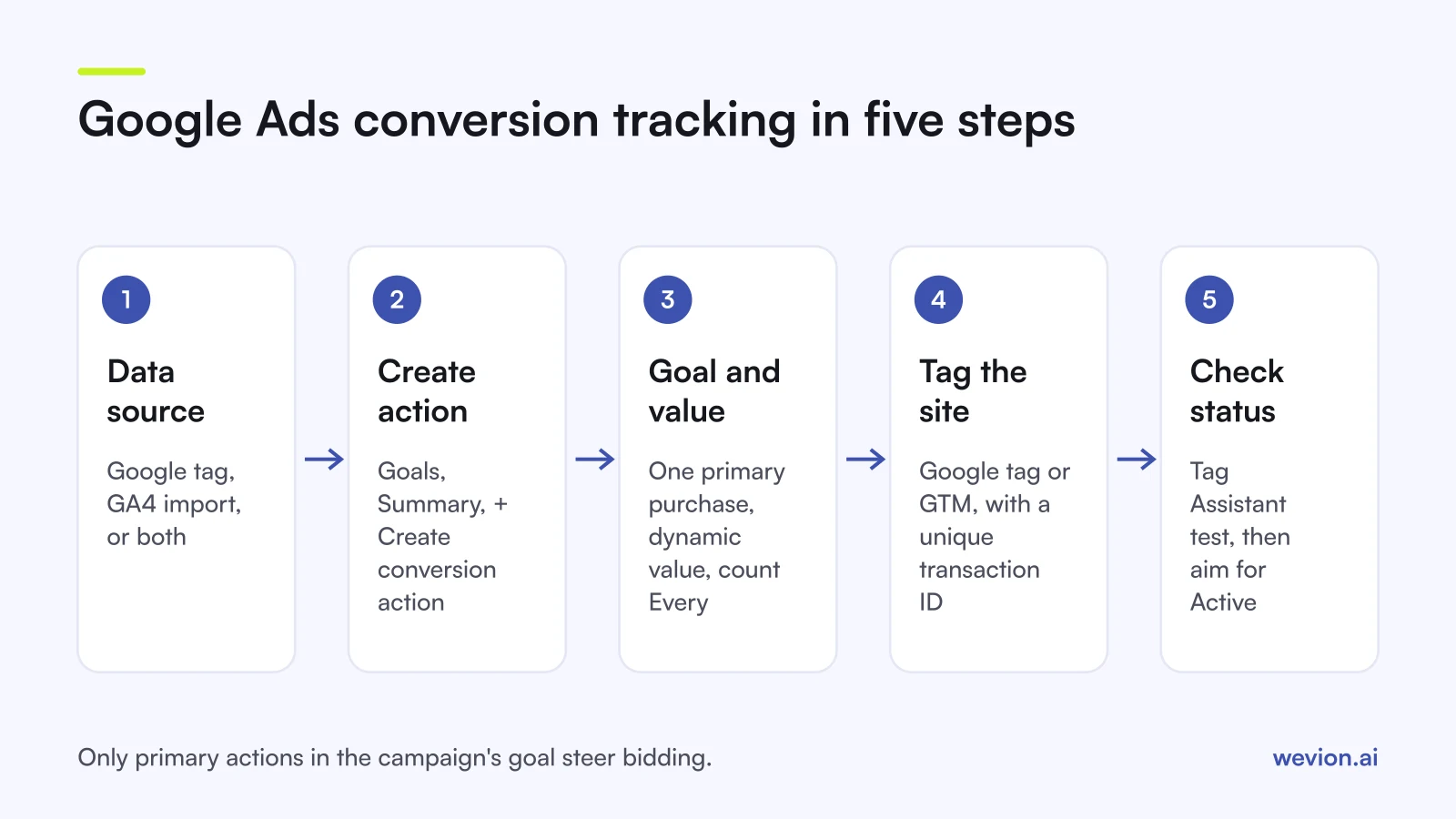
A google ads conversion tracking setup decides what Smart Bidding learns from, so it is worth getting right before you spend. You pick a data source (the Google tag, GA4 import or both), create conversion actions, decide which ones are primary, set values and counting, then verify that each action shows the right status. This guide walks through each step with Google's current labels and the traps that make one sale count twice.
Quick answer: Go to Goals, then Summary, and create a conversion action for your website. Use the Google tag (directly or through Google Tag Manager) for the action you bid on, pass a real value and a transaction ID, set purchases to count Every, mark only one purchase action as primary, then test with Tag Assistant and check the status column.
If you already run campaigns, our Google Ads audit checklist covers conversion tracking alongside the rest of the account. For how bidding uses these signals, see our guide to Google Ads Smart Bidding.
Which data source should you use?
Google's website conversion setup guide offers two data sources, and you can use both for different actions.
Google Analytics (GA4) import. Google calls it "the most efficient choice for advertisers who want to reuse existing website event tracking". Only events marked as key events in GA4 can be imported, you need admin access in Google Ads and edit access in the linked property, and new events can take 24 to 48 hours to appear as import options.
The Google tag. Google describes it as a signal "optimised specifically for Google Ads bidding" and recommends it if you do not use Analytics or need features such as enhanced conversions.
Google Tag Manager is not a third source. It is a way to deploy the Google tag. Google's setup steps include a "Set up in Google Tag Manager" option that adds suggested tag configurations to a container workspace, after which you set triggers and variables and publish. If you go this route, also confirm that the Conversion Linker tag fires on every page.
| Google tag (direct) | Google tag via GTM | GA4 import | |
|---|---|---|---|
| Where you configure it | Site code | GTM container | GA4 key events |
| Dynamic values and transaction IDs | Yes, in the event snippet | Yes, from the data layer | From the GA4 event |
| Enhanced conversions | Yes | Yes | Google recommends the Google tag for it |
| Best for | Simple sites, one developer | Teams already on GTM | Reusing GA4 tracking |
How do you create a conversion action?
The steps below follow Google's website conversion setup page as of November 2026.
- In Google Ads, open Goals, then Summary, and select + Create conversion action.
- Choose conversions on a website, enter your domain and select Scan. Google detects an existing Google tag or Analytics property.
- Pick the category closest to the action, such as a purchase.
- Choose how to measure it. "Automatically without code" matches a URL ("URL is", "URL contains" or "URL starts with") and suits a simple thank-you page. "Manually using code" gives you a snippet for the Google tag or Tag Manager and is the route for button clicks and dynamic values such as transaction IDs.
- Open the conversion settings to set the name, value, count, click-through, engaged-view and view-through windows, attribution and enhanced conversions.
- Mark the action as primary or secondary, then finish and check the status column.
How do goals and primary actions decide what bidding sees?
This is where most setups go wrong. Google's conversion goals page sets two conditions for an action to drive bidding: it "must be set as Primary", and "the campaign must use the goal that contains the conversion action for bidding".
- Primary actions appear in the Conversions column and can steer bidding when the campaign uses their goal.
- Secondary actions are observation only. They show in the All conversions and All conv. value columns.
- Account-default goals are selected for every new campaign automatically. Campaign-specific goals let one campaign optimise towards something else, such as a lead form.
Keep the primary list short. If a purchase campaign also has "add to cart" and "begin checkout" as primary in the same goal, bidding treats each of them as a conversion, and your cost per conversion looks better than it is.
How should you set values and counting?
Values. Google's conversion values page lists using the same value for every conversion, using different values per conversion and not using a value, which Google marks as not recommended. For ecommerce, pass the order value dynamically. Codeless URL tracking supports only a single value, so dynamic values need the event snippet or GTM. If you bid on profit, you can pass a margin-adjusted value instead of revenue; our POAS vs ROAS guide explains the trade-off.
Counting. Google's counting options page gives two settings. Every counts "every conversion (per tracked conversion action) that happens after an ad interaction" and is the default for website actions. One counts "only one conversion per ad click" and suits leads. Changes apply only to future conversions.
Windows. Google's conversion windows page puts the default click-through window at 30 days and the default view-through window at 1 day. Shorten the click window if your buying cycle is short and you want reporting closer to your store's view.
What are enhanced conversions and consent mode?
Enhanced conversions add hashed first-party data to your conversion tags. Google's overview says details such as email addresses are hashed with SHA256 before they leave your site, then matched to Google account data. There are two types: enhanced conversions for web (online sales) and for leads (offline sales that started as a web lead). You turn them on in the conversion settings and pass the customer data through the Google tag, GTM or the API.
Consent mode tells Google tags whether a visitor has consented. Google's consent mode page describes two implementations:
- Basic: tags do not load until the visitor interacts with your consent banner. If they decline, no data is sent.
- Advanced: tags load straight away and send cookieless pings while consent is denied, and full measurement once it is granted. Google says advanced mode supports an advertiser-specific conversion model rather than a general one.
Consent mode does not provide a banner; it works with your consent management platform. Google's setup guide asks EEA advertisers to make sure it is configured. Which mode you choose is a legal and privacy decision for your business, not a bidding tweak.
How do you verify the setup?
Run Google Tag Assistant from the conversion action before you trust any number. Google's Tag Assistant troubleshooting page asks you to start from a landing page rather than the thank-you page, connect, complete a test conversion on the site, then review which actions fired. If you use GTM, select "Debug live version" first. The same session shows tag coverage: which pages have the Google tag and which do not.
Then read the status column. Google's status troubleshooter lists five statuses:
| Status | What it means | What to do |
|---|---|---|
| Active | Working as intended | Nothing |
| Needs attention | Action items, but conversions still record | Hover for the details and fix them |
| Misconfigured | Recording has stopped because of a setup error or broken tag | Fix the tag, then retest |
| Awaiting conversions | Nothing recorded in the last 7 days | Normal for new actions, paused campaigns or low traffic |
| Removed | Deleted or archived | Ignore, or rebuild it |
A final check: place a real test order and compare the value, currency and transaction ID in Google Ads with the order in your store.
What are the common double-counting traps?
Double counting inflates conversions, makes ROAS look better than it is and feeds Smart Bidding the wrong signal. These are the usual causes.
The same purchase tracked twice as primary. A GA4-imported purchase and a Google tag purchase both set as primary in the same goal. Say a store takes 40 orders in a week from Google Ads clicks. With both actions primary, the Conversions column shows up to 80, and a cost per conversion of $25 is really $50. Keep one as primary and the other as secondary.
No transaction ID. Google's transaction ID page says that with a unique ID per order, a second conversion with the same ID on the same action is treated as a duplicate and not counted. Without it, a refreshed thank-you page counts again. The ID must be unique per order: a hardcoded value makes Google drop real orders. It also deduplicates only within one action and does not fix duplicate view-through conversions.
Two tags on the same page. A hardcoded snippet plus a GTM tag for the same action, or a platform app plus a manual install. Tag Assistant shows both firing.
Micro-conversions left as primary. Page views, scroll depth or add to cart in the bidding goal.
Comparing Google's number with every other platform's number. Google counts its own clicks within its windows, as Meta and TikTok do with theirs. Their totals will add up to more than your orders. Our guide on ad platforms double counting conversions explains how to reconcile them with store data, and why Meta and Shopify numbers don't match works through a full example.
Where Wevion fits
Wevion does not install tags, send conversion events or deduplicate them. Those jobs belong to the Google tag, GTM or GA4 as set out above.
Wevion connects Google, Meta, TikTok, Snapchat, Taboola and Outbrain ad accounts through each platform's official API, syncs data about every 15 minutes and shows platform-reported spend and conversions side by side in one view. That makes a sudden conversion drop on one platform easy to spot, and automation rules can send an alert when a metric moves past your threshold.
You can try it on your own ad accounts with a 14-day trial on the Pro plan. No card to start. We ask for one on day 7, or earlier if you use up the trial credits, and billing starts on day 14 only if you add it.
Key takeaways
- Use the Google tag (directly or through GTM) for the action you bid on; GA4 import is efficient if your Analytics tracking is already solid.
- An action drives bidding only if it is primary and its goal is used by the campaign.
- Pass dynamic values and a unique transaction ID; count purchases Every and leads One.
- Enhanced conversions hash first-party data with SHA256; consent mode has basic and advanced implementations.
- Verify with Tag Assistant and the five statuses: Active, Needs attention, Misconfigured, Awaiting conversions, Removed.
- One purchase action as primary, one tag per action, no micro-conversions in the bidding goal.