
Ad Launch Checklist: Pre-Launch QA for Meta, TikTok and Google
Marta Kowalczyk
Agency Operations Lead
An ad launch checklist is the list of checks a campaign must pass before it goes live, plus the checks you run in its first 24 to 72 hours. Most costly launch mistakes are visible beforehand: a conversion event that never fires, a UTM with a typo, a budget with an extra zero, an audience that forgot to exclude buyers. Catching them takes minutes; finding them in a report a week later costs real money.
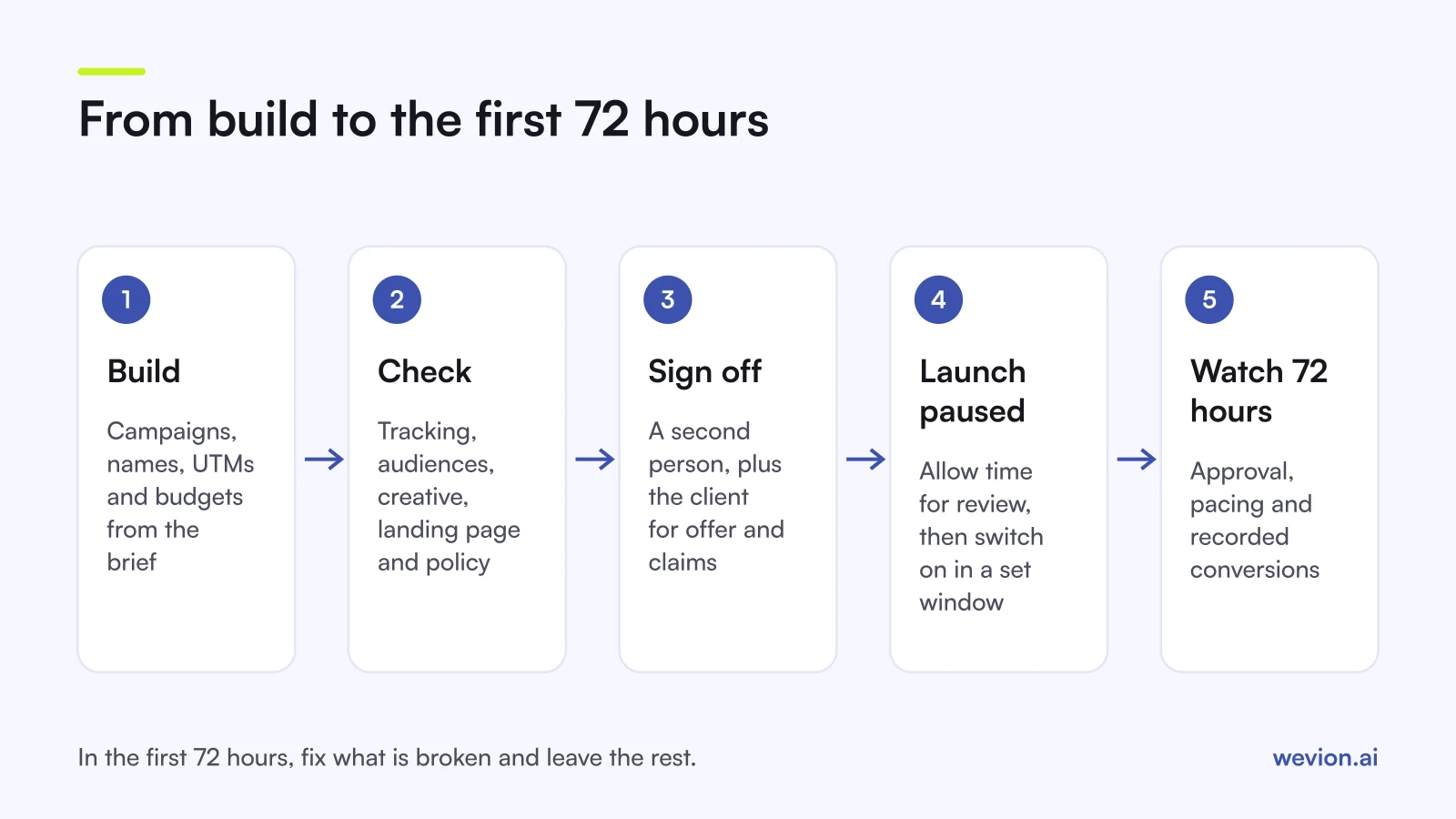
Quick answer: Before launch, check tracking and events, UTMs and naming, budgets, schedules and bid strategy, audiences and exclusions, placements, creative specs and copy, the landing page and offer, and policy risks, then get a named second person to sign off. After launch, check approval and delivery in the first hour, pacing and conversions at 24 hours, and leave the learning phase alone until 72 hours unless something is broken.
This checklist is about quality, not speed. To make launches faster, see our process audit to cut campaign launch time, and for building many campaigns at once, our guide to bulk creating Facebook campaigns.
Who should sign off an ad launch?
Every launch needs one builder and one checker who is not the builder, because people do not see their own typos. On larger accounts, add the client or brand owner for anything they must approve, such as offers, claims and creative.
| Role | Checks | Signs off |
|---|---|---|
| Builder (media buyer) | Builds, runs the checklist, fixes | Nothing alone |
| Checker (second buyer or lead) | Tracking, budgets, audiences, links | Technical setup |
| Client or brand owner | Offer, claims, creative, landing page | Commercial content |
Write the sign-off down: who checked, when, and against which version. If a launch goes wrong, the record shows whether the checklist failed or was skipped.
1. Is tracking firing on every platform?
Tracking comes first because a campaign optimising on a broken event spends money teaching the algorithm the wrong thing. Test the exact events each campaign optimises for, on the live landing page.
- Meta. In Events Manager, use the Test Events tool. Meta's help page says test server events should appear within about 30 seconds. Meta's developer documentation adds that
test_event_codeshould be removed from production payloads. See our guide to Event Match Quality. - TikTok. TikTok's pixel set-up guide lists three checks: the Pixel Helper Chrome extension, the Test Events tab in Events Manager and the Diagnostics tab.
- Google. Check each conversion action's status. Google's troubleshooter says "Awaiting conversions" means none recorded in the last seven days, "Misconfigured" means conversions have stopped recording because of a setup error or a broken tag, and "Needs attention" means there are issues to fix even though conversions are still recording.
Run a real test purchase or lead if you can, and confirm it appears in your store or CRM as well as on the platform.
2. Are UTMs and naming consistent?
UTMs and naming are how you will read the results later, so a mistake here does not stop the launch but breaks every report after it. Agree one convention and check every link against it.
- Meta supports dynamic URL parameters such as
{{campaign.name}},{{adset.name}}and{{ad.name}}. Our UTM guide for Meta ads covers the structure. - TikTok documents macros such as
__CAMPAIGN_NAME__,__AID_NAME__for the ad group and__CID_NAME__for the creative, on its UTM parameters help page. - Google adds a GCLID with auto-tagging. If your site redirects, Google notes that the GCLID must still reach the final landing page. Extra parameters can go in the Final URL suffix.
Click one live preview link per ad and check that the parameters survive to the final page. Names should follow the same pattern on every platform, for example client_country_objective_audience_date.
3. Are budgets, schedules and bids right?
Budget errors are the most expensive kind of launch mistake, because they start spending from the first minute. Check every number against the brief, not against your memory of it.
- Daily or lifetime, as briefed. A lifetime budget typed into a daily field multiplies spend.
- Currency and time zone of the ad account. A start time of 00:00 means the account's time zone, not yours.
- Start and end dates, especially for promotions that must stop on time.
- Bid strategy and targets. A target cost or ROAS that is far off your history can throttle delivery.
- Spending limits on the account, which can stop delivery mid-campaign if set too low.
A hypothetical check: the brief says €3,000 over 10 days across 3 ad sets. That is €100 per ad set per day. If one row shows €1,000, the extra zero would spend in a day what was meant for ten.
4. Are audiences, exclusions and placements right?
Audience mistakes rarely show up as errors; they show up as poor results weeks later. Check the targeting of every ad set against the brief.
- Locations and languages match the market and the ad copy.
- Exclusions are in place: existing customers for acquisition campaigns, recent converters for retargeting, employees where relevant.
- Custom audiences are populated and the right size, not empty or still processing.
- Placements are deliberate. If you use automatic placements, every placement needs an asset that fits it.
5. Are creative and copy ready for every placement?
Creative QA is about the asset each placement will actually show, not the file you uploaded. Preview every ad in its main placements, especially vertical ones.
- Specs: aspect ratios per placement, video length, file size and safe zones for text and buttons. Check each platform's current specs page rather than an old cheat sheet.
- Copy: spelling, prices, dates, discount codes and claims that match the landing page.
- Links: every ad points to the right page and market.
- Rights: music, footage and creator content are cleared for paid use on that platform.
6. Do the landing page and offer work?
The landing page is part of the launch even if another team built it, because the ad only sells what the page delivers. Check it on a phone, from an ad click, in the target market.
- Price, offer and stock match the ad.
- Discount codes work at checkout.
- The page loads quickly on mobile data.
- Forms submit, and the lead lands in the CRM.
- Cookie banners do not block the conversion event.
7. What are the policy risks and review times?
Policy problems delay launches and, when repeated, can restrict accounts. Read the ad as a reviewer would: claims, before-and-after images, personal attributes, restricted categories and anything that sounds too good to be true.
Plan for review time. Meta's Transparency Center says review is typically completed within 24 hours, although it may take longer. TikTok's ad review FAQ says most ads are reviewed within 24 hours and that editing an ad's creative triggers a new review. Google's ad review page says most ads are reviewed within one business day. Submit at least a working day before the planned start.
Check Account Quality before launch too, so a restriction does not surprise you on the day. Our Meta Account Quality guide covers what to look for.
What should you watch in the first 24 to 72 hours?
The first 72 hours are for catching breakage, not for optimising. New ad sets and ad groups are in a learning phase on both Meta and TikTok, and frequent edits restart it.
| When | Check | Act if |
|---|---|---|
| First hour | Ads approved and delivering; spend has started | Rejected, or zero impressions |
| 24 hours | Spend pace against budget; conversions recorded on platform and in store or CRM | Spend far off plan; zero conversions with normal clicks |
| 72 hours | Cost per result trend, frequency, comments on ads | Something is broken; otherwise wait |
Leave a note of what you saw at each checkpoint. Our guides to the Meta learning phase and the TikTok learning phase explain why patience pays, and our Meta ads optimization checklist takes over once the launch has settled.
Where Wevion fits
Pre-launch QA gets harder as launches grow: twenty ad sets on three platforms is sixty places for a typo. Wevion is built to reduce the places a mistake can hide.
Wevion connects Meta, Google, TikTok, Taboola, Snapchat and Outbrain ad accounts through each platform's official API, syncs data about every 15 minutes, and shows spend and results for every account in one view, so the 24-hour and 72-hour checks happen on one screen.
Bulk Launch builds campaigns from one grid and marks errors on the row that caused them before anything reaches the platform. You can turn on Launch as paused so nothing spends until you switch it on; otherwise a confirmation dialog shows how many campaigns will go live first. Templates keep tested structures, and every ad set row takes a start date and an optional end date. One workspace per client and team roles such as manager, media buyer, finance and viewer help organise who works on which account.
You can try it on your own ad accounts with a 14-day trial on the Pro plan. No card to start. We ask for one on day 7, or earlier if you use up the trial credits, and billing starts on day 14 only if you add it.
Key takeaways
- Every launch needs a builder and a different checker, with sign-off written down.
- Test the exact optimisation events on the live page: Test Events on Meta and TikTok, conversion status on Google.
- Check UTMs and naming on a live preview link, not in the editor.
- Read every budget, date, time zone and target against the brief.
- Confirm exclusions, placements, creative specs, landing page and offer.
- Allow about a day for review on each platform, then watch the first hour, 24 hours and 72 hours without optimising.