
Google Ads Transparency Center: How to Research Competitor Ads
Marta Kowalczyk
Responsable des opérations agence
The Google Ads Transparency Center is Google's free, public record of advertisers and the ads they have served on Google Search, YouTube, Display, Gmail and other Google surfaces. You search by advertiser or website name, filter by region and date, and see each ad's creative, format and the last date it was shown, along with who the advertiser is and whether Google has verified them. It shows what ran, never how well it performed.
Quick answer: Go to adstransparency.google.com, search a competitor by brand or website domain, set the region to your market and pick a date range. You will see their text, image and video ads, with the format and the last date each ran. It does not show spend, clicks or conversions for commercial ads; only election ads carry spend data.
For Meta and TikTok, our guides to Meta Ad Library search and TikTok Top Ads cover the equivalent tools. This guide is about Google.
What is the Google Ads Transparency Center?
The Google Ads Transparency Center is a searchable database that tells anyone who is advertising on Google and which ads they have run. Google's ads transparency help page describes it as "a searchable repository of advertisers and the ads they've served on Google platforms", naming Search, Display, Gmail and YouTube as examples.
Google launched it on 29 March 2023. The launch post set out three things you can look up: the ads an advertiser has run, which ads were shown in a certain region, and the last date an ad ran along with its format.
It was built for users who want to know who is behind an ad. For media buyers it doubles as a free view of every competitor's live and recent creative on Google, with no account and no spend needed.
What does the Ads Transparency Center show?
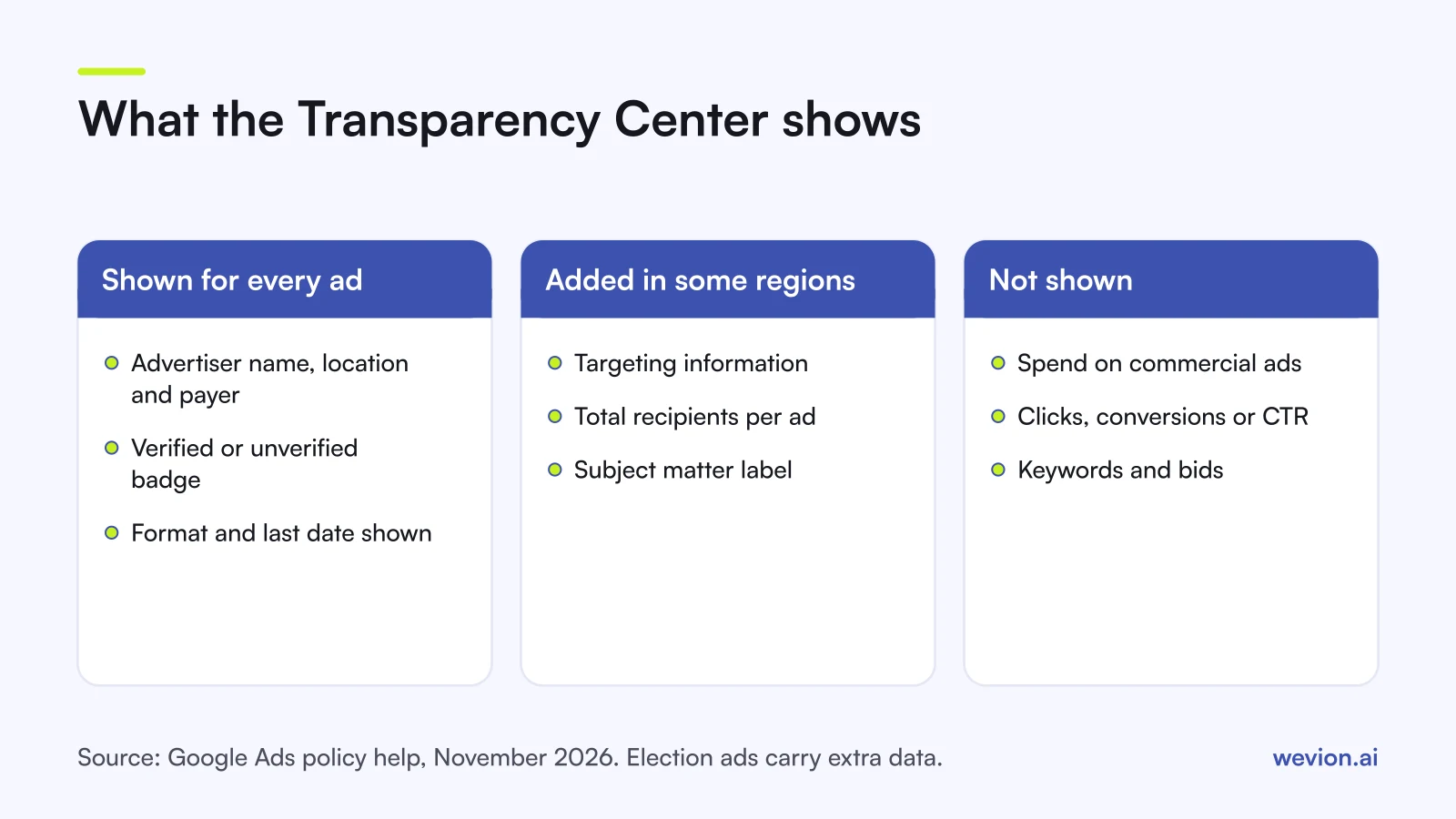
The Ads Transparency Center shows two layers of information: details about the advertiser, and the ads themselves. Here is what Google documents for each, as of November 2026:
| Layer | What you see | Source |
|---|---|---|
| Advertiser | Name, location and the entity that pays for the ads | Google help page |
| Verification | A verified or unverified badge | Google help page |
| Ads | The creative, its format and the last date it was shown | Google launch post |
| Region | Which ads were shown in a given country | Google launch post |
| Some regions only | Targeting information, total recipients per ad, a subject matter label | Google help page |
| Election ads | Extra transparency where political content rules apply | Google help page |
The "some regions" row is where the most useful data sits. Google's help page says that in some countries or regions it adds targeting information, the total number of recipients for each ad and a subject matter label, and that for the European Economic Area it also offers API access. If a competitor sells in the EU, checking an EEA country shows more than checking the US.
How does advertiser verification feed the Transparency Center?
Advertiser verification is the process Google uses to confirm who an advertiser is, and its result is what appears next to every advertiser in the Transparency Center. Google's advertiser verification page says that after verification, "some of your info will appear in ad disclosures and the Ads Transparency Center", including your name or organisation's name and location.
Three points from that page matter for research and for your own accounts:
- Everyone will verify in the end. Google says "all advertisers will eventually be required to complete advertiser verification", and some accounts are selected sooner, for example in certain industries or when ads run on brand-related queries.
- The name may be a company name. Disclosures show your name or your organisation's name, so a brand can appear under the company behind it. Search by website domain when the brand name returns nothing.
- Billing changes trigger re-verification. Google says updating the legal name on a billing profile immediately triggers a new verification. Agencies running client accounts should plan for this before changing billing details.
If you manage many client accounts under one manager account, our Google Ads manager account guide covers the structure.
How do you search competitors in the Ads Transparency Center?
Searching the Ads Transparency Center takes three choices: who, where and when. Google's help page says you can search by advertiser or website name and filter by details such as date and targeted location.
- Open adstransparency.google.com. It is built for the public, so you do not need a Google Ads account to use it.
- Search by website domain or brand name, for example "examplebrand.com". Try both: the advertiser name you see may be a company name rather than the brand.
- Pick the advertiser from the suggestions and check the verification badge and location.
- Set the region to the market you compete in. Ads differ by country, and some data only shows in some regions.
- Set a date range, such as the last 30 days, to see what is running now rather than last year.
- Open each ad to see the creative, the format and the last date it was shown.
Depending on the version of the tool you see, there may be further filters, such as platform or format. Google's help page documents only date and location, so treat any others as subject to change.
What are the limits of the Ads Transparency Center?
The Ads Transparency Center is a creative archive, not a performance tool, and most wrong conclusions come from forgetting that. Keep these limits in mind:
- No spend, clicks or conversions for commercial ads. Google's help page lists none of these.
- No keywords or bids. You see a Search ad's text, not the queries it ran on or what the advertiser paid.
- No placement or audience detail outside the regions where Google adds targeting information.
- Last shown is not first shown. The date tells you the ad was recently live, not how long it has run.
- Responsive ads vary. Responsive Search ads and Performance Max ads are assembled from several assets, so a single preview may show only one combination. Our Performance Max campaign structure guide explains how asset groups work.
Spend data does exist in one place: political ads. Google's political ads reporting now lives in the Transparency Center at adstransparency.google.com/political. When Google launched its political ads transparency report in 2018, it showed spend on US federal election ads by state and congressional district. That data covers election ads in the locations where Google's political content policies apply, not commercial advertisers.
For competitive pressure on your own campaigns, use Auction insights inside Google Ads. It reports impression share, overlap rate, outranking share, position above rate and top of page rates for the competitors in your auctions, and is available for Search, Shopping and Performance Max campaigns. The Transparency Center shows what competitors say; Auction insights shows how often they compete with you.
What is a practical research workflow?
A useful Transparency Center routine turns a list of competitors into test ideas for your own Google campaigns every week. Here is one for a media buyer running Google Ads for an ecommerce brand.
- List 5 to 8 competitors by website domain, plus the 2 or 3 brands that show up most in your Auction insights.
- Check each weekly in your main market, with the last 30 days selected.
- Log the Search ads. Copy the headlines and descriptions into a sheet and tag each by angle: price, speed, guarantee, range, social proof.
- Log the visual ads. Note format, opening shot and offer for each image ad and YouTube video.
- Compare against last week. New ads point to a new offer or test; ads that disappear may have lost.
- Brief two tests from the patterns, and run them in your own account.
A hypothetical week: you track 6 competitors. Between them, they show 54 Search ads in the last 30 days. Twenty-two lead with free delivery, 14 with a price, 11 with a guarantee and 7 with range. Your ads lead with range. That is a reason to test one free-delivery headline and one guarantee headline against your current best, if your offer can back them.
For how those tests then feed bidding, see our Google Ads Smart Bidding guide. If you sell through Shopping, our Google Shopping ads guide covers the feed side, which the Transparency Center does not show.
Where Wevion fits
The Transparency Center shows what competitors run; the work that follows is launching your own tests, watching results and adjusting budgets, often across Google and Meta at the same time.
Wevion connects Google, Meta, TikTok, Snapchat, Taboola and Outbrain ad accounts through each platform's official API, syncs results about every 15 minutes, and shows spend, conversions and ROAS for every account in one view, with one workspace per client for agencies.
Automated rules can pause or activate campaigns, change budgets or bids by a percentage, or just send an alert, with a cooldown and a daily cap on runs, so a test that misses its target does not keep spending unnoticed.
You can try it on your own ad accounts with a 14-day trial on the Pro plan. No card to start. We ask for one on day 7, or earlier if you use up the trial credits, and billing starts on day 14 only if you add it.
Key takeaways
- The Google Ads Transparency Center is a free, public record of advertisers and their ads on Search, YouTube, Display, Gmail and more.
- Search by website domain or advertiser name, then filter by region and date.
- Each advertiser shows a name, location, payer and a verified or unverified badge.
- Some regions, including the EEA, add targeting information and total recipients per ad.
- Commercial ads show no spend, clicks, keywords or bids; only election ads carry spend data.
- Pair it with Auction insights in your own account, and turn patterns into two tests a week.