
Meta Partnership Ads: Ad Codes, Permissions and Uses
Yuki Tanabe
Creative AI Strategist
Meta partnership ads let a brand run an ad on Facebook and Instagram from a creator's handle as well as its own, so the ad reads like the creator speaking rather than the brand. For a DTC brand that already pays creators for content, they are the step between "the creator posted about us" and "that post now runs as an ad with our budget, our targeting and our tracking".
Quick answer: Partnership ads show both the brand and the creator in the ad header. The brand pays and sets targeting, while the creator gives permission in one of two ways: a partnership ad code for a single post, or an account-level permission that covers future ads. In Ads Manager you turn on the partnership ad option at ad level and add the code or the creator's post.
If you already run creator content on TikTok, our guide to TikTok Spark Ads covers the equivalent there. For sourcing and briefing creators, see our UGC ads guide.
What are Meta partnership ads?
Meta partnership ads are ads that a brand runs from a creator's or partner's handle, with the brand still in control of the budget, targeting and optimisation. Meta's Partnership Ads API documentation puts it simply: partnership ads "allow you to run Facebook and Instagram ads from a creator or other partner's handle", so the ad carries the creator's voice.
Three details separate them from a normal ad that happens to use creator footage:
- Both identities show. Meta's ads creation guide says partnership ads show both the brand and partner accounts in the header, and you can make either one the primary identity.
- Permission is required. The creator has to approve the use of their handle, either for one post or for their account.
- The partner is not always a creator. Meta talks about creators "or other partners", so two brands running a joint campaign can use the same format.
Running creator footage from your own Page is still an option, and it needs only usage rights from the creator. Partnership ads add the creator's name and profile to the ad itself, which is the part you are paying the creator to lend.
How do you get permission to run partnership ads?
Permission comes at one of two levels, and the choice decides how much back and forth each new ad needs. Meta's documentation describes both.
Post-level permission with a partnership ad code. Meta's guide says post-level permissioning applies "when an account-level permission does not exist between you and your partner". The creator generates a code for a post they own and sends it to you. According to Meta's partnership ad codes page, the code can be used to create ads in Ads Manager or through the API, including for archived and hidden Collab posts, and the creator can delete a code from their media if needed.
Account-level permission. Your business sends a request to the creator, and the creator accepts it in the Instagram app. Meta's account-level permissioning guide says that once accepted, you can create partnership ads from the creator's handle without a pre-existing post, use existing posts that tag your brand, and choose to include or exclude the creator's audience in targeting. Permissions can be revoked.
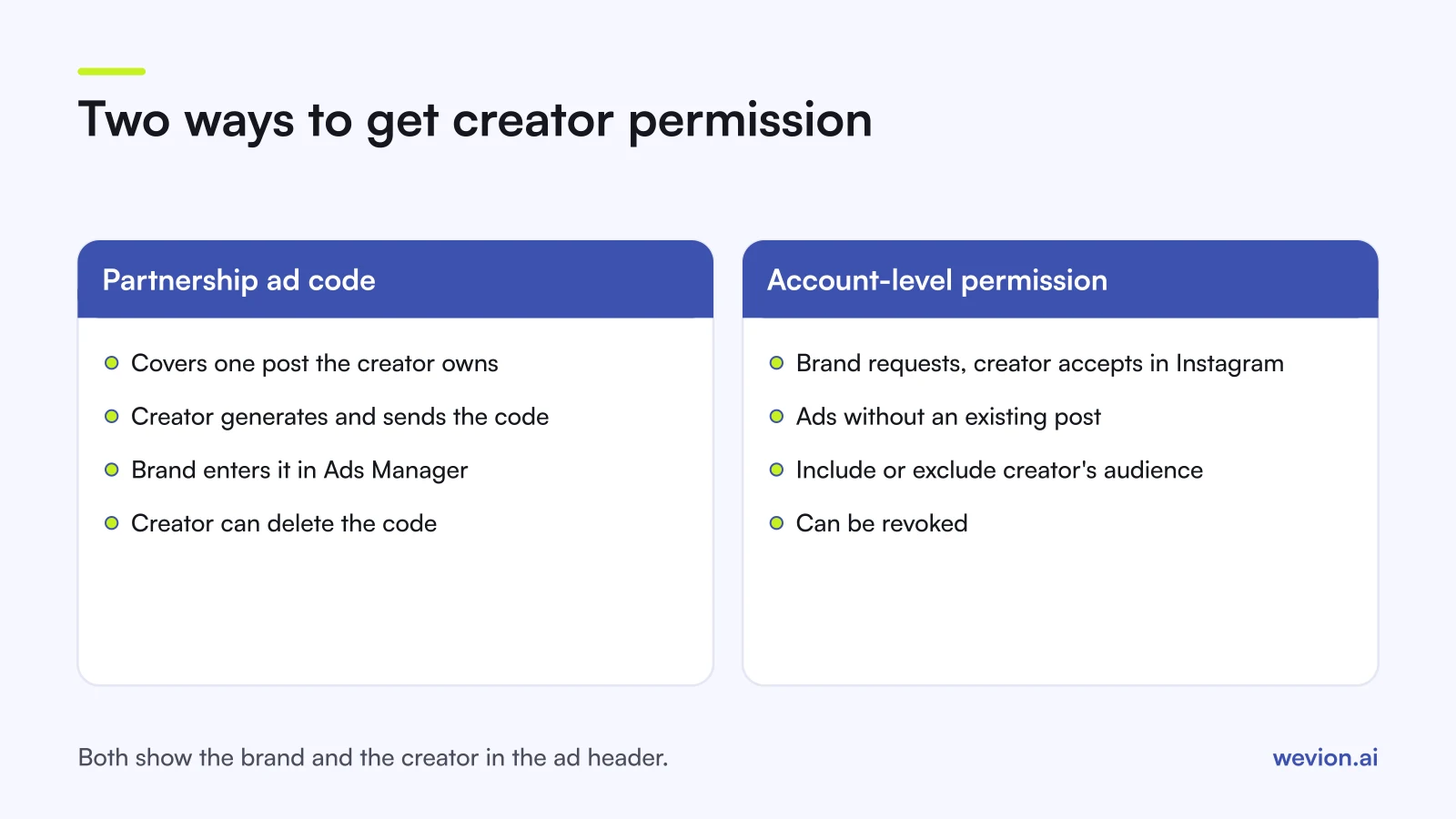
As a rule of thumb, ask for a code for a one-off post and account-level permission for creators you work with every month. Account-level access saves a round of messages for every new ad, but it is also a bigger ask, so put its scope and end date in the creator's contract.
How does a creator create a partnership ad code?
Creators generate codes from the post itself in the Instagram app, so the brand's job is mostly to tell them what to send and when. In the app, the creator opens the post, story or reel, goes to the partnership label and ads settings, turns on the option to get a partnership ad code and copies the code to send it to you. Menu labels change between app versions, so ask creators to follow Instagram's help centre if their screen looks different.
Two points to agree in writing, because the creator controls the code:
- How long you can use it. Instagram's help centre gives a fixed usage window for codes. Check the current window when you plan a campaign, and agree in the contract how long you may run the ad.
- What happens if the code is turned off. Instagram's help centre says turning the toggle off stops the code being used for new ads, while ads already running continue. Agree when and how either side ends the ad.
Not every post can be used. Meta's guide to boosting existing posts lists branded content, Collab posts, mentions and tags as eligible types, and gives reels with tappable elements and GIF stickers as examples of content that can be ineligible.
How do you set up partnership ads in Ads Manager?
Setting up a partnership ad in Ads Manager follows the normal campaign flow, with the partnership choice made at ad level. A typical sequence:
- Create the campaign and ad set as usual, with your objective, budget, audience and conversion event.
- At ad level, turn on the partnership ad option.
- Add the content: enter the creator's partnership ad code, or choose the creator and the post if you have account-level permission.
- Choose the primary identity: your brand or the creator.
- Check the destination URL and UTM parameters, so sales from the ad are tracked like any other.
- Publish. Meta's guide notes that an ad published without the required permission stays pending until the creator approves the request.
Meta's ads creation guide says you need to be eligible under Instagram's and Facebook's partnership ad rules, and its content recommendations only cover posts that used the paid partnership label. Ask creators to use that label on every paid post, which also keeps the organic post transparent with their followers.
When do DTC brands use partnership ads?
DTC brands use partnership ads when a creator's credibility does more for the sale than the brand's own voice. The format suits four common jobs:
- Launches and drops. A creator the audience already follows introduces a new product, and the brand's budget takes the post beyond the creator's followers.
- Prospecting with social proof. Cold audiences have never heard of the brand but may recognise the creator, or at least read the ad as a person rather than an advert.
- Turning tested UGC into scale. Creator videos that worked on your own handle can be rerun from the creator's handle as a separate test.
- Brand collaborations. Two brands promoting a joint bundle can each appear in the header.
They are a weaker fit for catalogue-style retargeting, where the product, price and offer do the work. For that, Meta catalogue ads are the usual choice.
How should you test partnership ads?
Partnership ads should earn their place against the same creative run from your own handle, because the creator fee is only worth paying if the handle itself adds results. Our creative testing framework for Meta ads sets out the general method; here is how to apply it.
Run the same video in two ad sets with equal budgets and the same audience: once as a partnership ad, once from your Page. Keep copy, landing page and offer identical. Here is a hypothetical result after two weeks:
| Brand handle | Partnership ad | |
|---|---|---|
| Spend | €1,500 | €1,500 |
| Purchases | 30 | 40 |
| Cost per purchase | €50.00 | €37.50 |
On those numbers, the partnership version saves €12.50 per purchase, or €500 over 40 purchases. If the creator charged €800 for usage on top of the content, the test has not yet paid back the fee, so you would keep it running and judge again at a higher spend. The point of the example is the method, not the result: compare cost per purchase including the creator fee.
What are the common partnership ad mistakes?
Most partnership ad problems are about permissions and contracts rather than the ads themselves. Watch for these:
- No written usage terms, so the creator turns the code off in the middle of a campaign.
- Asking for account-level access for a one-off post, which slows down creators who would happily send a code.
- Forgetting the paid partnership label on the creator's organic post.
- Judging partnership ads against a different creative, so you test the video rather than the handle.
- Leaving out the creator fee when calculating cost per purchase.
Our static vs video ads guide covers which formats to brief creators for in the first place.
Where Wevion fits
Partnership ads usually run next to brand-handle ads, catalogue ads and campaigns on other platforms, and the hard part is comparing them fairly in one place.
Wevion connects Meta, Google, TikTok, Snapchat, Taboola and Outbrain ad accounts through each platform's official API, with OAuth for Meta, syncs data about every 15 minutes, and shows partnership ads next to the rest of your campaigns, so creator ads on Meta and Spark Ads on TikTok can be compared side by side.
Automated rules can pause an ad, change a budget or just send an alert when cost per purchase moves past your limit, and each client gets its own workspace. Partnership permissions and ad codes are still handled in Meta.
Start a 14-day trial with no card. We ask for one on day 7, or earlier if you use up the trial credits, and billing starts on day 14 only if you add it.
Key takeaways
- Meta partnership ads run from a creator's or partner's handle, with both identities in the header.
- The brand pays and controls targeting; the creator controls permission.
- Use a partnership ad code for one post, and account-level permission for regular creator partners.
- Account-level permission allows ads without an existing post and lets you include or exclude the creator's audience.
- Put usage length and ending terms in the creator contract, because the creator controls the code.
- Test the same video from your handle and the creator's, and include the creator fee in cost per purchase.