
Google Demand Gen Campaigns: A Guide for Performance Buyers
Priya Raghunathan
E-commerce Performance Manager
Demand gen campaigns are Google's campaign type for reaching new customers with image, video and product ads on its visual surfaces: YouTube (including Shorts), Discover, Gmail and, since 2025, the Google Display Network. For a performance media buyer they fill the gap between Search, which captures existing demand, and Performance Max, which decides the channel mix for you. Demand Gen gives you more control over where ads run and who sees them, and asks for more creative in return.
Quick answer: Use Demand Gen to find new customers on YouTube, Discover, Gmail and Display with visual ads and lookalike segments. Leave channel controls on all Google channels unless you have a reason not to. Start with Maximize conversions, move to Target CPA or Target ROAS after about 50 conversions, set a budget of at least 10 times your target CPA, and avoid changes in the first 14 days. Use Performance Max when you want Search and Shopping in the same campaign.
This guide assumes you know the basics of Google bidding and Performance Max. If not, start with our guides to Google Ads Smart Bidding and Performance Max campaign structure.
Where do Demand Gen campaigns show ads?
Demand Gen campaigns run on Google's visual, feed-style surfaces rather than on search results, and Google keeps adding inventory to them. Google's About Demand Gen campaigns page says the campaigns "serve ads on YouTube, Discover, Gmail, and the Google Display Network".
| Channel | What it covers |
|---|---|
| YouTube | Shorts, in-feed, in-stream and watch-next placements |
| Discover | Google's Discover feed |
| Gmail | Ads inside Gmail |
| Google Display Network | Image and video ads across partner sites and apps |
| Maps | Only with a non-affiliated location extension on the account |
The Display Network is the newest addition. Google's Display Network integration page sets out the timeline: in March 2025, Google video partners inside Demand Gen was renamed Google Display Network and the opt-in moved to ad group level; in April 2025, Demand Gen image ads opted into the network began serving there. From June 2026, eligible advertisers can move existing Display campaigns into Demand Gen with a migration tool, and Google says that later new Display campaigns can only be created within Demand Gen.
How do channel controls work?
Channel controls decide which of those surfaces each ad group can use, and they are the main reason media buyers pick Demand Gen over Performance Max. Google's channel controls page says they "are set at the ad group level".
You have two choices per ad group:
- All Google channels. Google picks where to serve. Its Demand Gen performance guide says to run across all channels "unless there's a specific reason not to".
- Let me choose. You select from YouTube (in-stream, in-feed, Shorts), Discover, Gmail, Maps and the Google Display Network.
Good reasons to narrow a channel include a Shorts-only creative test, a brand rule that keeps image ads off third-party sites, or a lead campaign where Gmail traffic converts poorly in your own data. Google notes that not every channel works with every ad type or audience.
Reporting is available by channel at campaign, ad group and ad level, and YouTube can be split further into in-stream, in-feed and Shorts. Read that report before you switch channels off: a weak channel in a short window may still be feeding conversions elsewhere.
Which audiences can you use in Demand Gen?
Demand Gen supports Google's standard audience segments plus lookalike segments, which are available only in this campaign type. Google's About page says a lookalike can be built from people who made a past purchase, visited your website or watched videos on your YouTube channel.
Lookalikes are changing during 2026. Google's lookalike segments page says they "will evolve from being limited to similarity thresholds to audience suggestions", phased in through 2026 from March. The narrow, balanced and broad slider, which used to mean 2.5%, 5% or 10% of the target location, "will no longer function as a targeting constraint". Google may now reach qualified people outside those thresholds.
If you need the old behaviour, for example to keep a test clean, Google's targeting constraint page links an opt-out form. A new lookalike takes about 72 hours to populate, so build seed lists before launch day.
Which bid strategies work for Demand Gen?
Demand Gen supports click, conversion and value bidding, and Google's guidance is to start broad and add a target once you have data. Google's value-based bidding page and Demand Gen pages list these options:
| Goal | Strategy without a target | Strategy with a target |
|---|---|---|
| Clicks | Maximize clicks | Target CPC |
| Conversions | Maximize conversions | Target CPA |
| Conversion value | Maximize conversion value | Target ROAS |
The rules for moving between them come from Google's help pages:
- Start with Maximize conversions, then move to Target CPA or Target ROAS after at least 50 conversions, according to Google's Demand Gen FAQ.
- Value-based bidding needs data: at least 50 conversions with value in the past 35 days, including 10 in the past 7 days, or 100 conversions with value across all Demand Gen campaigns in the account.
- Set the first Target ROAS about 20% below your historical average ROAS.
- Budget at least 10 times your target CPA, and for value bidding, enough to support about 10 conversions a day.
- Do not change bids or creative for the first 14 days, and run for at least 3 weeks before judging value bidding.
- Raise a budget-limited campaign by 15% at most, says the performance guide, which also calls a campaign healthy when it uses about 80% or less of its daily budget while meeting targets.
Worked example (hypothetical numbers). A store's Demand Gen campaign on Maximize conversions has delivered 60 purchases in its first month at an average CPA of $40. It qualifies for Target CPA. Set the target at $40, not lower, and a daily budget of at least $400 (10 times the target). If it then spends its full budget at a steady CPA, raise it to $460 (15%), wait for 30 to 50 conversions, and review again.
Our Smart Bidding guide covers the strategy names, which changed in June 2026, and how learning periods work across campaign types.
How do product feeds work in Demand Gen?
Product feeds let a Demand Gen campaign show items from your Google Merchant Center catalogue, which turns a video or image campaign into a shoppable one. Google's product feed page for Demand Gen asks you to link Merchant Center to Google Ads, turn on Shopping ads as a marketing method in Merchant Center and match the campaign's locations to the countries your products target.
Once linked, a Product feeds tab appears when you edit the campaign, where you choose the Merchant Center account and feed. Google's About page lists product feed formats on YouTube, Gmail, Discover and the Display Network, and promotion assets (discount tags from Merchant Center) on YouTube Shorts and in-stream ads.
The feed's quality decides how good those ads look, so titles, images and prices need the same care as for Shopping. Our guides to Google Shopping ads and product feed optimisation cover the feed itself.
How is Demand Gen different from Performance Max?
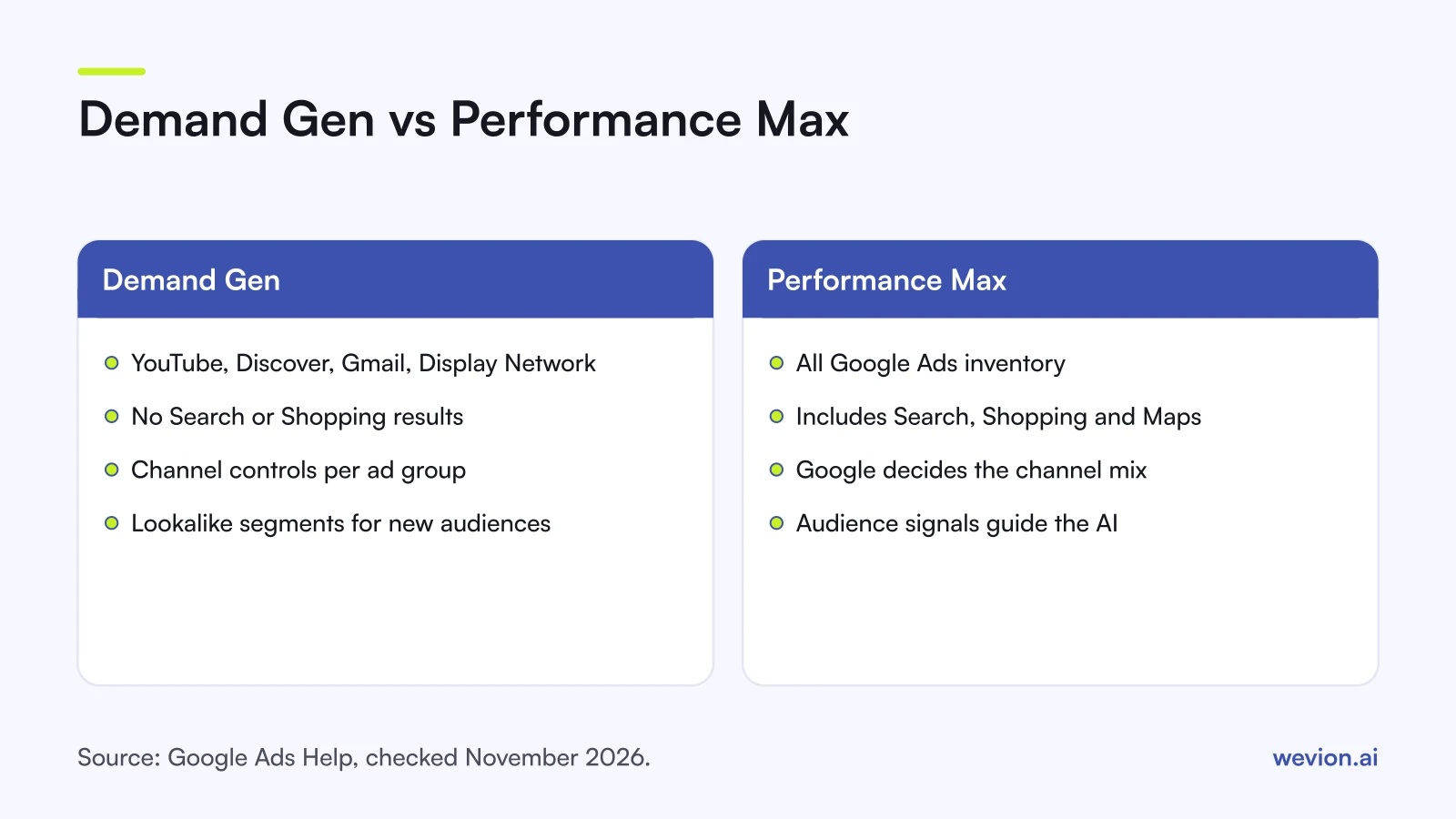
Demand Gen and Performance Max both use Google AI across several channels, but they answer different questions: Performance Max asks Google to find conversions anywhere, while Demand Gen lets you choose visual channels and audiences to create new demand. Google's About Performance Max page says it gives access to "all Google Ads inventory, including YouTube, Display, Search, Discover, Gmail, and Maps".
| Demand Gen | Performance Max | |
|---|---|---|
| Search and Shopping results | No | Yes |
| Channel choice | Per ad group, or all Google channels | Google decides, with priority tiers for Search partners and Display |
| Lookalike segments | Yes | No, audience signals instead |
| Main job | New demand on visual surfaces | Conversions across all inventory |
| Creative | Image, video, carousel, product | Asset groups across all formats |
Many ecommerce accounts run both: Performance Max (or Shopping) to capture demand from people already searching, and Demand Gen on YouTube and Discover to reach people who are not yet looking. Our Performance Max structure guide covers the first half, and our guide to when to start Google Ads for ecommerce covers the order to add them in.
What happened to Video action campaigns?
Video action campaigns, Google's earlier YouTube conversion campaign type, have been replaced by Demand Gen. Google's upgrade page says automatic upgrades of existing Video action campaigns started in July 2025 and that Google would upgrade the final campaigns by April 2026.
Three details matter if you managed these campaigns:
- Failed upgrades were rebuilt, not lost. Where a campaign could not upgrade because of errors, Google deleted the original, upgraded it with compatible settings and assets, and paused the new Demand Gen campaign for review.
- The migration tool keeps history. The original campaign is set to Removed but stays for reporting, and the new one inherits most settings and some performance data.
- Spend does not carry over. Budget already spent by the Video action campaign is not counted by the new campaign.
If you inherit an account, check for paused Demand Gen campaigns created during the upgrade and review their channels and bids before turning them on.
What are the common Demand Gen mistakes?
Most Demand Gen problems come from treating it like Search or like a small Display test, and they show up as either no delivery or cheap clicks that never convert. Watch for these:
- Starting on Target CPA with no history. Begin on Maximize conversions and switch after about 50 conversions.
- Budget below 10 times the target CPA. The campaign cannot gather enough conversions to learn.
- Editing in the first two weeks. Google says to avoid bid and creative changes for 14 days.
- Narrowing channels on day one. Start with all Google channels and use channel reporting to decide.
- Assuming lookalikes are still hard limits. In 2026 they act as suggestions unless you opt out.
- Judging on platform ROAS alone. Demand Gen reaches people earlier in the journey, so compare it with store orders and blended results.
Where Wevion fits
Demand Gen sits in the middle of the funnel, which makes it hard to judge from the Google Ads interface alone; you usually need to see it next to Meta and TikTok prospecting to decide where the next budget goes.
Wevion connects Google, Meta, TikTok, Snapchat, Taboola and Outbrain ad accounts through each platform's official API, syncs data about every 15 minutes, and shows spend, conversions and cost per result for every account in one view, so Demand Gen sits next to your other prospecting campaigns.
Automated rules on Google can change budgets by a percentage, pause campaigns or just notify you, with a cooldown and a daily cap on runs, so you can keep budget steps inside Google's 15% guidance. Each client gets its own workspace, and our guide to managing several Google Ads accounts covers the access side.
You can try it on your own ad accounts with a 14-day trial on the Pro plan. No card to start. We ask for one on day 7, or earlier if you use up the trial credits, and billing starts on day 14 only if you add it.
Key takeaways
- Demand Gen serves on YouTube (Shorts, in-feed, in-stream), Discover, Gmail and the Google Display Network.
- Channel controls are set per ad group; Google recommends all channels unless you have a reason to narrow.
- Lookalike segments are moving from hard thresholds to suggestions through 2026, with an opt-out.
- Start on Maximize conversions, switch to Target CPA or Target ROAS after about 50 conversions, and budget at least 10 times the target CPA.
- Demand Gen has no Search or Shopping results; Performance Max covers all inventory.
- Video action campaigns were upgraded to Demand Gen between July 2025 and April 2026.