
TikTok Top Ads: How to Use Creative Center for Ad Research
Yuki Tanabe
Creative AI Strategist
TikTok Top Ads is the free collection of high-performing TikTok ads inside TikTok Creative Center, which you can filter by region, industry, objective and more to see which formats, hooks and styles work in your category. It is a curated showcase, not an archive of every ad, so it is best for creative ideas and category patterns rather than for tracking one competitor ad by ad.
Quick answer: Open TikTok Creative Center, log in, and go to Top Ads. Filter by region, industry and campaign objective, sort by reach or CTR, then open See Analytics to view the second-by-second performance graph. Save strong ads to a Collection, tag their hooks and formats, and turn the patterns into two or three briefs for your own tests.
If you also research Meta, our guide to Meta Ad Library search covers the equivalent archive there, and our comparison of Facebook ads spy tools covers paid options.
What is TikTok Top Ads?
TikTok Top Ads is a dashboard in Creative Center that collects high-performing ads from TikTok advertisers so other advertisers can learn from them. TikTok's Top Ads help page calls it "a collection of high-performing creatives that can be filtered by Region, Industry, Campaign Objective, and more", and says every ad in it was authorised by its advertiser in TikTok Ads Manager.
That last point shapes how you use it. Brands opt in, so the collection shows what TikTok and those advertisers chose to share. It is a strong sample of what works on the platform, but it says nothing about ads that are not in it.
Creative Center itself is free. TikTok's About Creative Center page, last updated in July 2026, describes it as "a free, public home to an ever-growing suite of creative resources".
How do you open the Top Ads dashboard?
Opening the Top Ads dashboard takes a minute, but logging in first changes what you see. TikTok's guide on how to use the Top Ads Dashboard sets out the steps:
- Go to Creative Center at ads.tiktok.com/business/creativecenter.
- Click Log in in the top right corner. TikTok says that without logging in you see only five ads.
- Open Top Ads. The help page places it under the Inspiration tab; as of November 2026 the Creative Center menu shows Top Ads as its own item.
Use desktop if you can. Some filters and sort options are desktop only, and so are saving and sharing.
Which filters and sort options does Top Ads offer?
Top Ads offers enough filters to narrow the collection to your market and goal, and sort options that rank ads by reach or engagement. According to TikTok's help page, you can search for a product or keyword and filter by:
| Filter | Use it to |
|---|---|
| Region | Match the market you sell in; styles differ a lot by country |
| Industry | Keep to your category, then check one adjacent category |
| Campaign Objective | Match the objective of the campaign you are briefing for |
| Likes | Remove ads with little engagement |
| Time frame | Focus on recent ads, as trends on TikTok move fast |
| Ad language (desktop) | Find ads in the language you produce in |
| Ad format (desktop) | Keep to the formats you can produce |
The sort options TikTok lists are reach, click-through rate (CTR), 2-second view rate and 6-second view rate, plus conversion rate and likes on desktop. The view-rate sorts are the useful ones for hooks: an ad that holds viewers past two and six seconds has an opening worth studying.
The cards show metrics as rankings rather than raw numbers in the views we checked, such as a CTR band within the ad's group. Treat them as relative signals, not benchmarks for your own account.
How do you read the See Analytics view?
The See Analytics view is where Top Ads becomes more than a gallery, because it shows how attention moved through each second of the ad. TikTok's help page says clicking See Analytics shows the ad's background information and performance, with a graph of relative performance metrics second by second that helps you find "the most successful engagement moment in the video".
Read it in three passes:
- The first two seconds. Does the graph start high? Note the opening shot, the first words and any on-screen text.
- The peak. Find the second where the line is highest and note what happens there: a product reveal, a price, a before-and-after, a creator's reaction.
- The drop. Where does the line fall? That is often where the ad slows down or turns into a pitch.
Our guide to hook rate and hold rate explains how to measure the same moments in your own ads once they run.
What else does Creative Center offer?
Creative Center has a small set of tools around Top Ads, and the list has changed over time. As of November 2026, TikTok's About Creative Center page names:
- Top Ads, covered above.
- Trends, which "displays trending hashtags". Use it to check which topics are rising in your region before you write a brief.
- Symphony Creative Studio, Symphony Automation and Symphony API, TikTok's AI tools for generating, refreshing, resizing and translating video creatives.
- Profile features: My Collections, Ad Authorization Management and Material Library.
Older TikTok help pages also describe tools such as Keyword Insights, a desktop tool for the top keywords in TikTok ads. TikTok's current overview does not list it, so check your own menu before you plan around it.
For tracking a named competitor, Creative Center is the wrong tool. TikTok's public archive is the Commercial Content Library, which our Meta Ad Library guide covers in its TikTok section.
How do you turn Top Ads into creative briefs?
Top Ads research only pays off when it ends in a brief someone can shoot, so give it a fixed weekly routine and a fixed output. Here is one for a media buyer running TikTok for a single brand.
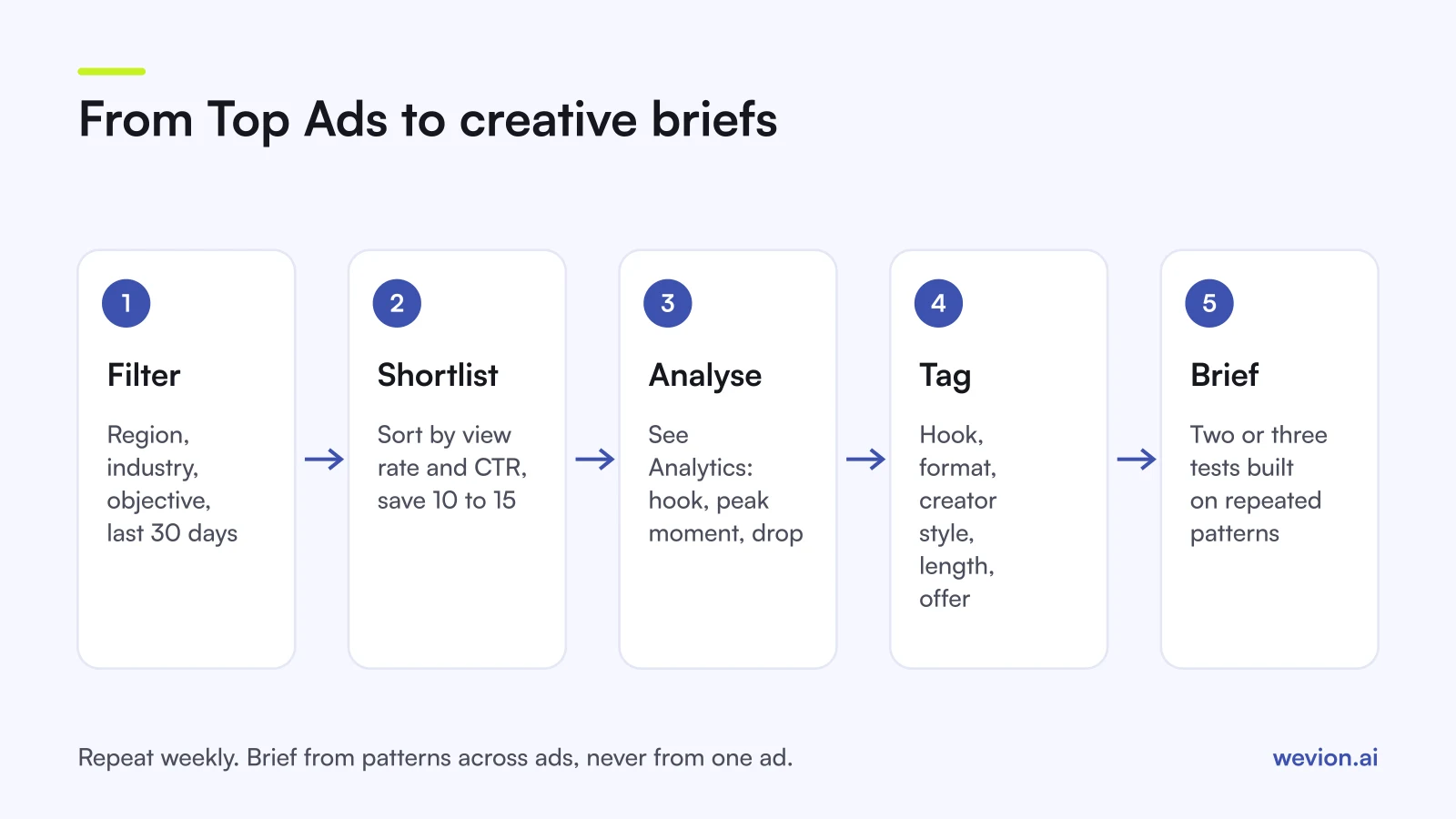
- Filter. Your region, your industry, your objective, the last 30 days.
- Sort and shortlist. Sort by 6-second view rate, then by CTR, and save 10 to 15 ads to a Collection.
- Analyse. Open See Analytics on each and note the hook, the peak moment and the drop.
- Tag. Log each ad in a sheet or creative library by hook type, format, creator style, length and offer.
- Brief. Write two or three briefs from patterns that repeat, not from one ad.
A hypothetical week: you shortlist 12 ads. Seven open with a person talking to camera, five show the product within two seconds, and four of the five peaks fall on a price or discount reveal. That gives you one brief to test: a creator-led video that shows the product at once and reveals the price around the peak point. You test it against your current best ad, not against nothing.
Each brief should state the hook, the first two seconds, the peak moment, the format, the length, the call to action and what you will measure. If the concept relies on a creator's post, our TikTok Spark Ads guide covers how to run it from their account. Our creative testing framework covers the test design.
What are the limits of Top Ads?
Top Ads has real limits, and knowing them stops you from drawing the wrong conclusions. Keep these in mind:
- It is curated. Only ads that advertisers authorised appear, so absence tells you nothing.
- It shows no spend. You see relative performance, not budgets, CPA or ROAS.
- Rankings are relative. A strong CTR band in one industry is not a target for yours.
- Copying is not a strategy. Another brand's footage, music and script belong to that brand. Take the structure, not the asset.
- Context is missing. You do not see the offer, the landing page or the audience behind each result.
Where Wevion fits
Top Ads gives you ideas; testing them across your own TikTok accounts, and often Meta too, is the part that takes time each week.
Wevion connects TikTok, Meta, Google, Snapchat, Taboola and Outbrain ad accounts through each platform's official API, syncs results about every 15 minutes and shows them in one view, so a new concept can be compared across platforms side by side. You can launch test variants in bulk with Bulk Launch, and produce images and videos from a brief in Creative Hub, with your Brand Kit attached.
Automated rules can then pause ads that miss your targets, activate others, change budgets or just send an alert, with a cooldown and a daily cap on runs.
You can try it on your own ad accounts with a 14-day trial on the Pro plan. No card to start. We ask for one on day 7, or earlier if you use up the trial credits, and billing starts on day 14 only if you add it.
Key takeaways
- TikTok Top Ads is a free, curated collection of high-performing ads in TikTok Creative Center, authorised by their advertisers.
- Log in first: TikTok says logged-out visitors see only five ads.
- Filter by region, industry, objective, likes and time frame; sort by view rate to find strong hooks.
- See Analytics shows a second-by-second graph that points to each ad's peak moment.
- Trends shows trending hashtags; check your own menu for any other tools before relying on them.
- Run a weekly routine that ends in two or three briefs built on patterns, not copies.