
Lead Ads Conditional Logic: Route and Qualify Leads in the Form
Marta Kowalczyk
Responsable des opérations agence
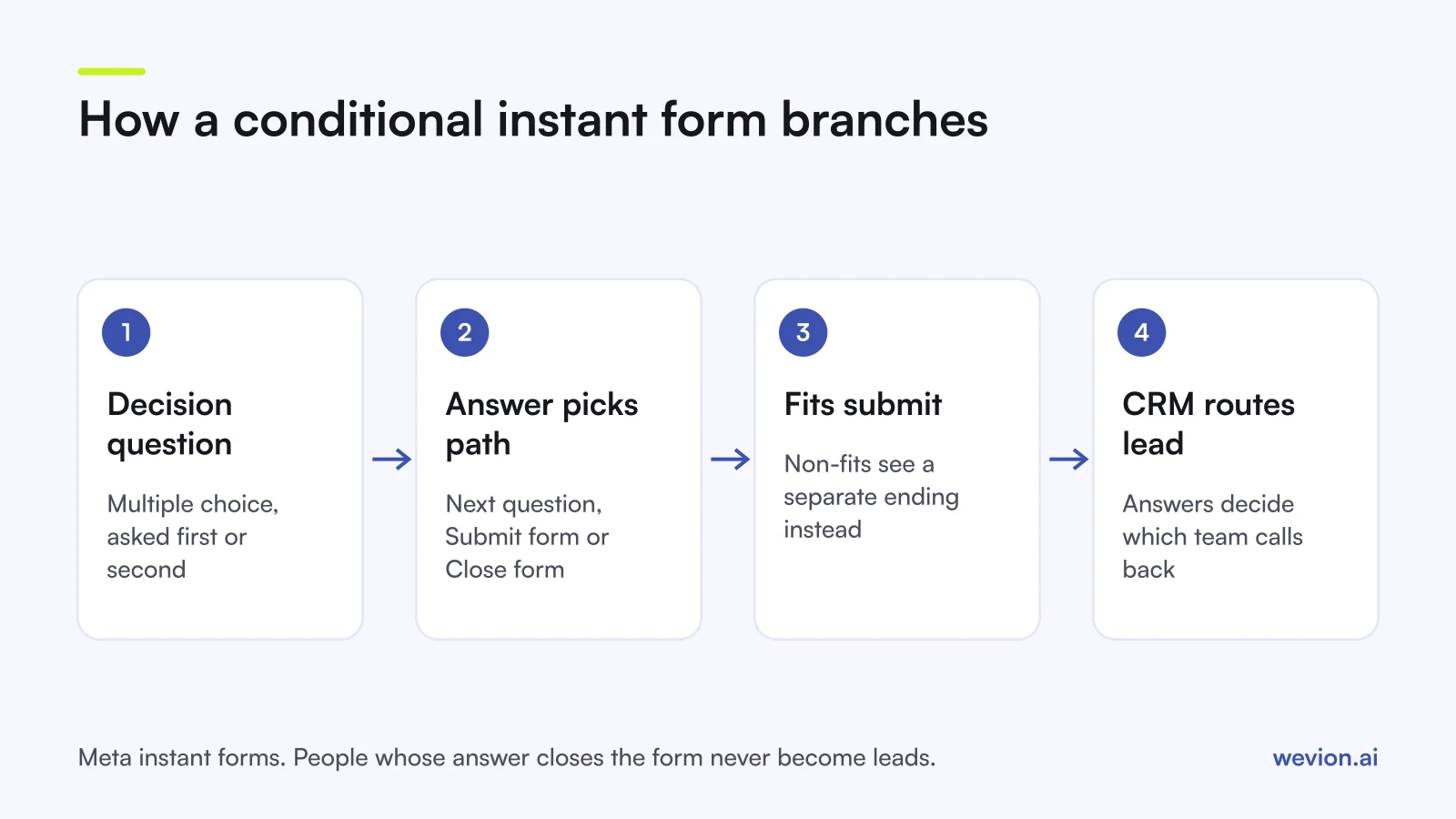
Lead ads conditional logic lets a lead form change its path depending on the answers people give: someone who fits the offer goes on to submit their details, and someone who does not can be shown a different ending and never becomes a lead. Meta instant forms support it directly, TikTok offers a similar setting to some advertisers, and Google lead form assets offer a lighter version. For agencies paid on qualified leads, it moves part of the screening from the sales call into the form.
Quick answer: In Meta Ads Manager, turn on conditional logic in the Questions section of an instant form, add a multiple choice question and set a next step for each answer: go to a question, submit the form or close it. At least one answer must submit and one must close. Expect a higher cost per lead and judge the form on cost per qualified lead instead.
This guide is about the branching itself. For the full instant form setup, see our Facebook lead ads best practices. For the choice between More volume and Higher intent forms, and how conditional answers differ from conditional logic, see our guide to Meta's Higher intent instant form.
What is conditional logic in lead ads?
Conditional logic in lead ads is a form setting that decides which screen comes next based on the answer a person picks, so the form can ask follow-up questions only to the people they apply to, or end early for people who do not qualify. It is the closest thing an in-platform form has to the branching of a landing page quiz.
Meta presented it in an April 2024 post on instant forms as a way to qualify leads with multiple questions in a question flow. In that post, Meta reported that the advertiser John Wai Martial Arts saw a 62% higher lead-to-customer conversion rate than with instant forms alone. That is one advertiser's result, not a benchmark, but it shows the intended use: fewer, better leads.
Two features are easy to mix up:
- Conditional answers change the options inside a question based on the previous answer. Everyone sees the same questions in the same order.
- Conditional logic changes the path: an answer can skip ahead, submit the form or close it.
How do you set up conditional logic in a Meta instant form?
You set up conditional logic in the Questions section of an instant form in Ads Manager, before the form is published. Meta's help page on using conditional logic to qualify leads covers the steps, and Jon Loomer's instant forms guide walks through the same builder:
- Create the form in a Leads campaign with instant forms as the conversion location, and complete the form type and intro.
- Turn on conditional logic in the Questions section.
- Add a multiple choice question and enter its answers. A Logic column appears next to the answers.
- Choose a next step for each answer: go to a question (an existing one or a new one), Submit form, or Close form.
- Check that at least one answer leads to Submit form and one to Close form. The builder expects both paths.
- Write two endings: one for leads and one for people who close the form. The second can thank them and point to the website.
- Preview every path before publishing. Meta's help centre says a published form cannot be edited, so a wrong branch means building a new form.
Map the paths on paper first and get the client to approve them. Ten minutes with a flowchart saves a rebuild.
What are the limits of conditional logic?
Conditional logic has limits that matter for planning, and most of them come from the fact that it removes people from the form on purpose. These are the ones agencies run into most, based on Meta's help centre and the guides above:
- Cost per lead can rise. Meta itself notes that conditional logic may increase your cost per lead.
- Closed forms are not leads. You do not receive contact details from anyone whose answer closes the form, so you cannot follow them up or count them.
- Questions cannot be optional while conditional logic is on.
- Branching sits on answer options. A short answer question has no options to branch from, so the decision points in your flow are multiple choice questions.
- It lives in Ads Manager instant forms. Build the form there rather than through other Meta tools, and check the builder in the client's account, because Meta changes it over time.
- Published forms are fixed. Any change to the flow means building and approving a new form.
Which question types work in a conditional flow?
A conditional flow works with several question types, but only some of them can decide where the form goes next. The table summarises how each type is used in a flow:
| Question type | Can it branch? | Typical use in a flow |
|---|---|---|
| Multiple choice | Yes, each answer gets a next step | Budget, job type, timeline, location band |
| Conditional (answers from CSV) | Options depend on the previous answer | Brand then model, region then branch |
| Short answer | No options to branch from | Postcode, company name, details |
| Appointment request | Follows a branch | Booking a call for qualified leads |
| Store locator | Follows a branch | Choosing the nearest branch |
| Contact fields (pre-filled) | Collected before submit | Name, email, phone number |
Keep the decision question first or second. If people answer four questions before the form closes on them, you have spent their attention for nothing.
How do agencies use conditional logic to route and qualify leads?
Agencies use conditional logic for three jobs: screening out leads the client cannot serve, sending different leads to different teams, and asking extra questions only of the leads worth them. Each job starts with one multiple choice question whose answers mean something to the sales team.
1. Knock-out questions. Ask the one thing that disqualifies a lead outright. A B2B software client that only sells to teams of ten or more asks "How many people are on your team?", and "1 to 9" closes the form with a link to a self-serve plan.
2. Routing by service or area. A multi-location clinic asks which branch is nearest. Each answer goes to a short set of follow-up questions and submits, and the branch name travels with the lead to the CRM, where it decides who calls back. Our guide to speed to lead covers that routing step.
3. Extra questions for high-value leads. A solar installer asks whether the person owns the property. Owners go on to roof type and monthly bill, then submit; tenants close the form with a page about community schemes.
A worked example with hypothetical numbers shows how the trade works. An agency spends $2,000 a month on a lead campaign:
| Without logic | With logic | |
|---|---|---|
| Spend | $2,000 | $2,000 |
| Leads | 200 | 120 |
| Cost per lead | $10.00 | $16.67 |
| Qualified leads (from CRM) | 40 | 48 |
| Cost per qualified lead | $50.00 | $41.67 |
| Calls the sales team makes | 200 | 120 |
Cost per lead gets worse by two thirds, but cost per qualified lead falls and the sales team makes 80 fewer calls. If qualified leads had fallen to 30 instead, the logic would be cutting good leads along with bad ones. Our guide to lead scoring for paid ads shows how to turn the answers into a score the CRM can use.
What do TikTok and Google offer instead?
TikTok offers branching close to Meta's, while Google offers conditional answers and qualifying tags but, according to its help pages, no branching that changes the path. Check each platform's page for the client's account, because availability differs.
TikTok. TikTok's help article on Instant Form question types and settings, last updated August 2026, describes Logic Settings. You set up and order all custom questions first, then turn on Logic Settings and choose an action for each question: Go to the next question, Complete all custom questions, or Exit Form. A View logic map button shows the flow. TikTok's own caveats:
- Logic Settings is not available to all advertisers at this time.
- It needs a form built on the Simple Form, Rich Content Form, Question Card or Blank Form template.
- It applies only to custom questions, and question order is locked once it is on.
- Using Exit Form may increase your cost per lead.
TikTok also lets you mark one multiple choice or image question as a Qualifying Question with preference tags, and has a Conditional Answer question type built from a CSV of up to five questions. More on the form types in our guide to TikTok lead generation ads.
Google. Google's help page on conditional answers in lead form ads describes answer choices that change based on earlier selections, for example vehicle type, then model, then year. Its guide to creating lead form assets adds qualifying questions: you turn a multiple choice question into a qualifying question and pick the answers that signal a strong prospect, and matching submissions are tagged as qualified. Neither page describes a way to end the form early or skip questions. Our guide to Google Ads lead form assets covers eligibility and setup.
| Meta instant forms | TikTok Instant Forms | Google lead form assets | |
|---|---|---|---|
| Path changes by answer | Yes, conditional logic | Yes, Logic Settings (not all advertisers) | Not described in Google's help |
| Answer options change by answer | Conditional answers | Conditional Answer (CSV, up to 5 questions) | Conditional answers |
| End the form for non-fits | Close form | Exit Form | Not described |
| Tag qualified answers | Through CRM stages | Qualifying Question with preference tags | Qualifying questions |
How do you know if the logic is working?
You know the logic is working when cost per qualified lead falls without the number of qualified leads dropping. Ads Manager cannot tell you that alone, because it reports leads, not qualified leads, and it never sees the people who closed the form.
Run the form with logic against a copy without it, on the same creative, audience and budget, for a period agreed with the client. Pass the form name or ID to the CRM so each lead shows its version, then compare qualified leads and cost per qualified lead at the end. Our guide to tracking lead quality through the CRM covers the stages to set up. Once qualified leads flow steadily, sending those stages back to Meta lets it optimise for them, as explained in our guide to conversion leads optimization.
Where Wevion fits
Wevion is not part of the form or the lead path: it does not build instant forms, store or score leads, or send conversions to the platforms. The logic is set in each platform's own form builder, and qualification lives in the client's CRM.
Wevion connects Meta, Google, TikTok, Taboola, Snapchat and Outbrain ad accounts through each platform's official API, syncs data about every 15 minutes, and shows platform-reported leads, cost per lead and spend for every client in one view, so a form with logic and one without sit side by side.
Each client gets its own workspace, and team roles such as manager, media buyer, finance and viewer decide who can change what. Automation rules can pause ad sets, change budgets or just send an alert when cost per lead crosses a threshold you set.
You can try it on your own ad accounts with a 14-day trial on the Pro plan. No card to start. We ask for one on day 7, or earlier if you use up the trial credits, and billing starts on day 14 only if you add it.
Key takeaways
- Conditional logic changes the path through a lead form; conditional answers only change the options in a question.
- In Meta, turn it on in the Questions section and give each multiple choice answer a next step: a question, Submit form or Close form.
- People who close the form are not leads, so cost per lead rises; judge the form on cost per qualified lead from the CRM.
- Put the decision question first or second, and preview every path, because published forms cannot be edited.
- TikTok's Logic Settings offers similar branching but is not available to every advertiser; Google offers conditional answers and qualifying questions, without documented branching.