
Facebook Ad Account Restricted: What It Means and What to Do
Lena Brandt
Analyste policies publicitaires et conformité
A Facebook ad account restricted notice means Meta has limited what that ad account can do, from a cap on spending or features to no advertising at all. It is not always the same as a disabled account, and the message "your ability to advertise is restricted" often refers to your own profile rather than the ad account. The first job is to find out which asset carries the restriction.
Quick answer: Open Account Quality (some Meta pages call it Business Support Home) and check every asset: ad accounts, Pages, people and the business portfolio. Read the reason Meta gives, fix the cause, then select Request review. Meta says restricted account reviews typically take 48 hours. Never open a new account to get round the restriction.
This guide is about restrictions. If an ad account is already disabled, follow the first 48 hours plan for a disabled ad account. For the full map of what each kind of violation leads to, read Meta terms of service violations.
What does a restricted ad account mean on Meta?
A restricted ad account is one that Meta has limited from advertising, fully or in part, because of a policy, authenticity or account integrity concern. Meta's Advertising Standards say Meta may take action, such as restricting the ability to advertise, on a business account or its assets, and that a restricted account or asset can't be used to advertise across Meta's technologies.
Meta's help centre article on advertising restrictions describes them as covering how much you can spend, which advertising features you can use, or all advertising. That range is why two advertisers with the same "restricted" label can have very different days: one still delivers with a lower spending ceiling, the other has stopped completely.
Restrictions come with a notice. Meta says you receive an email and a notification on Facebook, and Account Quality shows the details and your options. If you only saw a banner in Ads Manager, open Account Quality before anything else.
Restricted ad account, restricted person or disabled ad account?
These three states look similar in Ads Manager but affect different things, so name the right one before you act. The asset that carries the restriction decides who can keep working and what the review is about.
| Ad account restricted | Person restricted from advertising | Ad account disabled | |
|---|---|---|---|
| What is limited | That ad account | Your Facebook profile as an advertiser | That ad account |
| Scope | Campaigns in that account | Every portfolio and ad account you work in | Campaigns in that account |
| Can teammates still run ads? | Not in that account | Yes, Meta says other members may still advertise | Not in that account |
| What to do | Fix the cause, request a review | Request a review of your profile; a colleague takes over meanwhile | Follow the disabled account plan |
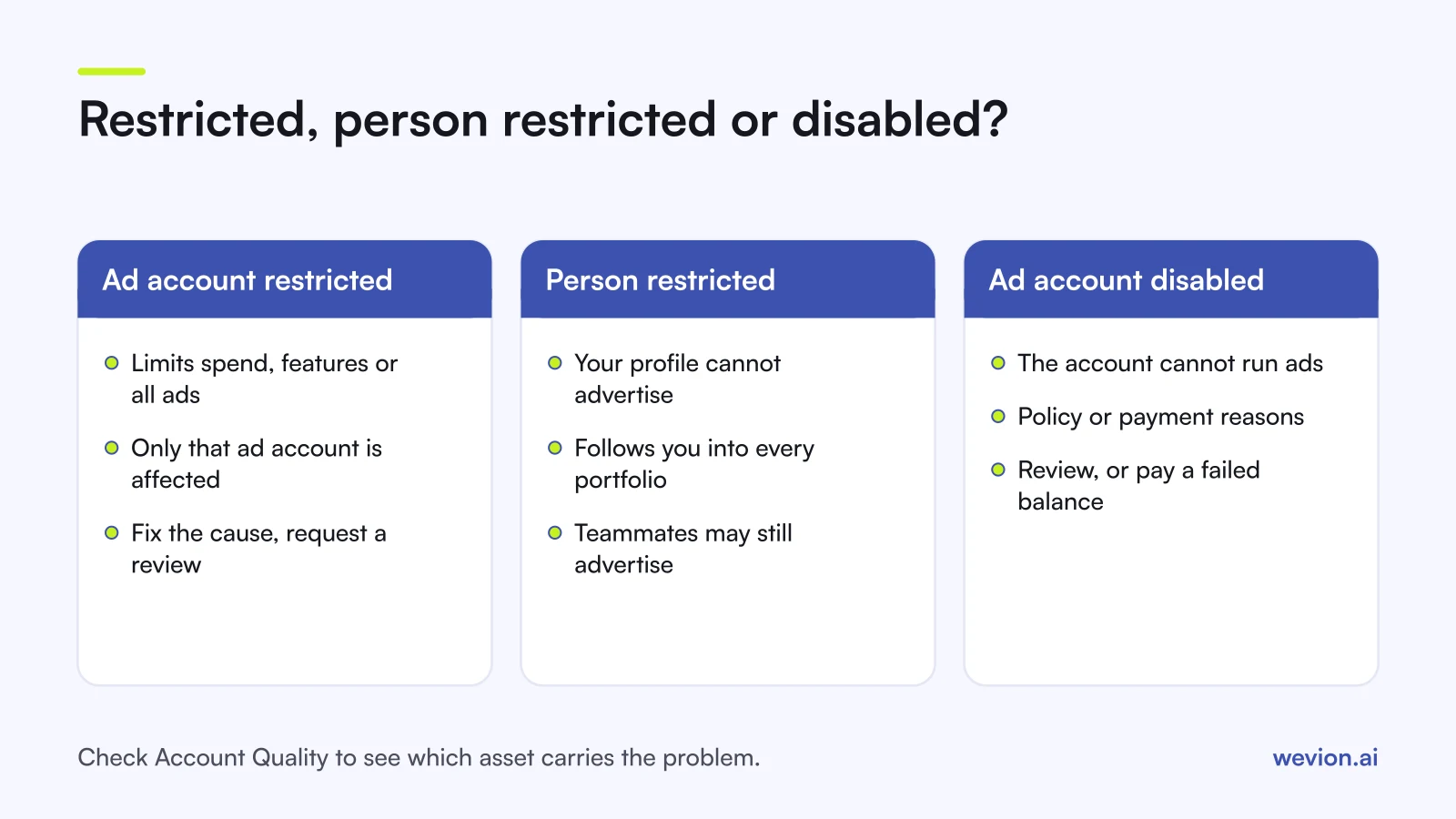
The person row surprises most media buyers. Meta's Advertising Standards say that if only a user account is restricted from advertising, other members of the business account or ad account may still be able to advertise. So the client's ad account can be healthy while you, personally, cannot touch it. Restrictions can also land on a Page, which stops ads that run from that Page in any ad account, or on the whole business portfolio, which affects everything that advertises through it.
Disabled is a separate status. It can come from policy enforcement or from a failed payment; for payments, Meta says ads resume once the outstanding balance is paid, as covered in our terms of service violations guide.
Where do you see why an ad account is restricted?
Account Quality is the one place that shows every restriction on the assets you have a role on, with the reason Meta gives. Our Meta Account Quality guide covers how to reach it from Meta Business Suite and Ads Manager, and newer help pages send you to Business Support Home for the same job.
Work through it in this order:
- Open Account Quality for the business portfolio, or for your own profile if the message named you.
- Check every asset type: ad accounts, Pages, people and the portfolio itself.
- Note which asset is restricted, the reason, and the date.
- Check what still works. A spending or feature limit may leave some delivery running.
- Check who has an admin role on the asset, since you generally need one to request a review.
You only see assets you have a role on. An agency buyer with access to one client ad account will not see a restriction on the client's portfolio, so ask a portfolio admin to look if the picture does not add up.
What causes Meta to restrict an ad account?
Meta restricts advertising for a short list of reasons, and the reason it gives in Account Quality points to the fix. Meta's ads review policy says it may restrict a business's ability to advertise or sell on Meta if it:
- Seriously or repeatedly violates Meta's policies, for example several rejected ads for the same claim.
- Circumvents or tries to circumvent Meta's review and enforcement, such as cloaking a landing page.
- Uses an inauthentic account to set up business assets or run ads.
- Manages business assets linked to other misused assets, such as an ad account connected to a previously disabled one.
Meta's Account Integrity policy adds that it may restrict accounts and business assets in several situations, including those linked to previously disabled accounts. That is why a new team member with a restricted profile, or a partner you no longer recognise, can matter to a healthy account.
A worked example with hypothetical numbers: an agency runs 6 client ad accounts at £300 a day each, £1,800 a day in total. If one ad account is restricted to a lower spending limit, the other 5 deliver as normal and only that account's £300 is at risk. If a media buyer's own profile is restricted, all 6 accounts keep running, but that buyer cannot edit any of them until a colleague takes over or the review is decided.
How do you request a review of a restriction?
A review request asks Meta to look again, and it works best after the cause is fixed. Meta's ads review policy says that if you believe your ad account, user account, Page or business account was restricted in error, you can request a review in Business Support Home, and if the activity is found acceptable the account is restored.
- Fix the cause first. Edit or remove rejected ads, align the landing page with the ad, settle any payment issue, and remove people or partners you do not recognise.
- Secure the logins. If anything suggests unauthorised access, require two-factor authentication on the business portfolio before you submit.
- Select the restricted asset in Account Quality and choose Request review.
- Complete any check Meta asks for. Some reviews ask you to confirm your identity.
- Wait for the decision. Meta says restricted account reviews are typically completed in 48 hours, although some take longer.
- Log the outcome with the asset ID, reason, date and decision. Our evidence guide lists what to keep.
If the review is declined, read the decision before doing anything else. It tells you whether the restriction stays and on which asset.
What should you not do while an ad account is restricted?
Several common reactions turn a limited restriction into a wider one, and Meta's policies name most of them. Avoid these:
- Opening a new ad account, profile or portfolio to keep spending. Meta's inauthentic behaviour policy bans using inauthentic assets to evade enforcement.
- Moving the same ads to another account. If the ads caused the restriction, the same creative will meet the same review elsewhere.
- Requesting a review before fixing anything. You are asking Meta to approve the same situation that triggered the restriction.
- Paying a "recovery" service or sharing your login. The review is free and runs in Meta's own tools, and a shared login adds risk.
- Using cookie or session-based tools to keep working around it. Our guide to token and cookie security explains why those connections add risk.
Where Wevion fits
A restriction usually shows up first as a drop in delivery, and across many client accounts that drop is easy to miss until someone checks.
Wevion connects to Meta through the official API with OAuth, and to Google, TikTok, Snapchat, Taboola and Outbrain through each platform's official API. Data syncs about every 15 minutes, and each client gets its own workspace, so an account whose spend suddenly falls stands out against the rest.
Automated rules can pause, activate, change budgets or just send an alert when a metric crosses your threshold, with a cooldown and a daily cap on runs. An alert on unusually low spend is a simple prompt to open Account Quality. Wevion does not lift restrictions or file reviews; that stays with Meta.
You can try it on your own ad accounts with a 14-day trial on the Pro plan. No card to start. We ask for one on day 7, or earlier if you use up the trial credits, and billing starts on day 14 only if you add it.
Key takeaways
- A restricted ad account can mean a spending limit, a feature limit or no advertising at all; disabled means the account cannot run ads.
- "Your ability to advertise is restricted" often refers to your profile, which follows you into every portfolio, while teammates may still advertise.
- Account Quality shows which asset is restricted and why; check ad accounts, Pages, people and the portfolio.
- Meta's causes: serious or repeated violations, circumventing review, inauthentic accounts and links to misused assets.
- Fix the cause, then request a review; Meta says it typically takes 48 hours.
- Never open new assets to get round a restriction.