
Meta Ads for Shopify Stores: Setup, Tracking and Structure
Priya Raghunathan
E-Commerce Performance Manager
Running Meta ads for Shopify stores starts with one piece of plumbing: the Facebook & Instagram app, which connects the store to the client's business portfolio, syncs products to a Meta catalogue and sends purchase events to Meta. Get that right and the campaign work is familiar. Get it wrong and Meta optimises on missing or duplicated purchases, whatever structure you build on top.
Quick answer: Install the Facebook & Instagram app in Shopify, connected by someone with full control of the client's business portfolio and Page. Choose the Enhanced or Maximum data sharing level so purchases reach Meta through the Conversions API as well as the pixel. Check that products sync to one catalogue, remove any second pixel, then run a simple structure: broad prospecting, catalogue retargeting and a separate testing campaign.
This guide is written for agencies with several Shopify clients. For catalogue campaigns in depth, see our Meta catalog ads guide. For measuring profit rather than revenue, see Shopify profit tracking.
Who should connect the Facebook & Instagram app?
The Facebook & Instagram app should be connected by the client, or by a person the client trusts with full control of its Meta business assets, because Shopify links the store to whichever portfolio that person picks. Shopify's setup guide sets three conditions:
- The business portfolio you select must own the Facebook Page during onboarding.
- A staff member must connect "using their own Facebook account", and that account must have full control of the business portfolio and Page.
- Some features need extra assets, such as an ad account, before setup finishes.
For an agency, the safe pattern is the one in our guide to agency ad account ownership: the client's portfolio owns the Page, ad account, pixel and catalogue, and the agency is added as a partner. If the app is connected to the agency's own portfolio, the pixel and catalogue end up in the wrong place and are painful to move when the contract ends.
Setup in Shopify runs through the App Store: add the Facebook & Instagram app, click Connect account, sign in, connect the required assets, accept the terms and finish setup.
What do the data sharing levels change?
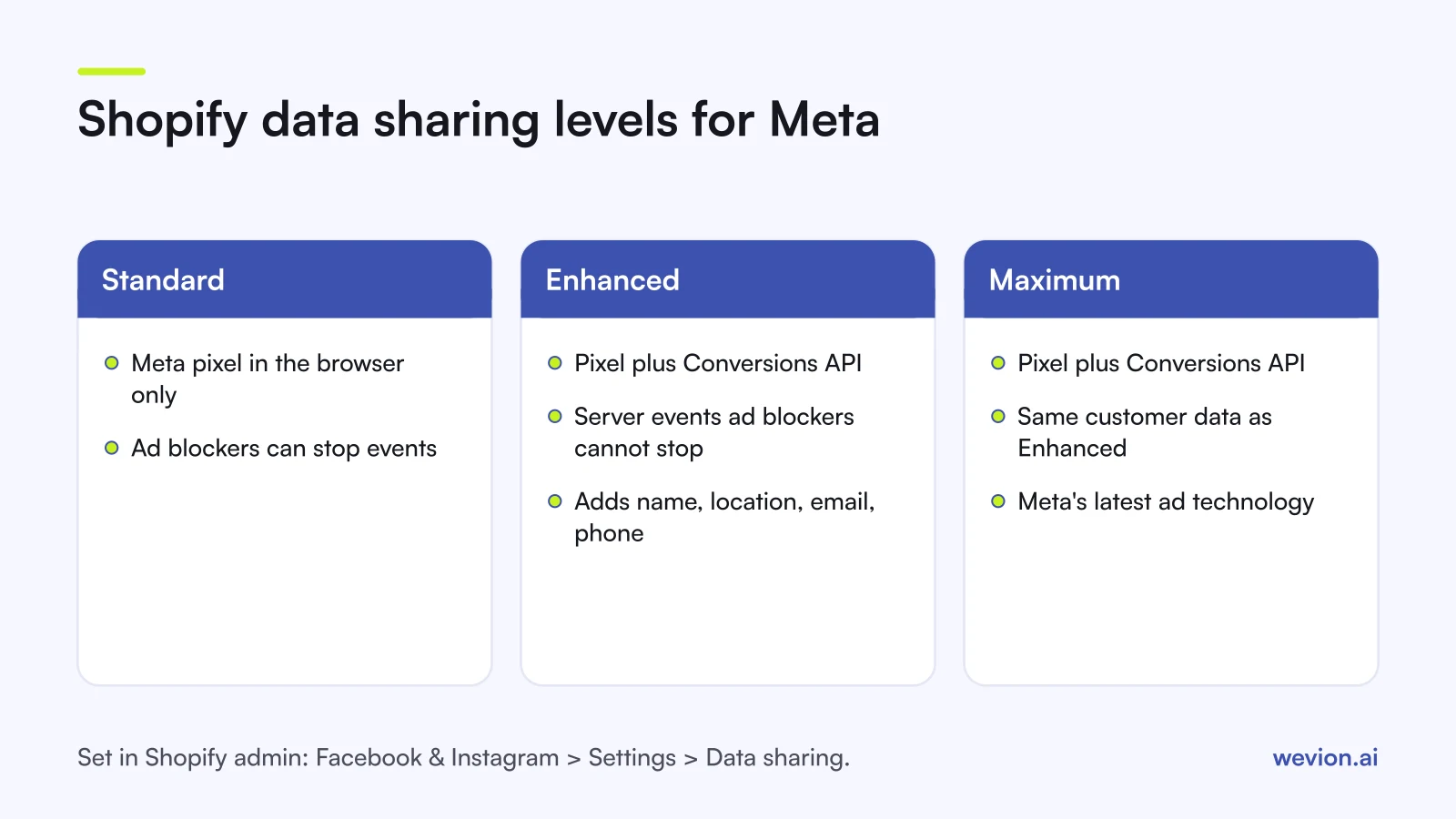
The data sharing level decides how purchase and browsing events travel from Shopify to Meta, and it is the most important setting in the app for ad performance. Shopify's data sharing page describes three levels:
| Level | How events reach Meta | What Shopify says it shares |
|---|---|---|
| Standard | Meta pixel in the browser only | Browsing behaviour; ad blockers can stop it |
| Enhanced | Pixel plus Conversions API | Adds name, location, email and phone to match users |
| Maximum | Pixel plus Conversions API | Same data, "updated with Facebook's latest advertising technology" |
The Conversions API matters because, as Shopify puts it, it sends purchase events "between Shopify and Facebook servers", so a browser ad blocker cannot stop them. On Standard, every purchase from a shopper with an ad blocker is invisible to Meta's optimisation.
You change the level in Shopify admin under Sales channels > Facebook & Instagram > Settings > Data sharing settings. Shopify also reminds merchants that data sharing is a choice and that the store's privacy policy should explain it, so agree the level with the client and its legal contact rather than switching it on your own.
How does the catalogue sync work?
The Facebook & Instagram app keeps one Meta catalogue in step with the Shopify product list, so catalogue ads always show current titles, images and prices. Shopify's product publishing page says changes to product details sync automatically, which "usually takes a few minutes", and that all of the app's features share the same catalogue.
A product only syncs when it meets Shopify's conditions. It must:
- be made available to the Facebook channel;
- require shipping, so digital products do not qualify;
- have a return policy and a Google Product Category;
- meet Meta's specifications and Commerce Policy, and not be free.
When a client says "half our products are missing in Meta", check the channel availability filter in Shopify first, then the catalogue diagnostics in Commerce Manager. Our catalogue ads troubleshooting guide walks through the order of checks.
What campaign structure suits a Shopify client?
A Shopify client usually needs only three types of Meta campaign, and fewer campaigns give each one more conversions to learn from. This is a starting layout, not a rule; adjust it to the client's budget and catalogue size.
- Prospecting. One sales campaign with broad targeting and the client's best creatives. Our guide to broad targeting on Meta explains why wide audiences tend to work once the pixel has purchase history. Advantage+ sales campaigns fit here.
- Catalogue retargeting. Catalogue ads aimed at people who viewed or added products to the cart, using the catalogue the app syncs.
- Testing. A separate campaign with ad set budgets, where new creatives and offers get a fair share of spend before moving into prospecting. See CBO vs ABO for the test-then-scale logic.
Decide early how much spend should go to past buyers. Upload the client's customer list from Shopify as a custom audience, so you can exclude or cap existing customers. Our guide to the existing customer budget cap explains how to do that now that Advantage+ campaigns no longer have the old setting.
A worked example with hypothetical numbers: a client spends €300 a day. You might start with €210 on prospecting, €45 on catalogue retargeting and €45 on testing, which adds up to €300. Review the split each week against new customer orders in Shopify, not against Meta's reported ROAS alone.
What tracking mistakes break Meta ads on Shopify?
Most tracking problems on Shopify stores come from events reaching Meta twice, not at all, or under the wrong pixel. Check these on every new client:
- A second pixel in the theme or another app. Older stores often have pixel code pasted into the theme from before the app was installed. Meta only removes duplicates when the pixel's event ID and name match the Conversions API event, within 48 hours, according to Meta's deduplication guide. A stray pixel with its own IDs means double purchases.
- Data sharing left on Standard. Purchases from shoppers with ad blockers never reach Meta.
- The wrong pixel connected. A pixel left over from a previous agency, or one owned by your agency, splits the data history.
- Missing UTMs. Without them, Shopify cannot tell which Meta campaign drove an order. Our DTC UTM workflow covers a naming standard.
- Expecting Meta and Shopify to match. Meta credits purchases with its own attribution setting; Shopify records every order. Our guide to platforms double counting conversions explains the gap.
After any fix, run a test order and check that one Purchase event arrives in Events Manager, not two.
Where Wevion fits
Agencies with several Shopify clients spend a large part of each week answering one question: did the ads make money once costs and every platform are counted? Meta's own reports cannot answer that alone.
Wevion connects Meta, Google, TikTok, Snapchat, Taboola and Outbrain ad accounts through each platform's official API, with OAuth for Meta, syncs data about every 15 minutes, and gives every client its own workspace with team roles such as manager, media buyer, finance and viewer.
Wevion does not send conversions to Meta: that stays with the Facebook & Instagram app and the Conversions API. What Wevion adds is the view across platforms. Profitability Analytics, in beta, connects the client's Shopify store, syncs cost per item, and shows profit, margin and POAS next to spend from every platform. Bulk Launch builds test campaigns from one grid, and automated rules can pause ads, change budgets or just send an alert.
You can try it on your own ad accounts and store with a 14-day trial on the Pro plan. No card to start. We ask for one on day 7, or earlier if you use up the trial credits, and billing starts on day 14 only if you add it.
Key takeaways
- The Facebook & Instagram app links Shopify to Meta: catalogue, pixel and Conversions API.
- The person connecting it needs full control of the client's business portfolio and Page, so the client should own the assets.
- Standard sharing uses only the pixel; Enhanced and Maximum add the Conversions API, which ad blockers cannot stop.
- Product changes usually sync to the catalogue within a few minutes, and only eligible products sync.
- Three campaign types cover most stores: broad prospecting, catalogue retargeting and testing.
- Remove duplicate pixels, check one Purchase per test order, and judge results on Shopify orders and profit.