
Google Ads Smart Bidding: Strategies, Learning and Mistakes
Priya Raghunathan
E-Commerce Performance Manager
Google Ads Smart Bidding is the group of bid strategies where Google sets a bid for every auction to get the most conversions or conversion value at the goal you give it. You choose the goal and the budget; Google chooses the bid. It works well when conversion tracking is clean and volume is steady, and badly when either is missing.
Quick answer: Use Maximise conversions or Maximise conversion value when you want the most results from a fixed budget. Use Target CPA or Target ROAS when you have a cost or return goal to hold. Judge results over at least 30 conversions (50 for Target ROAS), avoid changing targets more than once per conversion cycle, and use seasonality adjustments and data exclusions only for short, known events.
This guide is about choosing and running the strategies. For rule-based changes on top of them, see our Google Ads automated rules guide. If you also buy on Meta, our Meta ads bid strategies guide is the equivalent there.
What is Smart Bidding?
Google's About Smart Bidding page describes it as bid strategies that use Google AI to optimise for conversions or conversion value in every auction, which Google calls auction-time bidding. The bid takes into account signals about the person and the moment, including:
- device, location and location intent
- weekday and time of day
- remarketing list membership
- language, browser and operating system
- the actual search query (on Search)
Manual bidding cannot react to that many signals at once, which is the whole case for Smart Bidding. The flip side is control: Smart Bidding ignores most manual bid adjustments. Our Google Ads dayparting guide shows what that means for time-of-day bids.
Which Smart Bidding strategies exist, and what are they called now?
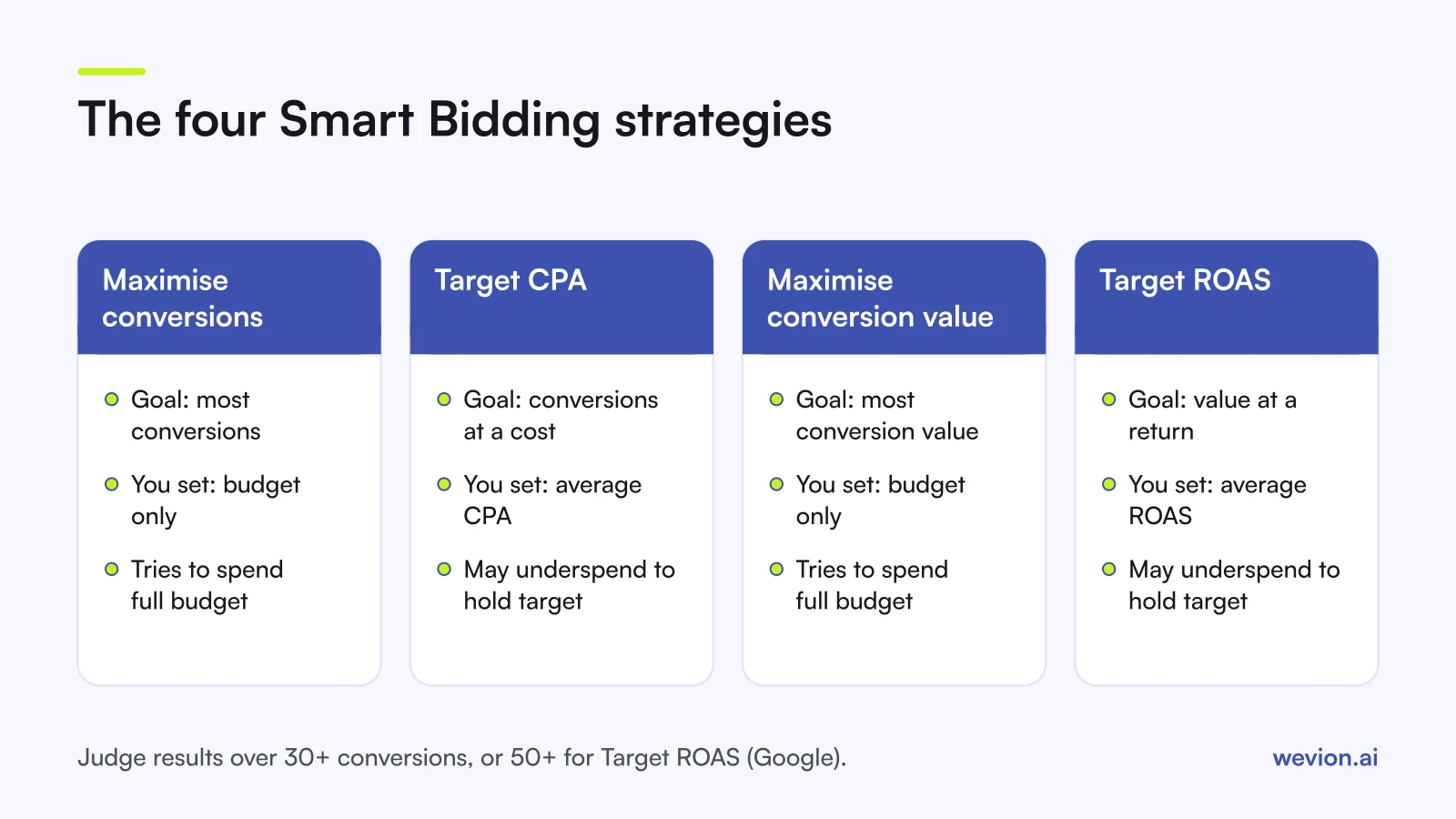
Google lists four Smart Bidding strategies. The names changed in 2026: Google says that starting in June 2026, "Maximise conversions with a Target CPA" is labelled Target CPA, and "Maximise conversion value with a Target ROAS" is labelled Target ROAS. Nothing changes in how they bid.
| Strategy | Optimises for | You set | Budget behaviour |
|---|---|---|---|
| Maximise conversions | Number of conversions | Budget only | Tries to spend the full budget |
| Target CPA | Conversions at an average cost | Target cost per conversion | Aims at the target, may underspend |
| Maximise conversion value | Total conversion value | Budget only | Tries to spend the full budget |
| Target ROAS | Value at an average return | Target return on ad spend | Aims at the target, may underspend |
Google's Maximise conversions page says the strategy will try to fully spend your average daily budget, so a campaign that was underspending can jump in cost when you switch. If you have a cost goal, Google points you to Target CPA instead.
How do you pick the right strategy?
Start from what you can measure and what the business needs.
You only track leads or purchases, no values. Use Maximise conversions while you learn what a conversion costs, then move to Target CPA once you know the number you need to hold.
You track revenue per purchase. Use Maximise conversion value, then Target ROAS. Value bidding only helps if the values are right: pass the real order value, not a fixed number.
You have a hard return goal. Work out your break-even point first. With a 40% contribution margin, break-even ROAS is 1 ÷ 0.40 = 2.5, or 250%. A Target ROAS below that buys revenue at a loss. Our break-even ROAS calculator does the sums.
Set targets from history, not hopes. If a campaign has delivered 80 conversions at a €40 average CPA over the last 30 days, start Target CPA at around €40. Starting at €25 tells Google to skip most of the auctions it is winning today, and volume drops.
How much conversion data does Smart Bidding need?
Google does not publish one hard minimum that applies to every campaign. What it does say, on the About Smart Bidding page, is that you should judge performance over periods with at least 30 conversions, such as a month or longer, and 50 conversions for Target ROAS. It also notes that some strategies have minimum volumes that depend on campaign type, so check the help article for your campaign before switching.
In practice, low volume is a structure problem. Ten campaigns with five conversions each give Google far less to work with than two campaigns with 25 each. A portfolio strategy is one way to pool them.
Clean data matters as much as volume. If two tags count the same sale, Smart Bidding bids for conversions that never happened. Our guide to ad platforms double counting conversions covers how that happens.
What happens during the learning period?
Google's learning period article says the Learning status can show for up to seven days, and that it can take one to two conversion cycles for performance to settle on a new goal. A conversion cycle is the usual time from click to conversion, so a product people think about for a week will take longer than an impulse buy.
Learning starts when:
- the strategy is created or reactivated
- campaigns, ad groups or keywords are added to or removed from the strategy
- the conversion goals or actions it optimises for change significantly
According to the same page, budget, target, creative and targeting changes do not trigger a Learning status or remove history. They still change what the strategy does, so Google advises against making several target changes within one conversion cycle unless there is a clear business need.
A sound cadence: change a target by a moderate step, wait at least one full conversion cycle, then read the result.
When should you use seasonality adjustments?
A seasonality adjustment tells Smart Bidding to expect a short rise or fall in conversion rate, for example during a flash sale. Google calls it an advanced tool and says:
- it works best for short events of one to seven days
- it may not work as well for periods longer than 14 days
- it is available for Search, Shopping, Display and Demand Gen campaigns on Target CPA or Target ROAS, and for Performance Max on any bid strategy
- you should use it only if you expect a major change, because Smart Bidding already accounts for normal seasonality
A typical case: a 48-hour 30% off sale where you expect conversion rate to rise by about half. Without an adjustment, the strategy only catches up once the sale is nearly over.
When should you use data exclusions?
Data exclusions are for broken data, not for events. Google recommends them for conversion tracking problems such as a tag that stopped firing, a tag placed wrongly or failed offline conversion uploads. They work in Search, Display, Shopping and Performance Max campaigns.
Three points from Google's outage guidance:
- apply the exclusion as soon as you find the problem
- excluded conversions still appear in reports; only bidding ignores them
- Google generally does not recommend backfilling conversion data after an outage
Do not use exclusions often or for long periods. Google says frequent or prolonged use can hurt Smart Bidding performance.
What are portfolio bid strategies?
A portfolio bid strategy applies one Smart Bidding goal across several campaigns, so campaigns with little volume each can share data and work towards one average target. You create it in the shared library under Bid strategies.
Two details matter. Google's Target CPA page says bid limits are available only on portfolio strategies, apply only to Search Network auctions, and are not recommended because they restrict the strategy. And Performance Max does not support portfolio bid strategies or shared budgets, according to Google's Performance Max compatibility table. For how to split Performance Max campaigns instead, see our Performance Max campaign structure guide.
What are the most common Smart Bidding mistakes?
- Targets set far from history, which starves the campaign or overspends it.
- Changing targets every few days, before a conversion cycle has passed.
- Optimising to soft conversions such as page views, so Google buys page views.
- Fixed conversion values on value bidding, which turns Target ROAS into Target CPA with extra steps.
- Adding hourly or device bid adjustments and expecting Smart Bidding to use them.
- Judging a week of data with ten conversions in it.
- Using seasonality adjustments for a month-long season, which Google says they are not built for.
Where Wevion fits
Smart Bidding decides bids inside Google, but the targets are yours, and they are hard to set well when the same budget also runs on Meta and TikTok.
Wevion connects Google, Meta, TikTok, Snapchat, Taboola and Outbrain ad accounts through each platform's official API, syncs data about every 15 minutes, and shows spend, CPA and ROAS for every account in one view, so you can see when a Google target drifts away from what other channels deliver.
You can set automation rules on a single platform that pause or activate campaigns, change budgets by a percentage or just send an alert, with a cooldown and a daily cap on how often they run. Cross-platform rules are in beta.
You can try it on your own ad accounts with a 14-day trial on the Pro plan. No card to start. We ask for one on day 7, or earlier if you use up the trial credits, and billing starts on day 14 only if you add it.
Key takeaways
- Google Ads Smart Bidding has four strategies: Maximise conversions, Target CPA, Maximise conversion value and Target ROAS.
- Since June 2026 Google labels the targeted versions simply Target CPA and Target ROAS.
- Maximise strategies try to spend the full budget; target strategies aim at an average and may underspend.
- Judge results over at least 30 conversions, or 50 for Target ROAS.
- Learning shows for up to seven days; wait a full conversion cycle between target changes.
- Seasonality adjustments are for short events of one to seven days; data exclusions are for broken tracking.
- Portfolios pool low-volume campaigns, but Performance Max cannot join one.