
Meta Ads Optimization Checklist: Daily, Weekly and Monthly
Rafael Moreira
Senior Performance Marketer
A meta ads optimization checklist is a fixed list of things to check on a live account, split by how often each one needs looking at, with the action each check should lead to. Without one, media buyers tend to check everything every day and change too much. With one, daily time goes on catching problems and weekly time goes on decisions.
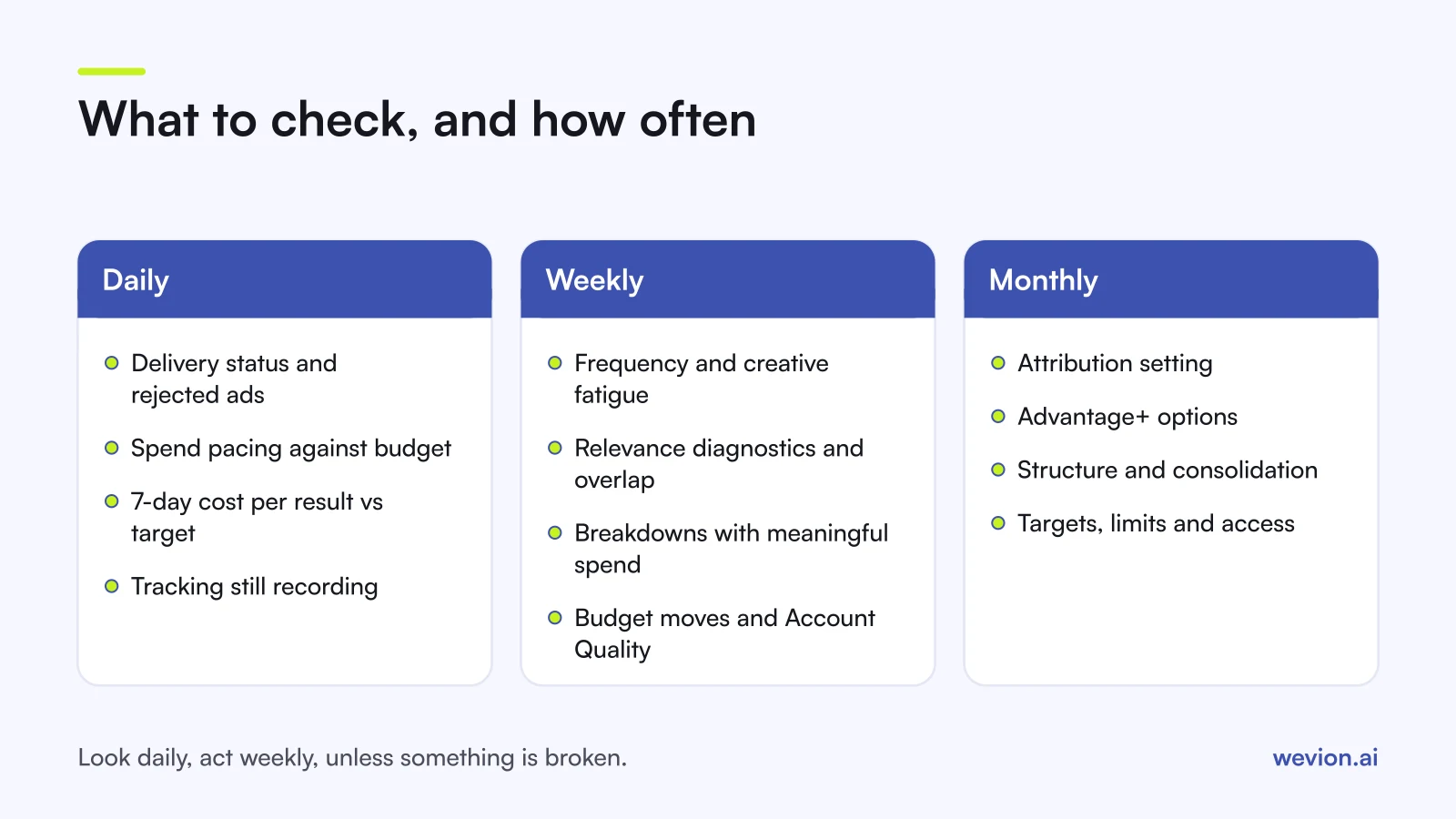
Quick answer: Every day, check delivery status, rejected ads, spend pacing and cost per result against target. Every week, check frequency and creative fatigue, ad relevance diagnostics, auction overlap, breakdowns and budget moves, and scan Account Quality. Every month, review the attribution setting, Advantage+ options, account structure and your targets. Make most changes in the weekly session.
This checklist assumes the account is already built. For how to lay it out, see our Meta ads campaign structure guide, and for the budget setup, our comparison of CBO vs ABO.
Why split Meta checks into daily, weekly and monthly?
Splitting checks by frequency matters because Meta's delivery system needs stable conditions to learn, and frequent edits break them. Meta's learning phase guidance says an ad set is marked learning limited when it is unlikely to get about 50 optimisation events in the week after its last significant edit. Every edit you make on impulse resets that clock.
So the rule is simple: look daily, act weekly, unless something is broken. A broken link, a rejected ad or a budget that has tripled overnight cannot wait. A cost per result that rose for one day can.
What should you check every day?
Daily checks are about catching anything that is broken or spending in a way you did not plan. They should take minutes per account, not an hour.
| Check | Where to look | Action if it fails |
|---|---|---|
| Delivery status | Delivery column in Ads Manager | Fix rejected ads; note ad sets stuck in learning |
| Rejected ads | Delivery column, Account Quality | Edit the ad or request a review |
| Spend pacing | Amount spent vs budget | Check budgets, schedules and spending limits |
| Cost per result vs target | Last 7 days, not today | Flag for the weekly session |
| Tracking | Results column vs your store or CRM | Check Events Manager if results drop to zero |
Delivery status. The Delivery column shows whether each campaign, ad set and ad is active, learning, learning limited or flagged with a warning. Learning is normal after a launch or a significant edit. Learning limited for a week or more is a structure problem for the weekly session, not something to fix today.
Spend pacing. A daily budget is not a hard cap per day. Meta's pricing page says it may spend up to 75% more than the daily budget on some days, while weekly spend stays within seven times the daily amount. A day at 1.6 times budget is normal; a week above seven times is not.
Cost per result. Read it on the last seven days against the target you set before launch. A hypothetical example: target CPA €40, and an ad set spent €600 over the last seven days for 12 purchases. That is €50, 25% above target. It goes on the weekly list. It does not get paused today.
Tracking. If purchases drop to zero while clicks and spend look normal, suspect tracking before creative. Check Events Manager, and see our guide to Event Match Quality for the signals that matter.
What should you check every week?
Weekly checks are where optimisation decisions happen: what to pause, what to scale and what to refresh. Hold them on the same day each week, with seven days of fresh data.
Frequency and creative fatigue. Rising frequency on its own is not a problem. Rising frequency with falling click-through rate and rising cost per result is the fatigue pattern. Meta's Opportunity score documentation lists creative fatigue among its recommendation types, so check the recommendations panel too. The action is new creative, not a bigger budget. Our guide on why frequency hurts performance covers how to read it by audience type.
Ad relevance diagnostics. Quality ranking, engagement rate ranking and conversion rate ranking compare an ad with ads competing for the same audience. Meta's help page says they are not available for ads with fewer than 500 impressions. A below-average quality ranking points at the creative; a below-average conversion rate ranking with good engagement points at the offer or landing page.
Auction overlap. When ad sets from the same account target similar people, Meta enters only one of your ads in a given auction, according to its auction overlap help page. The others sit out, which can cause underspend and learning limited ad sets. Meta's suggested fix is to merge similar ad sets or turn off the weaker ones and move their budget. Opportunity score's fragmentation recommendation flags a related problem: too many small ad sets.
Breakdowns. Use the Breakdown menu to split results by age, gender, placement, platform and time. Look for a slice that takes a large share of spend at a much worse cost. Only act on rows with meaningful spend; a placement with three conversions proves nothing.
Budget changes. Scale ad sets that beat target over the week, and cut those that miss it by your agreed margin. Meta's last significant edit page lists budget changes among edits that can restart learning, depending on size, so move in moderate steps. Our guide to guardrails to scale ad spend safely sets out step sizes.
Account Quality. Scan it weekly for rejected ads and restrictions across every ad account, Page and person. Our Meta Account Quality guide sets out a weekly routine.
What should you check every month?
Monthly checks cover settings and targets that rarely change but quietly shape every number you read. Fifteen minutes per account is usually enough.
Attribution setting. For website conversions, Ads Manager starts at 7-day click-through, 1-day engage-through and 1-day view-through. Meta changed how clicks and engaged views are counted in 2026, so compare months either side of a change with care. Our Meta attribution setting guide covers the options. Make sure every ad set you compare uses the same setting.
Advantage+ settings. Check which Advantage+ options each campaign uses: Advantage+ audience, Advantage+ placements and Advantage+ creative features. Meta's Advantage+ creative documentation says that creative features are now opted into one at a time rather than as one bundle. Confirm the features switched on match what your brand allows, for example on text or image changes.
Structure. Count ad sets per campaign and how many reached about 50 optimisation events last week. If most did not, consolidate. Our learning phase guide explains why.
Targets. Recalculate target CPA or ROAS from current margins. A target set in spring can be wrong by autumn if costs or prices moved. Our break-even ROAS calculator shows the maths, and our MER vs ROAS guide explains why platform ROAS should be checked against store revenue.
Spending limits and access. Check the account spending limit, billing and who has access, especially after team changes.
How do you turn each check into an action?
A check without a decision rule just produces a feeling. Write the rule for each check before you start, so two people reading the same numbers make the same call.
A hypothetical weekly session for one account with a €40 target CPA and five ad sets:
| Ad set | 7-day spend | Purchases | CPA | Rule | Action |
|---|---|---|---|---|---|
| A | €1,400 | 41 | €34 | Below target by 15%+ | Raise budget 20% |
| B | €900 | 23 | €39 | Within ±15% | Leave it |
| C | €600 | 12 | €50 | Above target by 25% | New creative; recheck in 7 days |
| D | €300 | 4 | €75 | Above by 50%+, low volume | Merge into B |
| E | €800 | 0 | n/a | Clicks normal, no purchases | Check tracking first |
Totals: €4,000 spend and 80 purchases, a blended CPA of €50 against a €40 target. The table shows why: D and E are dragging it, while A deserves more budget.
What are the most common optimisation mistakes on Meta?
Most optimisation mistakes come from acting too often on too little data, or from following a recommendation without checking it against your goals:
- Editing every day, so ad sets never leave learning.
- Judging on yesterday instead of a seven-day window.
- Scaling into fatigue, raising the budget on an ad set whose frequency and CPA are both climbing.
- Applying every recommendation to push Opportunity score up. Meta frames a higher score as a likelihood of better performance, not a promise.
- Comparing ad sets on different attribution settings.
- Reading breakdown rows with almost no spend.
Where Wevion fits
The daily part of this checklist is repetitive across accounts, and it is the part that slips when a team manages many clients.
Wevion connects Meta ad accounts through the official API with OAuth, plus Google, TikTok, Snapchat, Taboola and Outbrain through each platform's official API, syncs data about every 15 minutes, and shows spend and results for every account in one view, so the daily scan happens in one place.
Automated rules can then run the daily checks for you: pause an ad when CPA crosses your threshold, change a budget by a percentage, activate an ad or just send an alert. Rules act directly, with a cooldown and a daily cap on runs. If you move budget between Meta, Google and TikTok, cross-platform rules are in beta. New creative for fatigued ad sets can go live in bulk with Bulk Launch.
You can try it on your own ad accounts with a 14-day trial on the Pro plan. No card to start. We ask for one on day 7, or earlier if you use up the trial credits, and billing starts on day 14 only if you add it.
Key takeaways
- Look daily, act weekly: daily checks catch breakage, weekly sessions make decisions.
- Daily: delivery status, rejected ads, spend pacing, seven-day cost per result and tracking.
- Weekly: frequency and fatigue, relevance diagnostics, auction overlap, breakdowns, budget moves and Account Quality.
- Monthly: attribution setting, Advantage+ options, structure, targets and access.
- Write a decision rule for every check before you read the numbers.
- Treat Opportunity score recommendations as suggestions to check, not orders.