
Higher Intent Instant Forms on Meta: When Fewer Leads Pay
Marta Kowalczyk
Agency Operations Lead
A higher intent instant form is Meta's lead form type that adds a review screen before a person submits, so they see and confirm their details first. It brings fewer leads than the default More volume form, usually at a higher cost per lead, in exchange for submissions people meant to send. For agencies selling lead generation to clients with a sales team, that trade is often the right one, but not always.
Quick answer: Use More volume when leads go into an automated email flow or the offer is cheap to fulfil, such as a guide or a webinar. Use Higher intent when a person calls every lead. Switch only if cost per qualified lead falls, which you can check by testing both forms on the same creative and audience for a set period.
This guide goes deep on one decision. For the full instant form setup, see our Facebook lead ads best practices. If you are still choosing between a form and a website, start with lead ads vs landing page.
What is the difference between More volume and Higher intent?
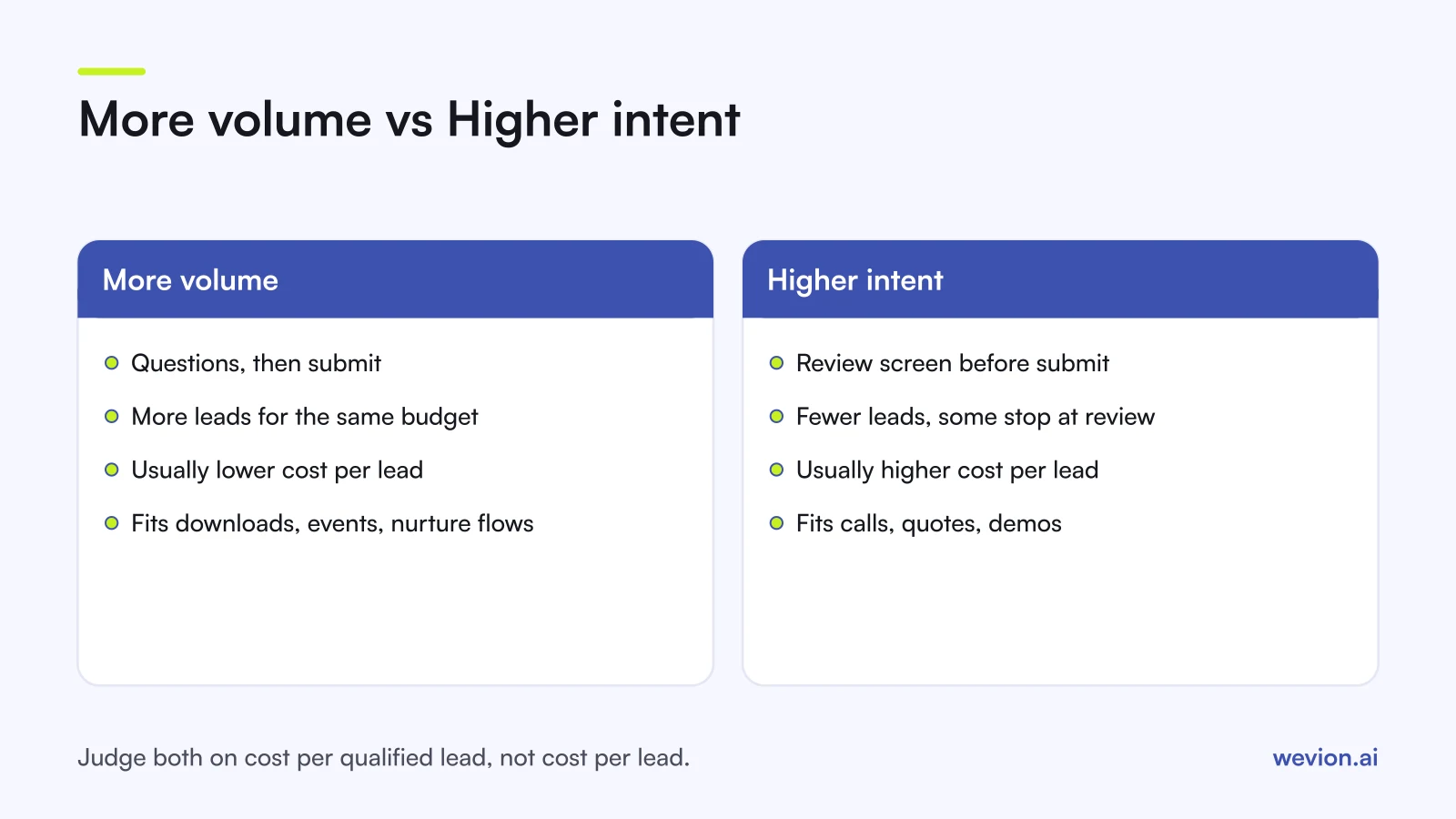
The difference between More volume and Higher intent is one extra screen: Higher intent asks people to review and confirm their answers before the form is submitted. Meta's instant form types page lists three types: More volume, Higher intent and Rich creative. Meta's developer guide to creating lead forms describes the Higher intent setting as a step where a person reviews and confirms their answers before submitting.
| More volume | Higher intent | |
|---|---|---|
| Steps to submit | Questions, then submit | Questions, review screen, then submit |
| Effect on volume | More leads for the same budget | Fewer leads, since some people stop at review |
| Effect on cost per lead | Usually lower | Usually higher |
| What it filters out | Very little | Accidental taps and people who did not read the form |
| Typical fit | Downloads, events, newsletters, automated nurture | Calls, quotes, demos, consultations |
Rich creative is a separate choice about layout: it adds images and copy before the questions. It does not change how a lead is submitted.
The review screen matters because instant forms are pre-filled from the person's profile. With More volume, someone can open the form, see their name and email already there and submit in a couple of taps without reading what they are signing up for. The review step does not stop that, but it gives a moment to notice the wrong email, or to realise that a salesperson will call.
When is the trade-off of fewer but better leads worth it?
Fewer but better leads are worth it when the cost of handling a bad lead is high, which usually means a person has to call, email or meet each one. A useful rule is to compare cost per qualified lead, which is cost per lead divided by the share of leads the client qualifies.
Here is a worked example with hypothetical numbers for a client spending €3,000 on one test, where a sales rep spends time worth €8 trying to reach each lead:
| More volume | Higher intent | |
|---|---|---|
| Ad spend | €3,000 | €3,000 |
| Cost per lead | €15 | €24 |
| Leads | 200 | 125 |
| Qualified rate | 20% | 36% |
| Qualified leads | 40 | 45 |
| Cost per qualified lead (ads only) | €75.00 | €66.67 |
| Sales time at €8 per lead | €1,600 | €1,000 |
| Cost per qualified lead (ads plus sales time) | €115.00 | €88.89 |
In this example Higher intent costs 60% more per lead, yet it wins because the qualified rate rises by 80%. The general test is simple: Higher intent wins on ad cost when the qualified rate rises by a larger percentage than cost per lead. If cost per lead rises 60% and the qualified rate rises only 30%, More volume is still cheaper per qualified lead, before you count sales time.
Sales time tips close cases. A client with one rep and a waiting list of leads gains more from 125 good leads than from 200 mixed ones, even at equal cost per qualified lead.
Higher intent is usually not worth it when:
- Leads go into an automated email sequence and nobody calls them, so a weak lead costs almost nothing to handle.
- The offer is a free download or event, where volume is the goal and the client qualifies later.
- The account is small and volume is already low. Fewer leads mean a slower read on the test, and Meta needs results to learn from.
How do custom questions filter leads?
Custom questions filter leads by asking for something the profile cannot pre-fill, so the person has to stop and choose. They work with either form type, and they often do more for quality than the form type itself.
Meta's developer guide lists custom questions with answer options, plus question types such as appointment scheduling and store locator. For qualification, multiple choice questions are the most useful, because they produce clean values the client's CRM can route on.
Pick questions by what happens next, not by what would be nice to know:
| Question | Example options | What it decides |
|---|---|---|
| Budget or size | Under €5k, €5k to €20k, Over €20k a month | Priority and which rep calls |
| Timing | This month, Within 3 months, Just researching | Call today or nurture |
| Fit | The client's three main services | The first message the lead receives |
Two or three questions are usually enough. Each one adds friction, so combining Higher intent with five custom questions can cut volume further than the client expects. Change one thing at a time: if you add questions and switch form type together, you will not know which one moved the qualified rate.
Meta's lead generation page also lists verification tools: a phone number confirmed by SMS passcode and a work email. They answer a different problem from Higher intent. Higher intent checks that the person meant to submit; verification checks that the contact details work.
How do conditional answers and conditional logic work?
Conditional answers and conditional logic both make a form react to what a person chooses, but they do different jobs. Conditional answers change the options inside a question. Conditional logic changes the path through the form.
Conditional answers. Meta's help page on adding conditional answers describes the setup: in the Questions section, add a question, choose Conditional and upload your conditional answers. Everyone sees the same questions, and only the options change. A car dealer, for example, can show models that depend on the brand picked in the previous question. It keeps long lists short, which helps on a phone.
Conditional logic. In an April 2024 post on instant forms, Meta describes conditional logic as creating an instant form with multiple questions in a question flow, and presents it as a way to qualify leads. Meta's example in that post, the advertiser John Wai Martial Arts, reported a 62% higher lead-to-customer conversion rate than with instant forms alone. That is one advertiser's result, not a benchmark.
For agencies, conditional logic is the stronger filter, because it can change the path through the form depending on the answer. A typical flow:
- Ask the qualifying question first, for example the monthly budget.
- Send people in range to the contact questions and the review screen.
- Send people out of range to a different ending, if the builder offers one, with a free resource instead of a call.
Check the options in your client's form builder before you plan the flow, because Meta changes the builder over time. Map the paths on paper first and get the client to approve them, since a published form cannot be edited.
How do you test Higher intent for a client?
Testing Higher intent for a client means running both form types against the same audience and creative, then judging them on a CRM stage the client agreed in advance. Without that agreement, the test ends in an argument about lead quality.
- Agree the quality stage with the client. For example, "reached by phone and confirmed a budget".
- Build two forms that differ only in type. Same intro, questions, privacy policy and ending. Meta's help centre says a published form cannot be edited, so check both in preview first.
- Duplicate the ad set and swap the form. Keep creative, audience, budget and optimisation the same.
- Tag the leads. Make sure the form name or ID reaches the CRM, so each lead shows which version it came from.
- Set a period and a minimum. Decide the test length before launch, and agree that neither version is judged until both have enough leads to compare.
- Compare cost per qualified lead, using the formula above, plus the contact rate in the first week.
Once you have a winner and a steady flow of qualified leads, the next step is to tell Meta which leads qualified, so it can find more of them. That is a separate setting, covered in our guide to conversion leads optimization, and it works on top of whichever form type you choose. Our guide to tracking lead quality through your CRM covers how to set up the stages.
TikTok uses the same two names. Its Higher Intent form adds a review screen and a CAPTCHA, as our guide to TikTok lead generation ads explains, so an agency running both can apply the same test design on each platform.
Where Wevion fits
An agency testing form types for several clients ends up with many pairs of ad sets to watch, and the numbers sit in different ad accounts.
Wevion connects Meta, Google, TikTok, Taboola, Snapchat and Outbrain ad accounts through each platform's official API, syncs data about every 15 minutes, and shows spend, leads and cost per lead for every account in one view, so both versions of a form test sit side by side.
Each client gets its own workspace, and team roles such as manager, media buyer, finance and viewer decide who can change what. Automation rules can pause an ad set whose cost per lead runs too high, change budgets or just send an alert. If you move budget between platforms, cross-platform rules are in beta. Lead qualification still lives in the client's CRM, so the qualified rate in the example above comes from there.
You can try it on your own ad accounts with a 14-day trial on the Pro plan. No card to start. We ask for one on day 7, or earlier if you use up the trial credits, and billing starts on day 14 only if you add it.
Key takeaways
- Higher intent adds a review screen where people confirm their details before submitting; More volume does not.
- Expect fewer leads and a higher cost per lead with Higher intent, and judge it on cost per qualified lead.
- Higher intent wins on ad cost when the qualified rate rises by more, in percentage terms, than cost per lead.
- Add two or three multiple choice questions that decide routing; change one thing per test.
- Conditional answers shorten long option lists; conditional logic can route people who do not fit away from submitting.
- Published forms cannot be edited, so build both test forms, get them approved and preview them before launch.